
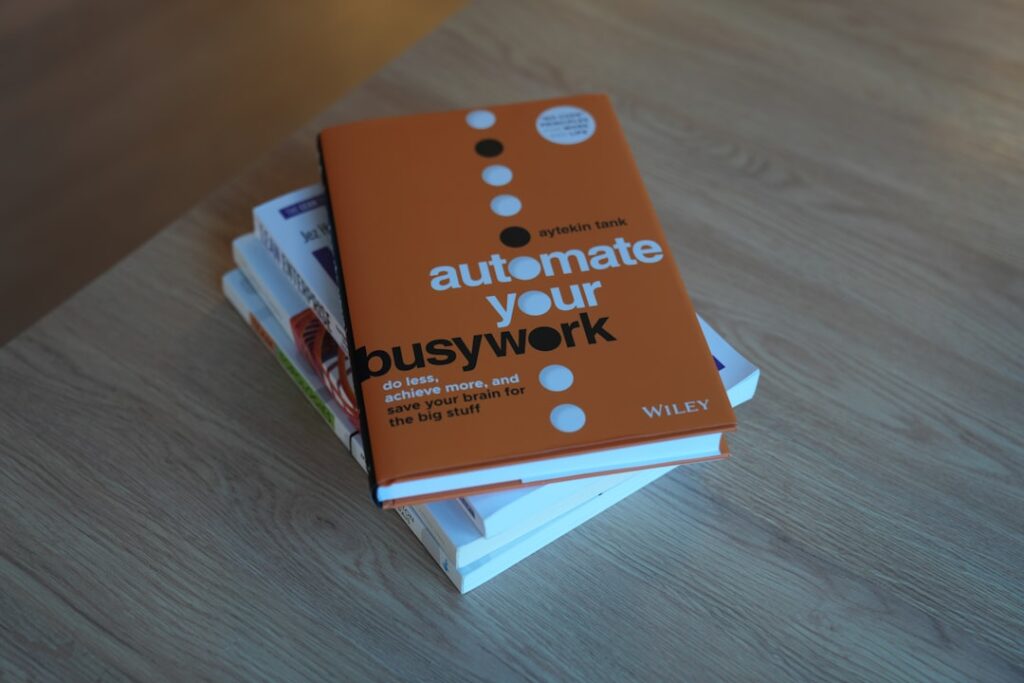
Automate Daily Tasks with AI: A Comprehensive Guide to Productivity Optimization
In today’s fast-paced world, learning to automate daily tasks with AI is crucial for enhancing productivity and effectively managing time. The integration of artificial intelligence into everyday tasks not only streamlines operations but also allows for a higher focus on strategic initiatives that require human intelligence. This article explores the multiple facets of AI productivity optimization, offering you the knowledge and tools to effectively integrate AI into your daily routine.
Why it matters
Automating daily tasks with AI is more than a trend; it’s a necessity in the modern workplace. Here are some key reasons why:
- Efficiency: Automation streamlines processes, allowing tasks to be done in less time with fewer errors.
- Cost Savings: Reducing manual work often leads to significant cost reductions for businesses.
- Focus on Strategy: With mundane tasks delegated to AI, human resources can concentrate on more strategic, high-value activities.
- Data-Driven Decisions: AI can analyze data at a speed and depth that humans cannot, improving decision-making.
Core Concepts
To effectively automate daily tasks with AI, it’s important to understand several core concepts:
1. Machine Learning (ML)
Utilizes algorithms to analyze data and improve performance over time without human intervention.
2. Natural Language Processing (NLP)
Enables machines to understand and respond to human language, useful in chatbots and virtual assistants.
3. RPA (Robotic Process Automation)
Automates repetitive tasks across applications like data entry and report generation.
4. Integration with Tools
AI applications should seamlessly connect with existing tools such as CRMs and project management software.
Detailed Step-by-Step Guide
Here’s how you can start automating daily tasks with AI:
- Identify Tasks for Automation: Begin by listing repetitive tasks that consume your time unnecessarily.
- Research AI Tools: Look for AI solutions that fit the identified tasks, such as ChatGPT for communication or HubSpot for marketing automation.
- Set Clear Goals: Define what success looks like for each task you wish to automate.
- Integrate AI Tools: Connect selected AI software with your existing systems to allow data sharing and process automation.
- Test Automation Workflows: Run tests to ensure that processes function smoothly and make adjustments as needed.
- Train Team Members: Provide training sessions so that your staff can effectively use the new AI tools.
- Monitor and Optimize: Continuously review performance metrics and make adjustments to workflows as necessary to enhance effectiveness.
Common Mistakes
When implementing AI for task automation, many organizations make critical errors:
- Neglecting to Plan: Randomly adopting AI without a strategy can lead to wasted resources.
- Over-Automating: Not all tasks benefit from automation; it’s essential to choose wisely.
- Ignoring Employee Feedback: Employees can provide valuable insights into which processes are time-consuming.
- Inadequate Training: Failing to train users can result in poor adoption rates and suboptimal performance.
Real-World Case Study
Consider the case of a medium-sized e-commerce company, XYZ Corp, that wanted to improve its customer service efficiency. They decided to automate daily tasks with AI using a chatbot that handled frequently asked questions, order tracking inquiries, and more. Here’s how they went about it:
XYZ Corp implemented an NLP-driven chatbot on their website, allowing it to engage customers 24/7. Initial benchmarks showed that the chatbot could reduce customer wait times by 70% and handle up to 50% of inquiries without human intervention. With success in this area, they expanded the use of AI tools to include order processing and inventory management, resulting in a 30% increase in operational efficiency.
Comparison Table
| Task | Manual Approach | AI Automation | Time Saved |
|---|---|---|---|
| Customer Support | Response within 24 hours | Immediate response via chatbot | 24 hours |
| Data Entry | 1 hour per day | Automated entry via RPA | 1 hour |
| Email Marketing | 2 days for setup | Automated campaigns | 2 days |
| Reporting | 3 hours per week | Auto-generating reports | 3 hours |
FAQ
What types of tasks can be automated using AI?
Tasks such as customer support, data entry, email marketing, and report generation are ideal candidates for AI automation.
Is AI automation suitable for small businesses?
Absolutely! Many AI tools are tailored for small businesses, providing cost-effective solutions to enhance productivity.
How can I measure the success of AI automation?
Key performance indicators (KPIs) such as time saved, error reduction, and increased output can help measure success.
Are there any drawbacks to using AI for automation?
Potential drawbacks include over-reliance on technology, initial setup costs, and the need for continuous monitoring and adjustment.
How do I train my staff to use AI tools?
Provide training sessions, create comprehensive guides, and encourage hands-on practices to familiarize staff with the new tools.
Conclusion
In conclusion, automating daily tasks with AI offers unprecedented opportunities for productivity enhancement. By understanding the core concepts, avoiding common mistakes, and following a structured guide, you can effectively integrate AI into your daily operations. The landscape of work is changing rapidly, and those who embrace AI-driven solutions will not only thrive but lead in their respective fields.
Advanced Tips for Automating Daily Tasks with AI
Leverage AI Tools Effectively
Identifying the right AI tools can significantly streamline your workflow. Explore platforms that integrate seamlessly with your existing systems, such as task management and email software. Tools like Zapier or IFTTT can connect disparate applications, allowing you to automate repetitive tasks effortlessly.
Custom Automation Scripts
For those with a programming background, creating custom automation scripts can provide tailored solutions to specific workflow challenges. Using Python libraries like Selenium or Beautiful Soup, you can automate tasks such as data scraping or even sending routine emails, giving you more control over your daily operations.
Expert Opinions on AI in Workplace Practices
Insights from Industry Leaders
Leading experts in AI technology emphasize the importance of harnessing automation to enhance productivity. They suggest starting small—automating simple tasks before scaling up to more complex processes, ensuring a smooth transition for teams.
Success Stories
Real-life case studies reveal companies that have successfully utilized AI to automate daily tasks, thus reducing operational times and costs. For instance, businesses implementing AI-powered chatbots report higher customer satisfaction rates due to faster response times.
Future Trends in AI Productivity Solutions
The Rise of Hyper-Automation
The future of productivity optimization lies in hyper-automation, where AI technologies blend with robotics to elevate efficiency. This trend will enhance the capacity to automate daily tasks with AI beyond basic functions, creating more intelligent systems that learn and adapt.
AI Ethics and Responsibility
As firms increasingly automate daily tasks with AI, ethical considerations come into play. Experts stress the importance of responsible AI use to ensure data privacy and avoid biases in automated decision-making processes.

