
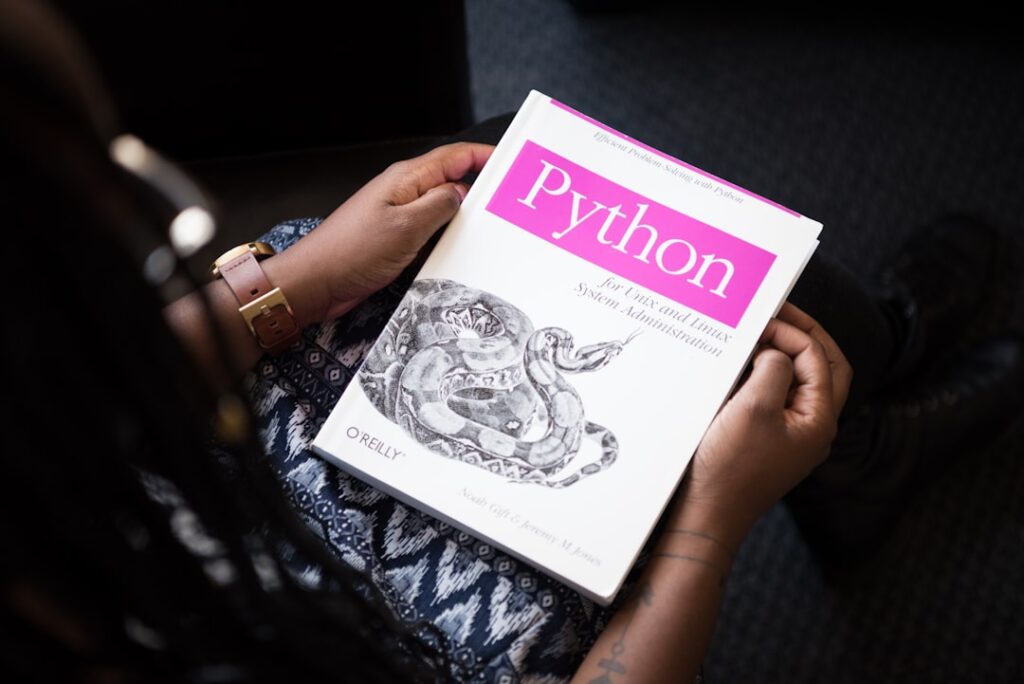
Unlocking Efficiency: Explorations in Python Automation Techniques for AI Productivity Tools
In today’s fast-paced digital landscape, utilizing Python automation techniques is essential for enhancing productivity through AI-driven tools. The ability to automate mundane tasks not only increases efficiency but also frees up time for more strategic endeavors. This article explores the significance of these techniques, the core concepts behind them, and practical ways to implement them effectively.
Why it matters
As businesses struggle to keep up with the demands of modern operations, Python automation techniques emerge as a toolkit for improving productivity. These techniques allow individuals and organizations to automate repetitive tasks, streamline workflows, and boost overall productivity. By harnessing automation, professionals can devote more energy to creative and strategic endeavors, resulting in enhanced innovation and competitive advantage.
Core Concepts
To effectively implement Python automation techniques, it is crucial to understand some core concepts:
Key Core Concepts:
- Python Libraries: Familiarity with libraries such as Selenium, Pandas, and Requests enables efficient automation.
- APIs: Understanding how to interact with APIs for data exchange and task automation is pivotal.
- Scheduling: Using frameworks like Cron for task scheduling helps ensure that automation runs seamlessly.
- Error Handling: Mastering error handling improves the robustness of your automation scripts.
- Version Control: Employing systems like Git allows tracking of changes and collaboration.
Detailed Step-by-Step Guide
Here’s a comprehensive step-by-step guide to implementing Python automation techniques:
- Identify Repetitive Tasks: Start by listing down tasks that consume time regularly.
- Select the Right Library: Depending on the task, choose an appropriate Python library (e.g., Selenium for web automation).
- Set Up Your Environment: Ensure that Python and necessary libraries are installed on your system.
- Write Your Code: Create a Python script that automates the chosen task. Structure your code clearly for maintainability.
- Testing: Run your script multiple times to identify and fix any bugs or errors.
- Implement Logging: Add logging capabilities to track the script’s execution progress and identify issues.
- Schedule the Task: Utilize Cron (for Linux/Mac) or Task Scheduler (for Windows) to run your script at desired intervals.
Common Mistakes
While implementing Python automation techniques, many individuals make common mistakes that hinder productivity:
- Neglecting Documentation: Failing to document scripts can cause confusion and difficulty in debugging.
- Hardcoding Values: Using hardcoded values instead of variables can make scripts inflexible and difficult to update.
- Ignoring Security Protocols: Not implementing security best practices when handling sensitive information can result in data breaches.
- Overengineering Solutions: Complicating a solution unnecessarily can lead to confusion and inefficiency.
- Not Validating Outputs: Skipping output validation can lead to errors going unnoticed and uncorrected.
Real-World Case Study
Consider a marketing team tasked with managing and analyzing hundreds of social media posts daily. By employing Python automation techniques using the Twitter API and Pandas library, they were able to:
- Automate the retrieval of engagement metrics for each post.
- Generate weekly reports in less than a fraction of the previous time spent.
- Minimize human error by automating data entry and analysis tasks.
This strategic approach not only saved the team significant hours but also enabled them to focus on content strategy and community management rather than data collection.
Comparison Table
| Tool | Ease of Use | Features | Cost |
|---|---|---|---|
| Selenium | Intermediate | Web automation, Testing | Free |
| Pandas | Beginner | Data manipulation, Analysis | Free |
| Requests | Beginner | API interaction | Free |
| Beautiful Soup | Intermediate | Web scraping | Free |
FAQ
What are Python automation techniques?
Python automation techniques refer to methods and tools used to automate repetitive tasks using Python programming, thereby enhancing efficiency and productivity.
How do I start learning Python for automation?
Begin by understanding Python basics, then explore libraries like Selenium and Pandas that are specifically designed for automation tasks.
Can I use Python for web scraping?
Yes, Python is highly effective for web scraping, especially with libraries such as Beautiful Soup and Scrapy.
What are some common applications of Python automation?
Common applications include data analysis, web scraping, task scheduling, and automating simple scripts for everyday tasks like sending emails.
Conclusion
Incorporating Python automation techniques into your workflow can significantly enhance productivity and efficiency. By understanding core concepts, following a step-by-step implementation guide, and learning from real-world applications, individuals and organizations can leverage these powerful tools to focus more on strategic tasks and drive innovation. As AI productivity tools evolve, mastering Python automation will likely prove vital for staying competitive in an increasingly automated world.
Advanced Tips for Implementing AI Productivity Tools
Integrating AI with Existing Workflows
To maximize the benefits of AI productivity tools, it’s essential to integrate them smoothly into your existing workflows. Begin by assessing your current processes and identifying areas where Python automation techniques can shine. For example, if frequently dealing with repetitive tasks like data entry, consider using Python scripts to automate these functions, drastically reducing the time spent on mundane activities.
Setting Clear Objectives
When deploying AI tools, it’s vital to set clear objectives to measure their impact on productivity. Establishing KPIs related to workflow efficiency, such as the reduction of task completion times or increase in output quality, will enable you to gauge the effectiveness of Python automation techniques in achieving your goals.
Expert Opinions on the Future of AI in Productivity
Voices from Industry Leaders
Industry experts emphasize the transformative power of AI productivity tools. Many advocate for the integration of Python automation techniques as a means of fostering more strategic, innovative environments. According to a recent survey of business leaders, nearly 80% believe AI will significantly change their operational landscape within the next few years, giving teams the bandwidth to focus on higher-value tasks.
Predictions for AI Advancements
Looking ahead, we can expect to see even more sophisticated AI tools emerge, incorporating advanced machine learning algorithms and natural language processing capabilities. These advancements will provide enhanced automation options, allowing professionals to utilize Python automation techniques not just for task completion but also for decision-making processes and predictive analytics.

