
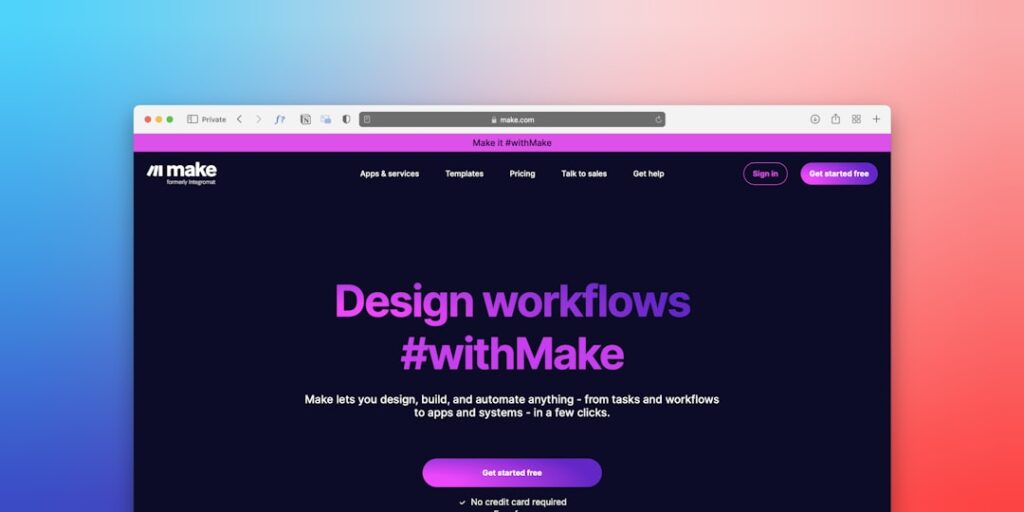
Harnessing No-Code Workflow Automations for AI Productivity
In today’s fast-paced business landscape, the integration of AI and no-code workflow automations has emerged as a vital strategy for enhancing productivity. These innovative solutions enable organizations to streamline processes, reduce manual workload, and improve efficiency without extensive coding knowledge. Understanding how to effectively implement no-code workflow automations can lead to significant productivity gains and optimize resource allocation.
Why it matters
No-code workflow automations matter because they empower individuals and teams to innovate without the need for extensive technical skills. By enabling more employees to create and manage automated processes, businesses can:
- Break down silos and enhance collaboration across departments.
- Reduce human error resulting from manual tasks.
- Free up valuable time for employees to focus on high-value activities.
- Facilitate rapid testing and iteration of new ideas.
Core Concepts
Understanding No-Code Workflow Automations
- No-Code Platforms: Tools that allow users to build applications or automate workflows without writing code, often using a visual interface.
- Workflow Automation: The process of automating repetitive tasks and workflows to improve efficiency.
- APIs: Application Programming Interfaces that enable different software programs to communicate with one another smoothly.
- Integration: The process of connecting different software systems to work together and share data effectively.
Detailed Step-by-Step Guide
- Define Your Objectives: Assess the workflows that require automation and set clear goals.
- Choose the Right No-Code Platform: Research and select a no-code platform that fits your needs (e.g., Zapier, Integromat, Airtable).
- Map Out Your Workflows: Outline the steps of the process you wish to automate, identifying triggers and actions.
- Create Your Automations: Use the platform’s visual interface to set up your workflows, linking various apps and services as necessary.
- Test the Automated Workflow: Conduct tests to ensure the automation works as intended, making adjustments as needed.
- Implement and Monitor: Deploy the automation within your team, monitor its performance, and make improvements based on feedback.
Common Mistakes
- Neglecting User Training: Failing to educate team members on the new automation can lead to poor adoption and misuse.
- Over-Engineering Workflows: Creating overly complex automations can make them difficult to manage and troubleshoot.
- Ignoring Security Risks: Not considering security measures when integrating various applications can expose sensitive data.
- Not Testing Thoroughly: Skipping thorough testing can result in unoptimized workflows that don’t meet business needs.
Real-World Case Study
A mid-sized marketing agency applied no-code workflow automations to enhance its client onboarding process. Prior to implementing these automations, the agency faced challenges in managing client data, document submissions, and communication. After conducting a workflow analysis, the agency chose Zapier to automate the onboarding flow. They integrated Google Forms (for client data collection), Gmail (for communication), and Google Sheets (for data management). As a result, they reduced onboarding time by 50% and improved client satisfaction scores due to timely follow-ups and organized data management.
Comparison Table
| Feature | Zapier | Integromat | Airtable |
|---|---|---|---|
| Ease of Use | High | Moderate | High |
| Integration Options | Over 3,000 apps | Over 1,000 apps | Over 100 apps |
| Pricing | Free up to 5 Zaps | Free tier available | Free for basic usage |
| Support | Extensive documentation | Moderate documentation | Good community support |
FAQ
What are no-code workflow automations?
No-code workflow automations are processes that allow users to automate tasks and workflows through visual interfaces or simple configurations, without needing to write any code.
How do no-code platforms work?
No-code platforms provide a user-friendly interface where users can integrate different applications and set up workflows through drag-and-drop functionality or predetermined templates.
Who can benefit from no-code workflow automations?
Any organization, regardless of size or industry, can benefit from no-code workflow automations, particularly teams in marketing, HR, finance, and operations.
Are no-code solutions secure?
Many no-code solutions prioritize security; however, users must still implement best practices like proper authentication and data privacy measures.
Can no-code tools handle complex workflows?
While no-code tools can manage a range of workflows, organizations with highly complex needs may require customized solutions or professional developers.
Conclusion
No-code workflow automations are redefining productivity by allowing teams to optimize their processes without the need for coding expertise. By understanding the core concepts, avoiding common pitfalls, and strategically implementing these solutions, businesses can achieve remarkable improvements in efficiency and effectiveness. As technology continues to advance, embracing no-code solutions will be critical for staying competitive in any industry.
Advanced Tips for Maximizing AI Productivity
Integrate AI into Daily Routines
To fully harness the power of AI productivity tools, consider integrating them into your daily work routine. For example, daily summary reports generated by these tools can aid in keeping track of progress and goals. Setting automated reminders for critical tasks ensures no deadline is overlooked. By creating a structured approach, you’ll maximize your efficiency and focus on the aspects of your work that require human creativity and critical thinking.
Utilize No-Code Workflow Automations
No-code workflow automations are pivotal in streamlining repetitive tasks. By employing platforms that facilitate these automations, you can leverage AI to handle mundane processes without any programming knowledge. Consider visual tools that map out workflows—these can simplify tasks such as data entry, email management, and customer follow-ups, allowing you to allocate more time to strategic initiatives.
Expert Opinions on AI Tools
Insights from Industry Leaders
Industry experts emphasize the importance of selecting the right AI tools tailored to your organizational needs. As noted by leading productivity consultants, exploring a variety of AI applications can enhance staff performance and satisfaction. Tools that incorporate no-code workflow automations rank high on professionals’ lists as they eliminate technical barriers and empower employees to create their own solutions.
Real-World Case Studies
Numerous companies have reported significant achievements stemming from the implementation of AI productivity tools. For instance, a marketing firm integrated a no-code workflow automation tool that drastically reduced project turnaround time by 30%. By enabling employees to automate repetitive tasks, the firm redirected resources toward creative strategy and innovation, ultimately improving their service offerings and client satisfaction.
Future Trends in AI Productivity
Emerging Technologies Shaping the Landscape
As we look to the future, emerging technologies such as machine learning and AI-driven analytics are expected to revolutionize productivity solutions. This evolution will further enhance no-code workflow automations, making them even more intuitive and powerful. Anticipate tools that not only automate workflows but also provide intelligent insights on optimizing those workflows based on user behavior and preferences.
The Evolving Role of Human Oversight
While AI tools boost efficiency, the role of human oversight remains crucial. Future productivity solutions are likely to facilitate greater collaboration between AI systems and human teams. This synergy will ensure that while AI handles repetitive tasks through no-code workflow automations, humans will focus on strategy, creative thinking, and relationship building—areas where the human touch remains irreplaceable.

