
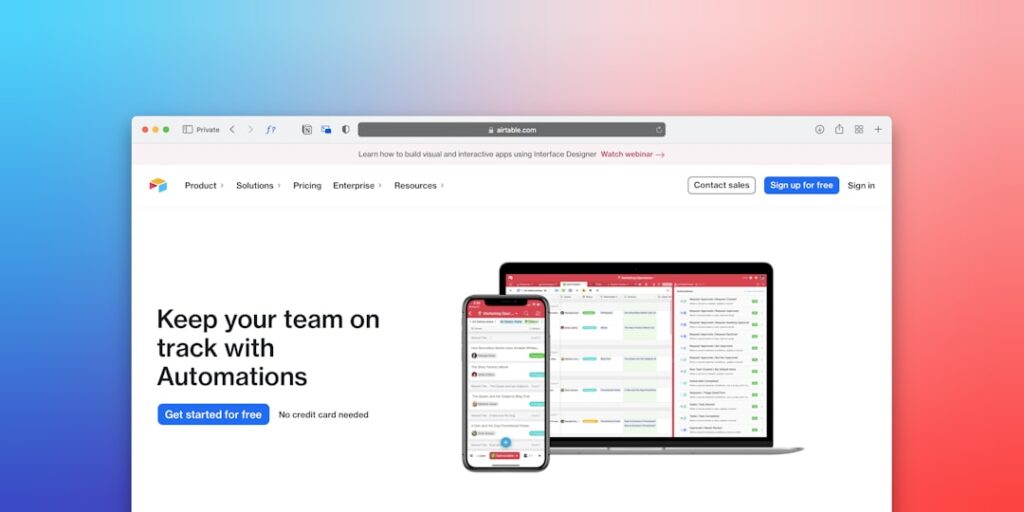
Unlocking Potential with No-Code Automation Tools for AI Productivity
In today’s fast-paced digital landscape, leveraging AI productivity through no-code automation tools is transforming the way businesses operate. These user-friendly platforms enable individuals and organizations to streamline workflows, enhance efficiency, and reduce complexity without requiring extensive coding knowledge.
Why it matters
No-code automation tools are essential in an era where time is money and agility is key. By automating repetitive tasks, businesses can focus on higher-value activities, fostering innovation and productivity. Moreover, the democratization of technology through no-code solutions allows non-technical users to implement their ideas effectively, making AI productivity more accessible than ever.
Core Concepts
Understanding No-Code Automation Tools
- Definition: No-code automation tools enable users to create applications and automate workflows using visual interfaces instead of traditional programming.
- Key Features: User-friendly interfaces, drag-and-drop functionality, integrations with various systems, and real-time analytics.
- Benefits: Reduces development time, lowers costs, and allows for quick iterations and scalability.
Detailed Step-by-Step Guide
- Identify Areas for Automation: Start by assessing your current workflows and identify repetitive tasks that take up valuable time.
- Select the Right Tool: Research and choose a no-code automation tool that aligns with your needs. Popular platforms include Zapier, Integromat, and Airtable.
- Define Your Workflow: Specify the sequence of tasks you want to automate. Clearly outline each step from start to finish.
- Create Integration: Use the tool’s interface to drag and drop elements representing different functions and establish connections.
- Test Your Automation: Run tests to ensure that the workflow performs as expected and fine-tune any steps as needed.
- Monitor Performance: After deployment, continuously track the results to gauge effectiveness and make adjustments for optimization.
Common Mistakes
When using no-code automation tools, users often encounter pitfalls such as:
- Failing to identify the right workflows that could benefit from automation.
- Choosing a tool that lacks necessary features or integrations for your specific needs.
- Neglecting to test automations thoroughly before going live.
- Overlooking the importance of analyzing performance data after implementation.
- Assuming that no-code tools are a perfect fix for all problems without proper planning.
Real-World Case Study
A marketing agency leveraged a no-code automation tool to streamline its email marketing campaigns. By using Zapier, they integrated their CRM, email platform, and project management software. This allowed them to automate lead tracking and follow-ups. As a result, the agency reduced its manual workload by 70%, improved response times, and increased client engagement. The successful implementation of no-code automation not only boosted productivity but also enhanced overall client satisfaction.
Comparison Table
| Feature | Zapier | Integromat | Airtable |
|---|---|---|---|
| User Interface | Easy to use, drag-and-drop | Visual scenario builder | Spreadsheet-style interface |
| Integration Availability | 3,000+ apps | 1,000+ apps | Native integrations with several apps |
| Pricing | Free tier available, tiered subscriptions | Free tier available, tiered subscriptions | Free tier available, tiered subscriptions |
| Best For | Simple automations and workflows | Complex workflows with advanced functionality | Data organization and project tracking |
FAQ
What are no-code automation tools?
No-code automation tools are software platforms that allow users to automate tasks and workflows without the need for programming or coding knowledge.
How can no-code tools improve productivity?
By automating repetitive tasks, no-code tools free up time for employees to focus on strategic activities, thereby increasing overall productivity.
Are no-code automation tools suitable for small businesses?
Yes, no-code automation tools can be particularly beneficial for small businesses, providing cost-effective solutions to streamline operations and enhance efficiency.
Can no-code automation tools integrate with existing systems?
Most no-code automation tools offer integrations with popular software systems, allowing businesses to automate workflows across different applications.
What should I look for in a no-code automation tool?
Consider factors like ease of use, available integrations, pricing, scalability, and the specific features offered by each platform.
Conclusion
No-code automation tools are redefining productivity in the digital age. By empowering users to automate processes without coding, businesses can achieve greater efficiency, enhance collaboration, and drive innovation. As organizations embrace AI productivity through these tools, they position themselves for sustainable growth and success in an ever-evolving marketplace.
Advanced Tips for Maximizing AI Productivity
Optimize Workflows with AI
To harness the full potential of no-code automation tools, it’s essential to evaluate and optimize existing workflows. Begin by identifying repetitive tasks that consume excessive time and resources. With the help of AI algorithms, these tasks can be automated, thus freeing employees to focus on higher-value projects. Regularly reviewing these workflows allows teams to adapt and improve processes over time, leveraging both AI insights and team feedback.
Integrate AI with Existing Tools
Many businesses already utilize a range of software solutions. By leveraging no-code automation tools, you can seamlessly integrate AI functionalities into these existing systems. This integration enhances productivity without the need for heavy programming knowledge. Explore software partnerships that have native integrations with popular platforms to streamline deployment and ensure a smoother transition.
Expert Opinions on AI & No-Code Automation
Industry Leaders Share Insights
Industry leaders from various sectors have begun to recognize the transformative impact of no-code automation tools in increasing productivity. According to experts in analytics, embracing these tools not only fosters a culture of innovation but also reduces the dependency on specialized skills. As more organizations pivot to AI-driven solutions, the consensus is clear: adapt or fall behind in the competition.
Case Studies from Successful Implementations
Several companies have reported remarkable enhancements in their operational efficiency after implementing no-code automation solutions. For instance, a mid-sized marketing agency streamlined their client onboarding process, reducing completion time by 40%. Such case studies highlight the tangible benefits of employing AI and no-code solutions, showcasing how businesses can leverage technology to achieve significant productivity gains without extensive coding knowledge.
Future Trends in No-Code Automation Tools
AI-Powered Decision Making
As the landscape of no-code automation tools evolves, the integration of advanced AI will enable data-driven decision-making. Tools that can analyze vast amounts of data and provide actionable insights will become invaluable. This shift empowers organizations to make quicker and more informed choices, ensuring sustained growth and operational efficiency.
Collaborative Automation
The future of no-code automation tools lies in their ability to facilitate collaborative workflows. As teams become more remote and distributed, the need for seamless collaboration becomes paramount. Future developments will likely focus on creating tools that allow multiple users to work together on automation projects, fostering innovation and creativity while maintaining high productivity levels.

