
Boost Your Efficiency with No-Code Automation Tools
In today’s fast-paced digital landscape, leveraging No-Code Automation Tools has become essential for maximizing productivity. These tools empower individuals and businesses to automate workflows without requiring extensive technical knowledge, helping to streamline operations and save valuable time.
Why it matters
No-Code Automation Tools are revolutionary in how they bridge the gap between technical and non-technical users. By removing the need for coding skills, these tools democratize automation, enabling a broader range of users to optimize their processes. This shift is not just about efficiency; it’s about fostering innovation and improving collaboration across teams.
Core Concepts
Understanding No-Code Automation
- Definition: No-Code Automation Tools allow users to create automated workflows with visual interfaces.
- Targeted Users: Designed for business professionals, marketers, and anyone lacking coding skills.
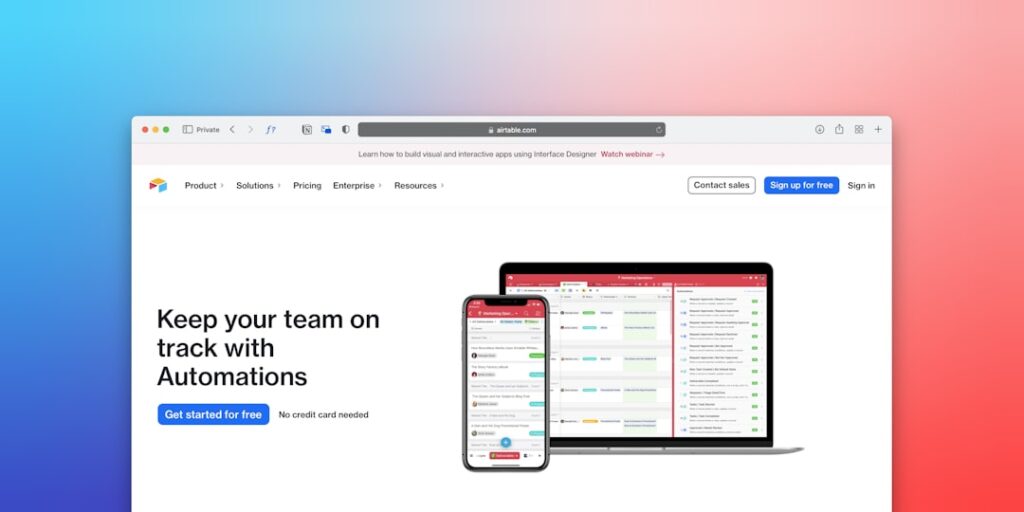
- Examples: Platforms like Zapier, Integromat, and Airtable.
How it Works
- Trigger Events: Actions that start the automation.
- Actions: Tasks that must be performed automatically.
- Integrations: Connection with various software tools such as CRMs, email marketing platforms, and project management apps.
Detailed Step-by-Step Guide
- Identify Manual Processes: Assess which tasks are repetitive and time-consuming.
- Select the Right Tool: Research and choose a No-Code Automation Tool that fits your needs.
- Define the Workflow: Outline the steps from the trigger to the end goal.
- Set Up Integrations: Connect your tool with the necessary applications.
- Test the Automation: Run a few tests to ensure everything works smoothly.
- Monitor Performance: Regularly check the automated processes for any issues or improvements.
Common Mistakes
- Ignoring Initial Planning: Rushing into automation without a clear plan can lead to ineffective workflows.
- Overcomplicating Processes: Simple tasks should remain simple; avoid unnecessary complexity in automation.
- Failure to Test Thoroughly: Not checking the automation before full implementation can result in errors.
- Neglecting Updates: Regularly update your tools and processes to adapt to new business needs.
Real-World Case Study
Consider a mid-sized marketing firm that struggled with lead tracking and follow-ups. They decided to implement No-Code Automation Tools to automate their CRM notifications. By using Zapier, they connected their web forms with their CRM, ensuring that every lead was captured and assigned to a salesperson in real-time. This change not only improved response times but also significantly increased lead conversion rates by 30% within three months.
Comparison Table
| Feature | Zapier | Integromat | Airtable |
|---|---|---|---|
| User-Friendliness | High | Medium | High |
| Integrations | Over 5,000 | Over 1,000 | Customizable Base |
| Pricing | Free to Premium | Free to Premium | Free to Premium |
| Best For | Simple Workflows | Complex Automation | Database Management |
FAQ
What are No-Code Automation Tools?
No-Code Automation Tools allow users to automate processes using visual interfaces without any coding knowledge.
How can No-Code Tools improve productivity?
By automating repetitive tasks, these tools free up time for employees to focus on more strategic activities.
Are No-Code Solutions suitable for large enterprises?
Yes, many No-Code tools offer scalability and can handle complex workflows needed by large organizations.
What should I consider when choosing a No-Code Tool?
Evaluate integration capabilities, user interface, pricing models, and the specific needs of your business.
Can I use No-Code Automation Tools for project management?
Absolutely! These tools can streamline project tasks, enhance collaboration, and improve tracking.
Conclusion
No-Code Automation Tools are game-changers in enhancing productivity by simplifying complex processes and making automation accessible. By understanding their core concepts and following a systematic approach, businesses can leverage these tools to streamline operations, reduce manual errors, and ultimately drive better results. Whether you’re a small business or part of a large enterprise, embracing No-Code solutions can transform how you operate and achieve your goals.
Advanced Tips for Implementing AI Productivity
Integrating AI with Existing Tools
To maximize the benefits of AI productivity, it’s crucial to seamlessly integrate it with your existing no-code automation tools. Start by identifying tasks that can be automated or made more efficient through AI capabilities. Many no-code platforms come with built-in integrations that allow AI applications to work alongside traditional tools, enhancing workflows without the need for complex coding.
Customizing AI Outputs
One of the key advantages of AI tools is the ability to customize the outputs according to your business needs. With no-code automation tools, users can easily adjust parameters and settings, ensuring that the AI generates results that align with specific goals. Regularly reviewing and fine-tuning these settings based on performance metrics can lead to continuous improvement in productivity.
Expert Opinions on AI Productivity Solutions
Insights from Industry Leaders
Many experts within the tech and business sectors emphasize the growing importance of no-code automation tools in enhancing productivity. According to industry leaders, implementing these tools not only streamlines operations but also empowers employees by allowing them to focus on higher-value tasks. The consensus is that AI is not just a trend but a transformative force that can redefine the way businesses operate.
Case Studies of Successful Implementations
Numerous companies have successfully leveraged AI-powered no-code automation tools to optimize their workload. For example, a leading e-commerce platform implemented an AI-driven customer service chatbot, resulting in a 30% decrease in response time and a significant boost in customer satisfaction ratings. Sharing these case studies can inspire other businesses to explore AI solutions tailored to their needs.
Future Trends in AI Productivity
Emergence of Hyper-Automation
As AI technology continues to evolve, the concept of hyper-automation is becoming increasingly relevant. Hyper-automation refers to the use of advanced technologies, including no-code automation tools, to automate processes across multiple departments. This trend promises to drive productivity to new heights by creating smarter workflows that require minimal human intervention.
Personalization in AI Solutions
The future of AI productivity will also see a shift towards more personalized solutions. With advancements in machine learning, no-code automation tools will offer tailored recommendations based on user behavior and preferences. This level of personalization will not only enhance user experience but also significantly improve efficiency and productivity across various business functions.

