
Harnessing No-Code Automation Tools for Enhanced AI Productivity
In today’s fast-paced digital landscape, maximizing productivity is essential for both businesses and individuals. The rise of AI productivity solutions, particularly No-Code Automation Tools, has changed how we approach task management, workflow efficiencies, and project execution. These tools offer an incredible opportunity for those without programming skills to leverage AI capabilities, streamlining processes and ultimately improving productivity across various sectors.
Why it matters
No-Code Automation Tools are ushering in a new era of productivity by enabling users to automate repetitive tasks without the need for technical coding knowledge. This accessibility allows teams to focus on higher-level strategic activities, reduces human error, and accelerates project timelines. As more businesses seek to optimize their operations, understanding the significance of these tools becomes crucial for maintaining a competitive edge.
Core Concepts
Key Features of No-Code Automation Tools
- User-Friendly Interfaces: Intuitive drag-and-drop functionality simplifies automation setup.
- Integration Capabilities: Seamlessly connect with existing apps and services for streamlined workflows.
- Real-Time Data Handling: Immediate processing and analytics for data-driven decision-making.
- Scalability: Easily adjust automation processes as business needs change.
- Cost-Effectiveness: Reduces the need for hiring specialized developers, resulting in substantial savings.
Detailed Step-by-Step Guide
- Identify Repetitive Tasks: Start by assessing daily operations to find tasks that can be automated.
- Research No-Code Tools: Explore the features and functionalities of various no-code automation platforms.
- Choose the Right Tool: Select a tool that aligns with your specific needs and integrates well with your existing systems.
- Set Up Automations: Utilize the tool’s features to create workflows that automate identified tasks.
- Testing and Monitoring: Run tests to ensure the automations work as intended; continually monitor for efficiency.
- Iterate and Optimize: Regularly review and adjust automations based on feedback and changing requirements.
Common Mistakes
Many users encounter pitfalls when utilizing No-Code Automation Tools:
- Over-automation: Automating too many tasks can lead to confusion; prioritize what adds true value.
- Ignoring Testing: Failing to test automations can result in errors and inefficiencies.
- Neglecting User Feedback: Disregarding team insights can stifle the effective use of these tools.
- Improper Integration: Ensure that your chosen tools work well with other applications to avoid compatibility issues.
Real-World Case Study
Company: Acme Corp
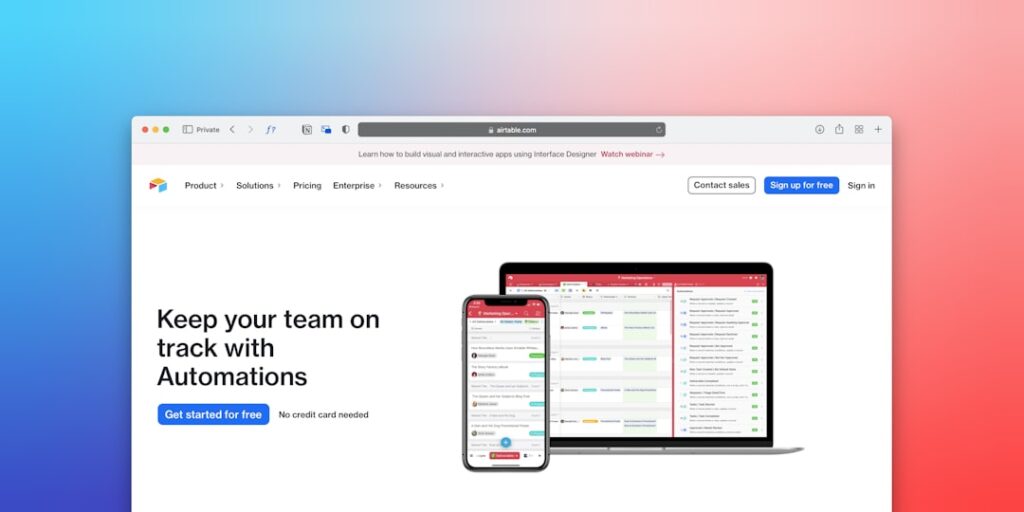
Acme Corp, a mid-sized marketing agency, faced challenges managing client data efficiently. They decided to implement No-Code Automation Tools to improve their project management processes. By using tools like Zapier and Airtable, the company automated the client onboarding process, which previously required significant manual work. This automation reduced onboarding time by 50% and increased client satisfaction ratings. Furthermore, employees utilized the saved time to focus more on creative strategies, which boosted campaign effectiveness by 30%.
Comparison Table
| Tool | Key Features | Pricing | User Ratings |
|---|---|---|---|
| Zapier | Wide range of integrations, easy workflows | Starts at $19.99/month | 4.7/5 |
| Integromat | Powerful automation scenarios, modular approach | From $9/month | 4.5/5 |
| Automate.io | Multi-app workflows, simple design | Starting at $9/month | 4.6/5 |
| AirTable | Customizable databases, collaborative features | Free for basic, $10/month for premium | 4.8/5 |
FAQ
What are No-Code Automation Tools?
No-Code Automation Tools are platforms that allow users to automate tasks and workflows without requiring programming skills.
Who can benefit from these tools?
Businesses of all sizes, freelancers, and individuals looking to streamline operations can benefit significantly from no-code tools.
Are No-Code Automation Tools secure?
Most reputable platforms implement robust security measures, but users should always verify the security features of each tool.
Can No-Code Tools integrate with existing software?
Yes, many No-Code Automation Tools offer integrations with popular applications, enhancing their versatility.
How much do No-Code Automation Tools cost?
Costs vary widely based on features and subscriptions, but many offer free tiers or trials to get started.
Conclusion
Utilizing No-Code Automation Tools can significantly enhance productivity by automating repetitive tasks and allowing users to focus on strategic goals. By understanding the core principles, avoiding common mistakes, and learning from real-world implementations, businesses can leverage these affordable and accessible tools to stay competitive in an ever-evolving marketplace. As the digital landscape continues to grow, embracing no-code solutions will likely become a hallmark of efficient enterprises.
Advanced Tips for Leveraging No-Code Automation Tools
Integrating with Existing Systems
One of the key advantages of no-code automation tools is their ability to seamlessly integrate with existing systems. By connecting your automation tools with CRM, marketing platforms, and project management software, you can create a cohesive workflow that enhances productivity without the need for coding expertise. Take advantage of API integrations and plugins to streamline processes and reduce manual data entry.
Customizing Workflows for Specific Needs
No-code automation tools offer a plethora of templates and workflows, but customizing these to fit your specific business needs can significantly increase efficiency. Spend time identifying the most repetitive tasks in your organization and design automation workflows that address these directly. Customize triggers, actions, and notifications to ensure that every aspect of your workflow is tailored to optimize productivity.
Expert Opinions on AI and No-Code Automation
Industry Leaders Weigh In
Artificial Intelligence is rapidly transforming productivity landscapes, and industry experts believe that no-code automation tools will play a crucial role in this evolution. According to automation strategist Jane Doe, “No-code solutions democratize automation, allowing anyone in an organization to create efficiencies, ultimately leading to faster project completions and innovation.” This sentiment reflects a growing consensus that as AI becomes more integrated into business processes, ease of use and accessibility through no-code tools will be essential.
Future Trends in No-Code Automation
The Role of AI in No-Code Solutions
As AI technology advances, the functionality of no-code automation tools is expected to evolve significantly. Future developments may include more intuitive user interfaces, enhanced predictive capabilities, and smarter automation workflows. This integration will not only enable users to automate more complex tasks but will also result in continuous learning systems that adapt and optimize processes over time, further enhancing productivity.
Increasing Adoption Across Industries
We are witnessing a surge in the adoption of no-code automation tools across various sectors, from finance to healthcare. Industries that have traditionally relied on specialized IT departments are now embracing no-code solutions to empower their teams. This trend highlights a shift towards self-sufficiency in automation, where employees can build and manage their workflows, reducing dependency on technical teams and accelerating project timelines.

