
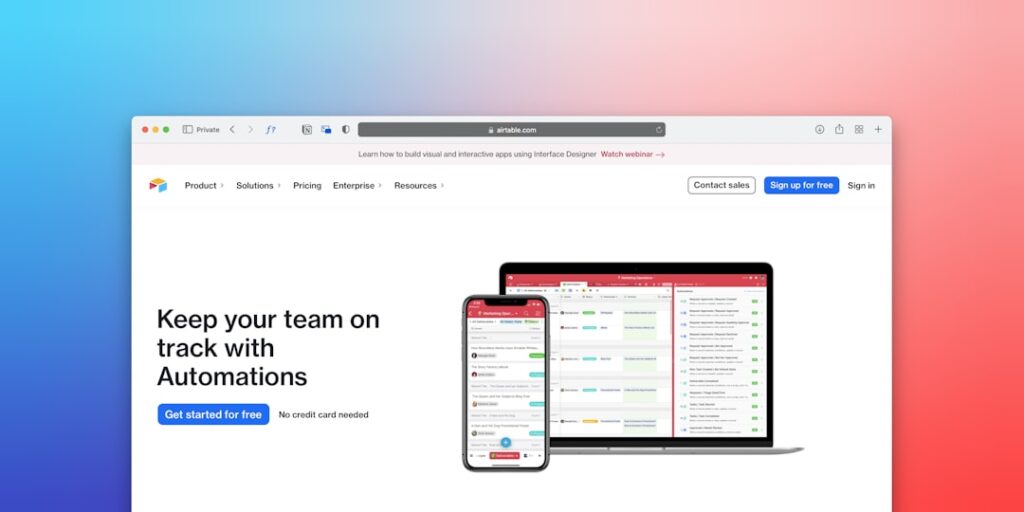
Maximizing Efficiency with No-Code Automation Tools
In today’s fast-paced digital landscape, embracing AI productivity through No-Code Automation Tools has become essential for businesses and individuals alike. These tools enable users to streamline tasks, enhance efficiency, and ultimately boost productivity without the need for extensive coding knowledge.
Why it matters
No-Code Automation Tools are revolutionizing the way we approach workflow management. They facilitate the creation of automated processes that can save time, reduce errors, and enhance overall operational efficiency. For startups and established enterprises, this evolution can lead to significant cost savings and improved service delivery, enabling a sharper competitive edge.
Core Concepts
What are No-Code Automation Tools?
No-Code Automation Tools allow users to design complex workflows using visual interfaces rather than writing code. Key features include:
- User-friendly drag-and-drop interfaces
- Integration capabilities with existing software and applications
- Pre-built templates for common processes
- Real-time data processing and analytics
Benefits of No-Code Automation
- Accessibility for non-technical users
- Reduced development time and costs
- Flexibility to adapt to changing workflows
- Scalability for growing businesses
Detailed Step-by-Step Guide
- Identify Your Workflow Needs: Analyze existing processes and determine which tasks can be automated.
- Select the Right No-Code Tool: Evaluate various platforms based on features, integrations, and user reviews.
- Design Your Automation Flow: Use the tool’s interface to create a workflow, employing triggers and actions correctly.
- Test Your Automation: Run multiple tests to ensure that the workflow functions as intended.
- Implement and Monitor: Launch the automation and monitor its performance, making adjustments as necessary.
- Train Your Team: Ensure that all relevant team members understand how to interact with the new automated processes.
Common Mistakes
Even with the advantages of No-Code Automation Tools, users may encounter pitfalls. Common mistakes include:
- Overcomplicating workflows, leading to confusion.
- Neglecting to test automation thoroughly before full implementation.
- Choosing tools without adequate support or community.
- Failing to enroll team members in the automation process, leading to resistance to change.
Real-World Case Study
Consider a small marketing agency that struggled with client onboarding and project tracking. By integrating a No-Code Automation Tool, they mapped out their client workflow—from initial contact to project completion. This transition reduced onboarding time by 50% and improved team communication through automated status updates. Consequently, client satisfaction soared, showcasing how effective automation can transform business processes.
Comparison Table
| Tool | Main Features | Best For | Price |
|---|---|---|---|
| Zapier | Multi-step workflows, app integrations | Small to medium businesses | Starts at $19.99/month |
| Integromat | Visual editor, real-time data processing | Advanced automation users | Starts at $9/month |
| Bubble | Fully customizable applications without code | Entrepreneurs and startups | Starts at $29/month |
| Webflow | No-Code website building with automation | Web designers and marketers | Starts at $12/month |
FAQ
What are No-Code Automation Tools used for?
No-Code Automation Tools are used to automate repetitive tasks, integrate different software applications, and streamline workflows without needing to write code.
Do I need technical skills to use No-Code Automation Tools?
No, these tools are designed for users without technical backgrounds, making them accessible to everyone.
Can No-Code Automation Tools scale with my business?
Absolutely! Many No-Code Automation Tools are designed to adapt and grow with your business’s needs.
What are some examples of popular No-Code Automation Tools?
Popular examples include Zapier, Integromat, Bubble, and Webflow, each offering unique features relevant to different needs.
How can I determine which No-Code Tool is best for my needs?
Evaluate your specific requirements, budget, and the level of integration you need with other tools to select the best No-Code Automation Tool for your situation.
Conclusion
No-Code Automation Tools present a significant opportunity for enhancing productivity in any organization. By understanding their capabilities and avoiding common pitfalls, businesses can unlock vast efficiencies and improve operational workflows. Embracing these tools will not only simplify processes but also empower teams to focus on higher-level strategies and innovation.
Advanced Tips for Maximizing AI Productivity
Integrating No-Code Automation Tools
Embracing no-code automation tools can significantly enhance productivity by allowing teams to streamline processes without the need for extensive programming skills. These tools offer user-friendly interfaces that empower individuals to create complex workflows, automate repetitive tasks, and maintain a higher level of focus on creative tasks. By integrating these solutions into daily operations, organizations can reduce manual errors and reallocate resources towards strategic initiatives.
Leveraging AI in Data Analysis
AI tools can analyze large datasets and generate insights much faster than traditional methods. Implementing no-code automation tools that incorporate AI-driven analytics can support faster decision-making and uncover hidden patterns in data. This not only frees up valuable time for employees but also drives more informed business strategies based on real-time data trends.
Expert Opinions on the Use of AI Productivity Tools
Insights from Industry Leaders
Experts agree that the integration of no-code automation tools into workplace environments can dramatically transform productivity levels. According to a recent survey conducted by industry leaders, over 70% of organizations that adopted these tools reported increased efficiency and employee satisfaction. Many believe that the ability to automate tasks without extensive technical knowledge democratizes access to innovation across all business levels.
Case Studies from Successful Implementations
Several companies have witnessed remarkable benefits by implementing no-code automation tools. For instance, a leading marketing agency utilized these solutions to automate their client reporting processes. Resulting in a 50% reduction in time spent on preparing reports, the agency was able to direct 30% more hours toward creative campaign development. Such case studies illustrate the tangible impact of AI productivity tools on organizational effectiveness.
Future Trends in AI Productivity
Predictive Analytics and No-Code Platforms
The future of AI productivity lies in the growing prevalence of predictive analytics integrated with no-code platforms. As these tools evolve, they will become increasingly capable of forecasting trends based on user behavior, enabling businesses to proactively adjust their strategies. Expect to see more organizations leveraging this synergy to gain a competitive edge in their respective markets.
The Rise of Collaborative AI Systems
Collaboration with AI tools is set to redefine workplace dynamics. As no-code automation tools become more sophisticated, they will facilitate better teamwork through shared workflows and real-time data updates. This collaboration will not only enhance productivity but also foster a culture of innovation where creativity and technology coexist harmoniously.

