
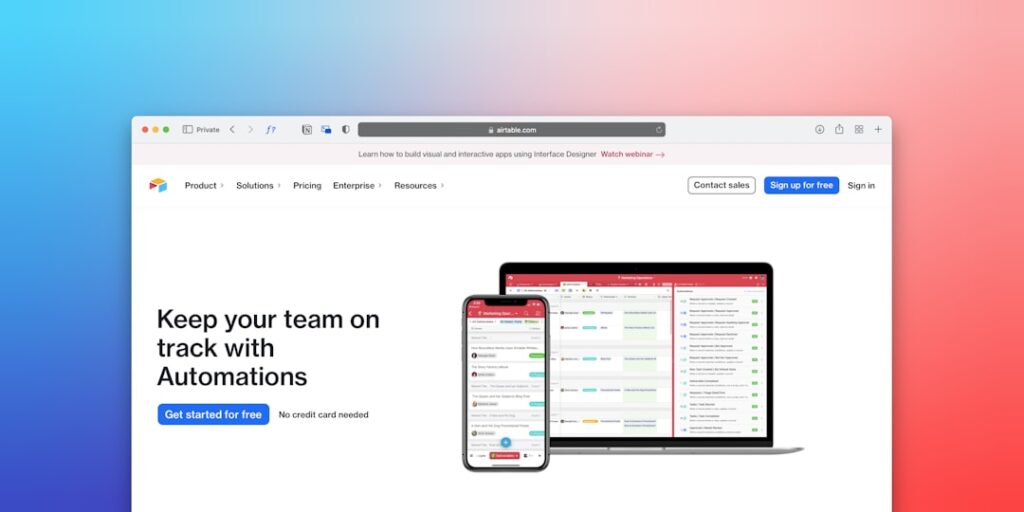
Transforming Your Workflow with No-Code Automation Tools
No-Code Automation Tools are revolutionizing the way we approach productivity in our daily tasks. These tools allow users to automate processes without the need for programming skills, enabling both individuals and teams to enhance their efficiency and focus on high-value work. With the rise of artificial intelligence (AI), the functionality and accessibility of these tools have expanded, making it crucial to understand how they can be integrated into your workflows.
Why it matters
In today’s fast-paced world, the ability to automate routine tasks can significantly improve productivity and creativity. No-Code Automation Tools eliminate barriers to entry for users lacking technical backgrounds, enabling a wider audience to utilize automation in their processes. This is particularly relevant in industries where time-sensitive decisions and rapid adaptations are essential.
Core Concepts
Understanding No-Code Automation Tools
- User-Friendly Interfaces: Most no-code tools offer drag-and-drop interfaces, making them accessible to everyone.
- Integration Capabilities: These tools can seamlessly connect with various applications, ensuring that workflows are unified and efficient.
- Templates and Pre-built Workflows: Many platforms provide ready-to-use templates that help users get started quickly.
- Scalability: As businesses grow, no-code tools can easily accommodate increased complexity without requiring significant changes.
- Cost Efficiency: By automating tasks, businesses can save on labor costs while enhancing productivity.
Detailed Step-by-Step Guide
- Identify Repetitive Tasks: Begin by reviewing your daily activities to pinpoint which tasks consume the most time.
- Choose the Right Tools: Research and select no-code automation tools that align with your needs, such as Zapier, Make (formerly Integromat), or Airtable.
- Set Clear Objectives: Define what you aim to achieve with automation, whether it’s reducing time spent on tasks or improving accuracy.
- Create a Workflow: Use the drag-and-drop interface to create automated workflows, connecting different applications and tasks.
- Test the Automation: Before full deployment, run tests to ensure that the workflows function as expected and produce the desired outcomes.
- Monitor and Optimize: Continuously monitor the automated processes for effectiveness and make adjustments as necessary for ongoing improvements.
Common Mistakes
Despite the user-friendly nature of no-code automation tools, users often fall into several common traps:
– Over-Automation: Automating every task can lead to complexity; focus on truly repetitive tasks.
– Ignoring Documentation: Not utilizing available tutorials or guides can result in underutilization of the tool’s features.
– Neglecting Updates: Failing to update workflows or tools can lead to compatibility issues as applications evolve.
Real-World Case Study
A small marketing agency, “Creative Soles,” faced challenges with project management and client communication. They implemented no-code automation tools to streamline their workflow. By using Zapier to connect Google Sheets with their email marketing platform, they automated client updates and project tracking. This resulted in a 40% reduction in time spent on administrative tasks, allowing their team to focus on creative work and client engagement.
Comparison Table
| Feature | Zapier | Make | Airtable |
|---|---|---|---|
| User Interface | Easy to use, drag-and-drop | Visual builder, user-friendly | Spreadsheet-like interface |
| Pricing | Free plan; paid plans start at $19.99/month | Free plan; paid plans start at $9/month | Free plan; paid plans start at $10/month |
| Integration Limit | Over 3,000 apps | Over 1,000 apps | Works with many apps but not as extensive |
| Custom Workflows | Flexible and customizable | Highly customizable | Offers templates but less flexibility |
FAQ
What are No-Code Automation Tools?
No-Code Automation Tools allow users to create automated workflows without needing to write any code, using visual interfaces to connect different applications.
How do I choose the right No-Code Automation Tool?
Consider factors like the applications you use, the complexity of your workflows, budget, and user-friendliness when selecting a tool.
Are No-Code Automation Tools suitable for all businesses?
Yes, they can be beneficial for businesses of all sizes, especially small to medium-sized enterprises looking to optimize workflows without substantial investments in IT.
Can I integrate No-Code Automation Tools with my existing software?
Most no-code tools offer a wide range of integrations, allowing you to connect them with existing software platforms easily.
What are the limitations of No-Code Automation Tools?
While they are powerful, no-code tools may not support highly complex automation scenarios and can sometimes have limitations in terms of data handling capacity.
Conclusion
No-Code Automation Tools are transforming productivity across industries, enabling users to automate tasks and streamline operations without deep technical skills. By understanding how to implement these tools effectively, you can significantly enhance your workflow and focus on what truly matters—innovation and growth.
Advanced Tips for Utilizing AI Productivity Tools
Integrate No-Code Automation Tools
To maximize productivity, consider integrating no-code automation tools into your workflow. These platforms allow users to create automated processes without extensive programming knowledge. By leveraging these tools, teams can streamline repetitive tasks, reduce human error, and free up valuable time for strategic initiatives.
Customization and Scalability
Customization is key when employing AI productivity solutions. Tailor your no-code automation tools to meet the specific needs of your organization. Moreover, choose solutions that offer scalability, ensuring that as your business grows, your tools can adapt and continue to support your increased workload efficiently.
Expert Opinions on AI in Productivity
Insights from Industry Leaders
Expert opinions indicate that the adoption of AI productivity tools will continue to rise. Leaders advocate for the use of no-code automation tools as a gateway for smaller businesses to harness technology similar to larger enterprises without heavy investment in IT resources.
Case Studies of Success
Several companies have successfully implemented no-code automation tools, showcasing impressive boosts in productivity. For example, organizations that adopted these solutions reported a 30% reduction in project turnaround times, underlining the effectiveness of automated processes in enhancing operational efficiency.
Future Trends in AI Productivity Tools
Emerging Technologies
The integration of AI with machine learning capabilities in no-code automation tools is anticipated to drive significant advancements in how work gets done. These technologies will likely lead to more intelligent workflows that can predict challenges and offer solutions before issues arise.
Collaboration and Remote Work Enhancements
As remote work continues to be prominent, future no-code automation tools are expected to provide enhanced collaboration features. This shift will ensure that teams remain aligned and productive regardless of geographic barriers, making real-time collaboration smoother and more efficient than ever before.

