
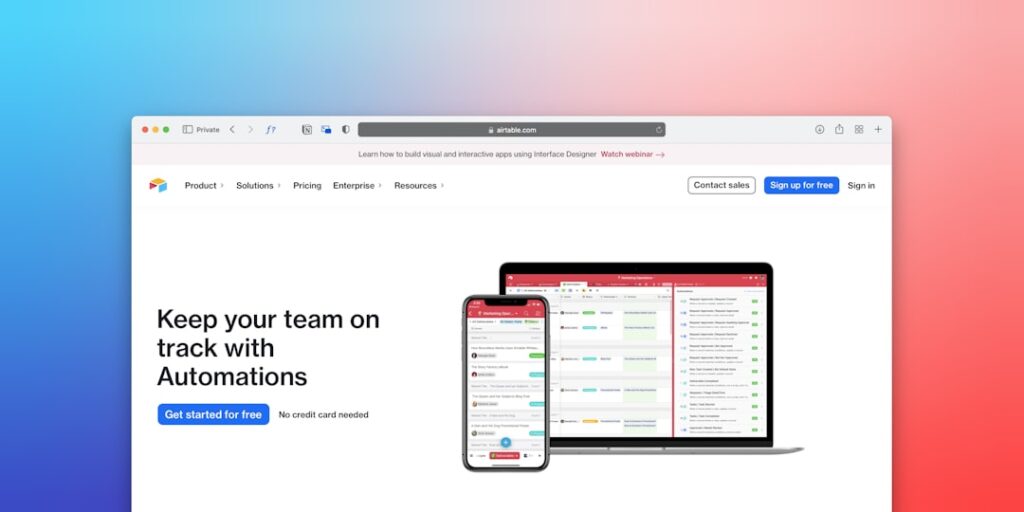
Harnessing AI Productivity Through No-Code Automation Tools
In today’s fast-paced digital world, the quest for efficiency has led businesses to explore innovative solutions like No-Code Automation Tools. These tools empower users without extensive programming knowledge to streamline processes, enhance productivity, and drive more effective outcomes. This article delves deep into why No-Code Automation Tools are becoming a game-changer in AI productivity and how they can transform workflows across various sectors.
Why it matters
No-Code Automation Tools are essential for companies looking to optimize their operations. Many organizations face challenges like time-consuming manual tasks and inefficient workflows. By adopting these tools, companies can automate repetitious processes, reduce errors, and allocate resources to more strategic initiatives. Furthermore, the accessibility of No-Code platforms allows teams from different backgrounds to contribute to automation efforts, providing a broader understanding and ownership of productivity enhancements.
Core Concepts
Understanding No-Code Automation
- No-Code vs. Low-Code: No-Code platforms require no programming skills, whereas Low-Code platforms allow for some coding.
- User-Friendly Interfaces: Drag-and-drop features simplify the automation process.
- Integration Capabilities: Seamlessly connect with other applications and data sources.
- Scalability: Adapt and expand use as business needs grow.
Detailed Step-by-Step Guide
- Identify Repetitive Tasks: Analyze your team’s daily activities to find tasks that consume significant time.
- Choose the Right No-Code Tool: Select a platform that fits your business needs, considering factors like usability and integrations.
- Map Your Workflow: Document the processes as they currently stand to preserve important steps.
- Create Automations: Use the No-Code platform to design automation, starting with simple tasks before moving onto more complex workflows.
- Test the Automation: Run tests to ensure that workflows are functioning as intended and make adjustments as necessary.
- Train Your Team: Educate your staff on how to use the new automation tools and encourage feedback for continuous improvement.
- Monitor and Optimize: Regularly evaluate the effectiveness of your automations and refine them to enhance productivity further.
Common Mistakes
Even with the best intentions, organizations can stumble while deploying No-Code Automation Tools. Common pitfalls include:
- Neglecting User Input: Not involving end-users in the design process can lead to unusable solutions.
- Overcomplicating Workflows: Attempting to automate overly complex processes can lead to more confusion than efficiency.
- Ignoring Security Protocols: Failing to consider data protection and compliance might expose the organization to risks.
- Underestimating Training Needs: Insufficient training can result in low adoption rates, negating the benefits of the tools.
Real-World Case Study
Consider a marketing agency that struggled with managing client onboarding. Each new client required a series of repetitive tasks, including data entry, document sharing, and follow-up reminders. By implementing a No-Code Automation Tool, the agency mapped out the onboarding process and automated these tasks. As a result, they cut onboarding time from two weeks to just a few days, allowing them to take on more clients and significantly increasing their revenue. This case underscores the potential of No-Code solutions to not only heighten productivity but also to create competitive advantages.
Comparison Table
| Feature | Tool A | Tool B | Tool C |
|---|---|---|---|
| User Interface | Drag-and-drop | Form-based | Visual workflow diagrams |
| Integrations | 120+ apps | 50 apps | 100+ apps |
| Pricing | $29/month | $19/month | $49/month |
| Customer Support | 24/7 chat | Email support | Phone and chat |
FAQ
What are No-Code Automation Tools?
No-Code Automation Tools are software applications that allow users to create automated workflows without writing any code, making automation accessible to non-technical users.
How can No-Code Tools enhance productivity?
These tools reduce the time spent on repetitive tasks, minimize errors, and enable teams to focus on more strategic activities, ultimately driving higher productivity levels.
Are No-Code Tools secure?
While many No-Code platforms prioritize security, organizations must evaluate individual tools for compliance with their specific data protection standards.
Can No-Code Automation Tools scale with my business?
Yes, many No-Code Automation Tools are designed to be scalable, allowing them to grow with your organization as needs evolve.
Do I need technical skills to use No-Code Tools?
No, one of the primary benefits of No-Code tools is that they are designed for users without technical backgrounds.
Conclusion
No-Code Automation Tools are revolutionizing the way businesses enhance their productivity. By simplifying the automation process, these tools empower teams to optimize workflows, avoid common mistakes, and embrace a culture of continuous improvement. When implemented thoughtfully, they can lead to remarkable improvements in efficiency and effectiveness, making them an invaluable part of any organization’s toolkit in this age of AI productivity.
Advanced Tips for Leveraging No-Code Automation Tools
Integrating AI with Existing Workflows
To maximize the benefits of no-code automation tools, consider integrating AI with your existing workflows. This approach can streamline processes, improve collaboration, and enhance productivity. Begin by identifying repetitive tasks that could be automated, then select no-code solutions that offer AI capabilities tailored to your specific needs. By embedding AI into these workflows, you can ensure that your team focuses on high-value activities rather than mundane tasks.
Customizing Automation for Specific Needs
Customization is key when utilizing no-code automation tools. Every organization has unique challenges, and generic solutions may not suffice. Spend time experimenting with different features and integrating various AI functionalities that cater to your business requirements. Custom workflows can significantly boost productivity, allowing teams to work smarter, not harder.
Expert Opinions on No-Code Automation Tools
Insights from Industry Leaders
Industry experts unanimously agree that the rise of no-code automation tools combined with AI is a game-changer for productivity. Senior leaders emphasize the importance of adopting these tools for fast-paced decision-making and effective resource allocation. According to a recent study, companies that leverage these technologies report a 40% increase in efficiency across their operations.
Challenges and Considerations
Despite the advantages, some experts caution about the challenges that come with no-code automation tools. These can include potential integration issues with legacy systems, as well as the need for proper training for employees. Leaders suggest investing in comprehensive training programs to ensure teams are well-equipped to embrace these tools. A balanced perspective on both the benefits and challenges can lead to more effective implementation strategies.
Future Trends in AI Productivity
The Evolution of No-Code Platforms
The future of AI and productivity will likely see the evolution of no-code platforms into more sophisticated solutions. Innovations in AI will facilitate even more complex automations, allowing businesses to tailor processes to their unique needs effortlessly. Companies can anticipate a smooth transition as no-code automation tools become more intuitive and data-driven.
The Role of AI in Workforce Collaboration
As AI matures, its role in enhancing workforce collaboration through no-code automation tools will continue expanding. Predictive analytics and intelligent insights will help teams coordinate better and optimize communication. This evolution points to a future where AI serves not just as a productivity booster but also as a collaborator that enhances human capabilities.

