
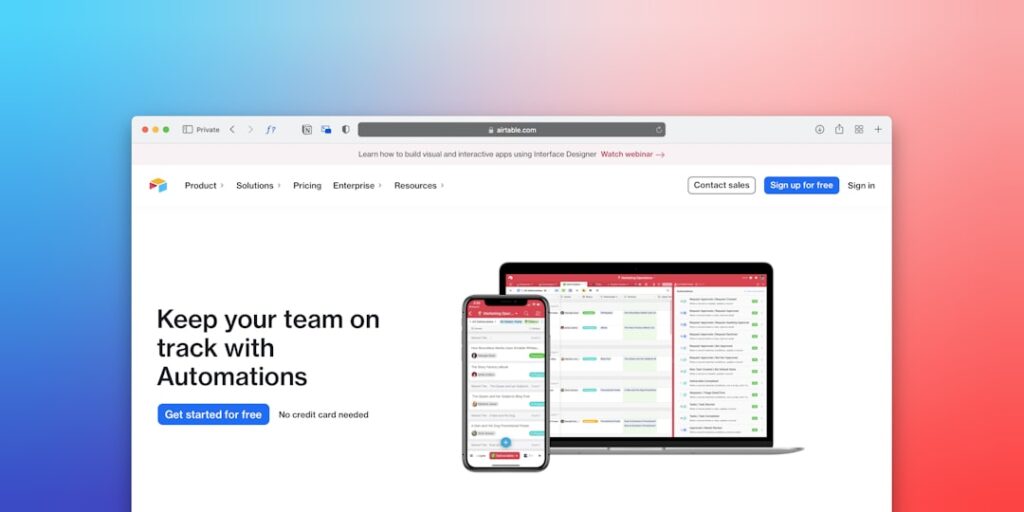
AI Productivity: Leveraging No-Code Automation Tools for Maximum Efficiency
In today’s fast-paced digital landscape, productivity is paramount, and one of the most effective ways to enhance it is through the use of no-code automation tools. These tools empower users regardless of their technical skills, allowing for streamlined processes that reduce manual effort and boost overall efficiency. This article will delve into the significance of AI productivity, particularly through no-code automation, while exploring its core concepts and practical applications.
Why it matters
As businesses evolve, the need for productivity-enhancing strategies becomes more pressing. No-code automation tools play a crucial role in addressing this need by:
- Enabling faster task completion without deep technical knowledge.
- Reducing operational costs by minimizing the time spent on repetitive tasks.
- Facilitating innovation by allowing more team members to contribute actively without the bottleneck of coding skills.
- Enhancing data management and decision-making with automated insights.
Core Concepts
Understanding No-Code Automation Tools
No-code automation tools are platforms that allow users to develop applications or automate workflows without traditional programming skills. Key concepts include:
- User-Friendly Interfaces: Drag-and-drop functionality that simplifies the creation of automated workflows.
- Integration Capabilities: Ability to connect with various software and tools to streamline operations.
- Scalability: Solutions that can grow with your business needs.
- Community Support: Access to resources and a community for troubleshooting and innovation.
Detailed Step-by-Step Guide
To leverage no-code automation tools effectively, follow this step-by-step guide:
- Identify Repetitive Tasks: Begin by analyzing your daily workflows to identify tasks that are repetitive and time-consuming.
- Select the Right Tool: Research and choose no-code automation platforms such as Zapier, Integromat, or Airtable that suit your specific needs.
- Outline Your Automation Workflow: Plan the steps of your workflow clearly, documenting each task that needs automation.
- Create Your Automation: Use the platform’s interface to set up your automation by dragging and dropping the necessary components.
- Test Your Automation: Run tests to ensure that each part of the automation functions as intended.
- Monitor and Optimize: Continuously monitor the automated operation and optimize it for better performance as needed.
Common Mistakes
While implementing no-code automation tools, users often make certain mistakes that can hinder efficiency:
- Lack of Planning: Diving into automation without a clear plan can lead to inefficient workflows.
- Ignoring User Feedback: Not soliciting feedback from team members can result in overlooked issues.
- Over-Automating: Automating too many processes can create complexity and control issues.
- Neglecting Integration: Failing to consider how the automation integrates with existing systems can lead to data silos.
Real-World Case Study
Consider a small marketing agency, “Creative Solutions,” facing obstacles in client reporting. The team spent hours compiling data from various sources, leading to burnout. They adopted a no-code automation solution using Zapier:
- Challenge: Manual collection of metrics from social media, email campaigns, and analytics platforms.
- Solution: Automated data pulls using Zaps to gather analytics and consolidate reports.
- Result: Time spent on reporting decreased by 75%, allowing the team to focus on strategy and creative projects.
Comparison Table
| Tool | Best For | Key Features | Pricing |
|---|---|---|---|
| Zapier | Task automation | Multiple app integrations, User-friendly UI | Free tier, Paid plans from $19.99/month |
| Integromat | Complex workflows | Visual workflow builder, Detailed module options | Free tier, Paid plans from $9/month |
| Airtable | Database management | Customizable templates, Collaboration features | Free tier, Paid plans from $10/month |
| Bubble | App development | No-code app builder, Responsive design | Personal plans starting at $29/month |
FAQ
What are no-code automation tools?
No-code automation tools are platforms that enable users to automate workflows and processes without requiring coding skills.
How can no-code automation tools improve productivity?
These tools streamline repetitive tasks, freeing up time for more strategic work and reducing errors.
Are no-code automation tools suitable for large organizations?
Yes, they can scale effectively to meet the complex needs of larger organizations while improving efficiency.
What is the best no-code automation tool for beginners?
Zapier is often recommended for beginners due to its user-friendly interface and extensive library of integrations.
Can no-code automation tools integrate with existing software?
Most no-code tools offer integrations with various popular software, improving workflow connectivity.
Conclusion
As businesses strive for efficiency and productivity, leveraging no-code automation tools represents a transformative approach. By understanding their core concepts, avoiding common pitfalls, and applying practical strategies, organizations can significantly enhance their operations. The future of productivity lies in these innovative tools that democratize automation, making it accessible to everyone.
Advanced Tips for Maximizing AI Productivity
Integrating AI with Existing Workflows
To effectively leverage AI productivity tools, consider how they can fit into your current processes. Identify repetitive tasks within your workflow and implement no-code automation tools that specifically target these areas. By automating these tasks, you can reduce time spent on mundane activities and free up resources for more strategic endeavors.
Measuring Productivity Gains
It’s essential to quantify the impact of AI tools on your productivity. Set clear metrics before implementation, such as time saved or output quality improvements. Use analytics features often included in no-code automation tools to track progress and refine your processes over time, ensuring you reap the maximum benefits.
Expert Opinions on AI Tools
Insights from Industry Leaders
Many industry leaders advocate for the integration of AI in productivity strategies. According to experts, no-code automation tools level the playing field, allowing businesses of all sizes to harness AI’s potential without extensive technical resources. Their ease of use ensures that teams can rapidly adopt these solutions to enhance workflow efficiency.
Case Studies from Early Adopters
Numerous organizations have successfully adopted no-code automation tools to achieve significant productivity gains. For instance, a mid-sized firm implemented AI-driven customer support bots, resulting in a 30% reduction in response times and an improved customer satisfaction score. Such examples highlight the tangible benefits of incorporating AI into daily operations.
Future Trends in AI Productivity
The Evolution of No-Code Tools
As technology progresses, no-code automation tools are expected to become even more sophisticated. Future iterations may include enhanced artificial intelligence capable of predictive analytics, allowing businesses to foresee operational bottlenecks before they occur. This predictive functionality will be critical in maintaining high productivity levels in fast-paced environments.
AI and Workforce Transformation
The rise of AI productivity tools is set to transform the workforce significantly. As no-code solutions streamline mundane tasks, employees can focus on creative and strategic aspects of their roles. This shift not only enhances job satisfaction but also fosters a culture of innovation within organizations, leading to long-term growth and resilience.

