
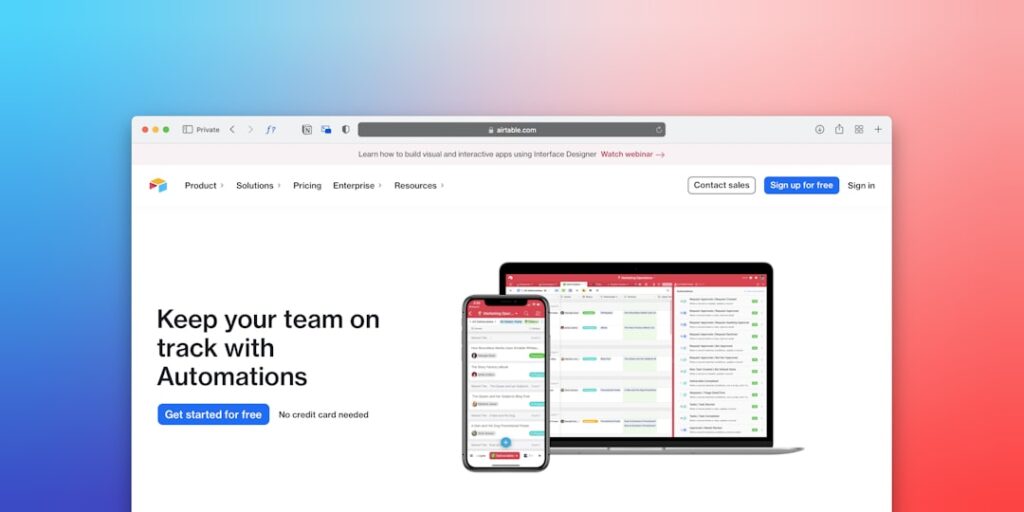
Harnessing AI Automation Through No-Code Automation Tools
In today’s rapidly evolving digital landscape, the adoption of AI automation is becoming increasingly crucial for businesses. One area gaining significant traction is the use of no-code automation tools, which empower users without extensive technical knowledge to streamline processes and enhance productivity. This article will explore the importance of no-code automation tools, providing deep insights and practical guidance to help you leverage them effectively.
Why it matters
No-code automation tools are revolutionizing how organizations operate by removing barriers to entry associated with traditional coding. This democratization of technology enables anyone in a company, regardless of their technical background, to build workflows and integrate different applications seamlessly. By adopting these tools, businesses can:
- Reduce operational costs by minimizing reliance on IT departments.
- Accelerate time-to-market for new processes and innovations.
- Enhance collaboration among teams through automated workflows.
Core Concepts
Key Features of No-Code Automation Tools
- User-friendly interfaces: Designed for simplicity, allowing users to create automation through drag-and-drop functionalities.
- Integration capabilities: Connect with various applications and platforms, such as CRMs, email marketing tools, and databases.
- Scalability: Tools can grow with your organization, accommodating increasingly complex automation needs.
- Cost-effectiveness: Usually subscription-based, these tools provide affordable solutions compared to hiring dedicated developers.
Detailed Step-by-Step Guide
- Identify the processes that need automation: Look for repetitive tasks that can benefit from automation.
- Choose the right no-code automation tool: Research and compare options based on your specific needs.
- Map out your workflow: Clearly define the steps involved in the process you want to automate.
- Create automation: Use the tool interface to connect steps using a user-friendly visual designer.
- Test your automation: Run through the workflow to ensure it functions as expected.
- Deploy and monitor: Implement the automation in a live environment and track its performance for continuous improvement.
Common Mistakes
While adopting no-code automation tools can provide significant advantages, businesses must be wary of common pitfalls. Key mistakes include:
- Overlooking process mapping: Failing to clearly define workflows can lead to ineffective automation.
- Neglecting integration needs: Not considering how different applications will interact can create data silos.
- Underestimating user training: Lack of proper training can hinder the effective use of automation tools.
- Ignoring scalability: Choosing tools that do not support future growth can lead to inefficiencies down the line.
Real-World Case Study
Consider the case of a mid-sized e-commerce company that struggled with order processing. Manual entry of orders into their inventory management system was time-consuming and prone to errors. By implementing a no-code automation tool that integrated their shopping cart and inventory management system, they created a workflow that automatically transferred order data. As a result:
- Order processing time was reduced by 50%.
- Error rates diminished, leading to improved customer satisfaction.
- The operations team could focus on strategic initiatives rather than mundane tasks.
Comparison Table
| Tool Name | Key Features | Pricing | Best For |
|---|---|---|---|
| Zapier | Wide integration library, Easy to use | Starts from $19.99/month | Small to Medium Businesses |
| Integromat (Make) | Complex workflows, Visual Scenario Builder | Starts from $9/month | Advanced Users |
| Microsoft Power Automate | Integration with Microsoft products, AI capabilities | Starts from $15/month | Microsoft Ecosystem Users |
| Automate.io | Multi-app workflows, Affordable pricing | Starts from $9.99/month | Small Businesses |
FAQ
What are no-code automation tools?
No-code automation tools allow users to create automated workflows without the need for coding knowledge, simplifying processes across various applications.
How do I choose the right no-code tool for my business?
Assess your requirements, including necessary integrations, user interface preferences, and budget constraints before selecting a tool.
Can no-code automation tools handle complex processes?
Yes, many no-code automation tools offer advanced features that support intricate workflows, enabling users to automate complex tasks easily.
Are no-code tools secure for business use?
Most reputable no-code automation platforms prioritize security; however, businesses should review and implement best practices to safeguard their data.
Conclusion
Incorporating no-code automation tools into your business strategy can significantly enhance efficiency, save time, and reduce costs. With the right approach and awareness of potential pitfalls, organizations can harness the power of AI automation to propel their success in today’s digital age. By adopting these innovative solutions, businesses of all sizes can optimize their operations and focus on what truly matters—delivering value to their customers.
Future Trends in No-Code Automation Tools
Emerging Technologies Influencing Automation
As technology continues to advance, the landscape of No-Code Automation Tools is evolving at a rapid pace. Innovations such as artificial intelligence and machine learning are being integrated into these platforms, greatly enhancing their capabilities. For instance, predictive analytics can empower businesses to anticipate workflow bottlenecks before they occur, allowing for more seamless operational adjustments. The incorporation of natural language processing is also making it easier for users to create automation scripts simply by typing out their requirements, thus simplifying the use of these tools even further.
Increased Adoption Across Industries
No-Code Automation Tools are gaining traction beyond traditional tech sectors. Industries such as healthcare, finance, and manufacturing are recognizing the transformative potential of automation. For example, healthcare providers are using these tools to streamline patient management systems, reducing the time spent on administrative tasks and allowing more focus on patient care. Within finance, automated reporting tools are revolutionizing how accounts are maintained, enhancing accuracy and compliance with regulation.
Expert Opinions on No-Code Automation Tools
Insights from Industry Leaders
Industry experts project that No-Code Automation Tools will play a crucial role in democratizing technology access across organizations of all sizes. Notable voices in the tech community emphasize that the shift towards no-code solutions is driven by the need for agility. In a rapidly changing market, businesses must adapt quickly, and these tools enable that flexibility without necessitating extensive technical knowledge. This trend suggests a future where teams can innovate and iterate more freely without being slowed down by resource constraints.
Tips from Successful Implementations
Experienced users recommend taking advantage of community forums and resources when implementing No-Code Automation Tools. Many platforms provide extensive documentation and user-generated content that can help newcomers overcome common challenges. Additionally, organizations that foster a culture of experimentation with these tools tend to see the most significant returns—by empowering employees to test and deploy their automation initiatives, they cultivate a mindset that encourages efficiency and creativity.

