AI Tools for Productivity: Unlocking the Power of No-Code Automation Tools
In today’s fast-paced digital landscape, optimizing productivity is paramount for professionals and businesses alike. No-Code Automation Tools are leading the charge in enhancing efficiency, allowing users to automate repetitive tasks without any coding skills. This article delves into the essentials of no-code automation tools and how they can transform your productivity.
Why it matters
No-Code Automation Tools have garnered significant attention due to their ability to empower users to create workflows that eliminate manual tasks. These tools allow teams to focus on critical aspects of their work, thereby improving productivity, reducing errors, and streamlining business processes. As companies increasingly adopt digital transformation, the significance of no-code automation in saving time and resources cannot be overstated.
Core Concepts
Understanding No-Code Automation
- No-Code Development: Creating applications and automations without writing code.
- Workflow Automation: Streamlining processes by automating tasks that connect different tools.
- Integration: Connecting various software applications to ensure seamless data flow.
- Visual Builders: User-friendly interfaces that facilitate the creation of complex workflows.
Detailed Step-by-Step Guide
- Identify Repetitive Tasks: Analyze your daily routines and identify tasks that consume significant amounts of time.
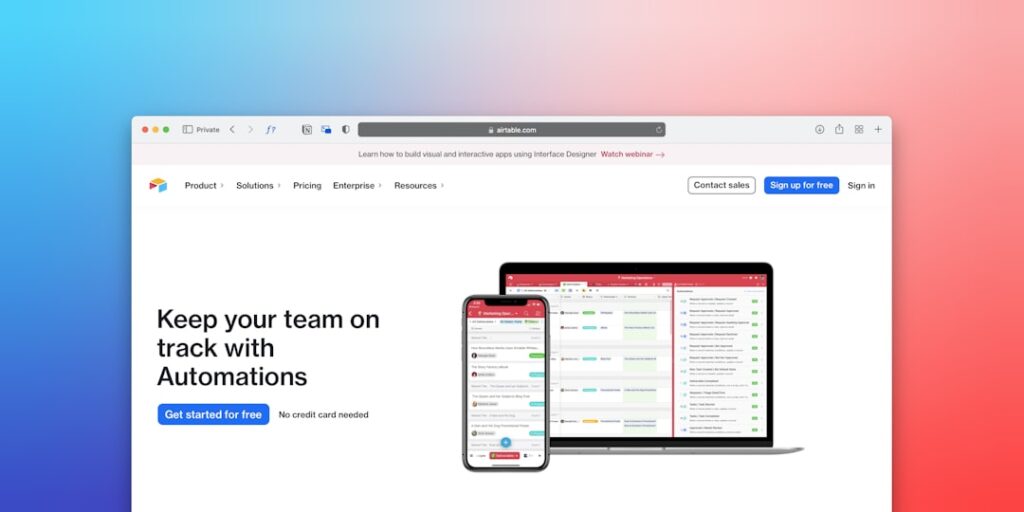
- Choose the Right No-Code Tool: Select a no-code automation tool that fits your needs (e.g., Zapier, Integromat, Airtable).
- Map Out Your Workflow: Create a diagram of your desired workflow to visualize the automation process.
- Set Triggers: Define the triggers that will initiate your automation (e.g., new email, form submission).
- Add Actions: Specify what actions should follow the triggers (e.g., sending notifications, updating databases).
- Test Your Automation: Before going live, thoroughly test the automation to ensure it behaves as expected.
- Monitor Performance: After implementation, monitor the automation to assess its effectiveness and make adjustments as needed.
Common Mistakes
Many users make the following mistakes when using no-code automation tools:
- Overcomplicating Workflows: Keeping workflows simple maximizes clarity and reduces potential errors.
- Neglecting Testing: Failing to test automations can lead to unexpected results or data loss.
- Ignoring Documentation: Properly documenting workflows ensures that team members can understand and modify them if necessary.
- Underutilizing Features: Not taking advantage of the full feature set of no-code tools limits automation potential.
Real-World Case Study
A marketing agency struggled with managing client onboarding efficiently. They utilized a no-code automation tool to streamline this process. By creating a workflow that integrated their project management software with their email service provider, they automated the sending of welcome emails and client surveys upon project initiation. The result was a 30% reduction in onboarding time, allowing the team to focus on creative tasks instead of administrative ones.
Comparison Table
| Tool | Ease of Use | Integrations | Pricing |
|---|---|---|---|
| Zapier | High | 2000+ | Starts at $19.99/month |
| Integromat | Moderate | 1000+ | Starts at $9/month |
| Airtable | High | 500+ | Starts at $10/month |
| Pipedream | Moderate | Various APIs | Free Tier Available |
FAQ
What are No-Code Automation Tools?
No-Code Automation Tools are software applications that allow users to create automations and workflows without requiring programming knowledge.
How do No-Code Tools enhance productivity?
By automating repetitive tasks and processes, no-code tools free up valuable time for users to focus on more strategic activities.
Which industries benefit from No-Code Automation Tools?
Virtually any industry can benefit, including marketing, HR, finance, and e-commerce, as these tools can be tailored to various workflows.
Are No-Code Automation Tools suitable for small businesses?
Absolutely! They provide small businesses with affordable solutions to enhance efficiency without the need for extensive IT resources.
What should I consider when choosing a tool?
Consider factors such as ease of use, available integrations, pricing, and customer support when selecting a no-code automation tool.
Conclusion
No-Code Automation Tools are revolutionizing productivity across industries by enabling users to automate complex workflows without the need for programming skills. By understanding core concepts and applying best practices, teams can unlock new levels of efficiency and focus on value-added tasks. As technology continues to evolve, leveraging these tools becomes crucial in maintaining a competitive edge in the digital landscape.
Advanced Tips for Using No-Code Automation Tools
Maximizing Efficiency
No-code automation tools can significantly enhance your productivity, but it’s essential to utilize them effectively. Start by clearly defining your workflows. Identify repetitive tasks and automate them to save time. Leverage templates provided by these tools to jumpstart your projects. This not only streamlines the process but also ensures that you are using best practices from the outset. Experiment with integrating multiple tools to create a streamlined workflow that minimizes disruptions and manual input.
Monitoring and Adjustment
Once you’ve implemented no-code automation tools, continuous monitoring is vital. Track the performance of automated workflows regularly. Gather data to understand which areas are functioning optimally and where improvements can be made. Adjust your automations based on feedback and evolving business needs. This proactive approach not only keeps your processes efficient but also enhances overall productivity.
Expert Opinions on No-Code Automation Tools
Industry Leaders Weigh In
Many productivity experts advocate for the integration of no-code automation tools in today’s fast-paced digital landscape. Industry leaders emphasize that these tools are not only for tech-savvy individuals but are accessible to anyone looking to boost their efficiency. According to a recent survey, 71% of organizations that have embraced no-code automation report increased performance and reduced operational costs. Expert opinions suggest that understanding the unique needs of your business is critical to harnessing the full potential of these tools.
Case Studies from Successful Companies
Numerous case studies demonstrate how successful companies have leveraged no-code automation tools to transform their workflows. For instance, a leading marketing agency implemented a no-code solution that automated their client onboarding process, resulting in a 50% reduction in time spent on manual entry. By showcasing real-world applications, experts highlight the transformative impact of these tools on productivity and operational efficiency.
Future Trends in No-Code Automation
Increased Adoption Across Industries
The future of no-code automation tools looks promising, with increasing adoption across various industries. As businesses strive for efficiency, these tools are set to become mainstream. Companies are investing in training employees to utilize these platforms, thus democratizing automation and allowing teams to innovate without depending solely on IT departments.
Technological Advancements
Technological advancements will further enhance the capabilities of no-code automation tools. Emerging AI integrations will enable more sophisticated automations that predict user needs and streamline operations even further. As machine learning and artificial intelligence technologies develop, we can expect these tools to become even more intuitive and efficient, making them essential for businesses of all sizes.