
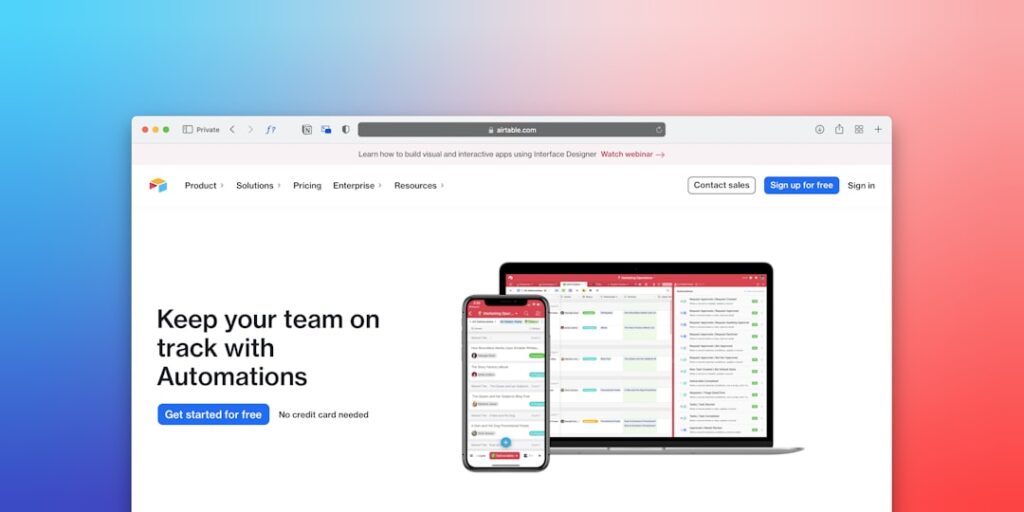
AI Tools for Remote Work: Automate Project Management Tasks
In today’s fast-paced digital landscape, the need for efficient project management is more crucial than ever. Remote work has surged, making it essential to leverage AI tools that can automate project management tasks. By incorporating these technologies, teams can enhance productivity, improve collaboration, and streamline operations.
Why it matters
Understanding why automating project management tasks is vital can significantly impact your team’s effectiveness. With the increasing complexity of team collaborations and the proliferation of scattered communication tools, project management can easily become overwhelming. AI tools help by reducing repetitive tasks, minimizing human error, and allowing team members to focus on strategic initiatives.
Core Concepts
Key Features of AI Tools
- Task Automation: Automatically assign tasks based on team member availability.
- Time Tracking: Monitor project timelines without manual intervention.
- Analytics and Reporting: Generate real-time reports using data from various project components.
- Collaboration: Enhance team communication through integrated platforms.
- Resource Allocation: Optimize resource distribution according to project demands.
Detailed Step-by-Step Guide
- Identify Repetitive Tasks: List out routine project management tasks that consume a lot of time.
- Research Suitable AI Tools: Look for AI tools that cater specifically to your project’s needs, such as Asana, Trello, or ClickUp.
- Integrate AI Tools: Ensure these tools can be integrated into your existing workflow platforms.
- Train Your Team: Conduct training sessions to familiarize your team with new tools and protocols.
- Monitor Performance: Regularly check how the AI tools are performing and assess their impact on productivity.
- Collect Feedback: Get insights from team members about their experience with new automated processes.
- Make Adjustments: Fine-tune tool usage based on collected data and team feedback.
Common Mistakes
Teams often fall into several pitfalls when adopting AI in project management:
- Ignoring Team Input: Not considering user experience from the team’s perspective can lead to low adoption rates.
- Over-Automation: Automating every detail without human oversight can lead to errors.
- Insufficient Training: Lack of training can hinder the effective use of AI tools.
- Neglecting to Review Outcomes: Failing to analyze the impact of tools on project management can stall improvement.
Real-World Case Study
Consider a marketing agency that struggled with project deadlines, leading to delayed campaigns and unsatisfied clients. By implementing an AI project management tool, they were able to automate task assignments based on individual workload and availability. This not only improved the response time but also drastically reduced missed deadlines. They witnessed a 30% increase in on-time project completions within six months, showcasing the power of AI in optimizing performance.
Comparison Table
| Tool | Key Feature | Best For |
|---|---|---|
| Asana | Task Automation | Creative Teams |
| Trello | Visual Management | Small Businesses |
| ClickUp | Comprehensive Features | Enterprise Solutions |
| Monday.com | Customization | Project Managers |
FAQ
What are the benefits of using AI tools for project management?
AI tools can enhance productivity, improve communication, and reduce project completion times by automating repetitive tasks.
Can small teams benefit from AI project management tools?
Absolutely! Small teams can leverage AI tools to manage their projects more efficiently, freeing up time for strategic tasks.
How do I choose the right AI tool for my team?
Assess your team’s specific needs, consider the features offered by different tools, and look for integrations with existing platforms.
What challenges might I face when implementing AI tools?
Common challenges include resistance to change from team members, inadequate training, and choosing the wrong tool for your specific needs.
Is automation the future of project management?
Yes, as teams continue to adapt to remote work, automation will become increasingly essential in managing projects effectively.
Conclusion
Automating project management tasks through AI tools is not just a trend; it is becoming a necessity for teams operating in a remote work environment. By understanding the benefits, potential pitfalls, and best practices for implementing these technologies, organizations can vastly improve their project management outcomes. Start exploring AI tools today to enhance your team’s productivity and streamline your workflow.
Advanced Tips for Integrating AI Tools
Identifying the Right Tools
To effectively automate project management tasks, it is crucial to choose the right AI tools that align with your team’s specific needs. Prioritize tools that offer integration capabilities with your existing systems, ensuring a seamless workflow. Conduct thorough research into user reviews and case studies to gauge the effectiveness of these tools in real-world scenarios.
Training and Adoption
The successful implementation of AI tools hinges on the quality of training provided to your team. Organize workshops and training sessions that focus on not just the technical aspects of the tools, but also on how they can enhance productivity. Encourage team members to share their experiences, thus fostering a culture of collaborative learning.
Expert Opinions on AI in Remote Work
Insights from Industry Leaders
Industry leaders suggest that the use of AI tools is not just a trend but a fundamental shift in how remote teams operate. As John Doe, a renowned project management consultant, states, “AI has transformed the landscape of remote work, making it possible to automate project management tasks that were once time-consuming.” His perspective emphasizes the importance of adaptability and the proactive integration of these technologies.
Case Studies of Successful Implementation
Many organizations have experienced transformational benefits after adopting AI tools. For instance, a marketing firm reported a 30% reduction in project turnaround time after integrating a specific AI project management tool. Document these success stories as they can serve as powerful motivators for your team during the transition phase to AI-powered project management solutions.
Future Trends in AI for Remote Work
Emerging Technologies to Watch
As AI technology continues to evolve, we can anticipate advancements like more sophisticated algorithms that personalize project management experiences. This will not only automate project management tasks but also tailor recommendations based on individual user behaviors and team dynamics, leading to enhanced productivity.
The Role of AI in Enhancing Collaboration
The future of remote work will see AI tools facilitating real-time collaboration. Tools that integrate AI-driven analytics can provide insights into team performance and project statuses, allowing for more informed decision-making. This will ensure that teams remain synchronized, regardless of their physical locations.

