
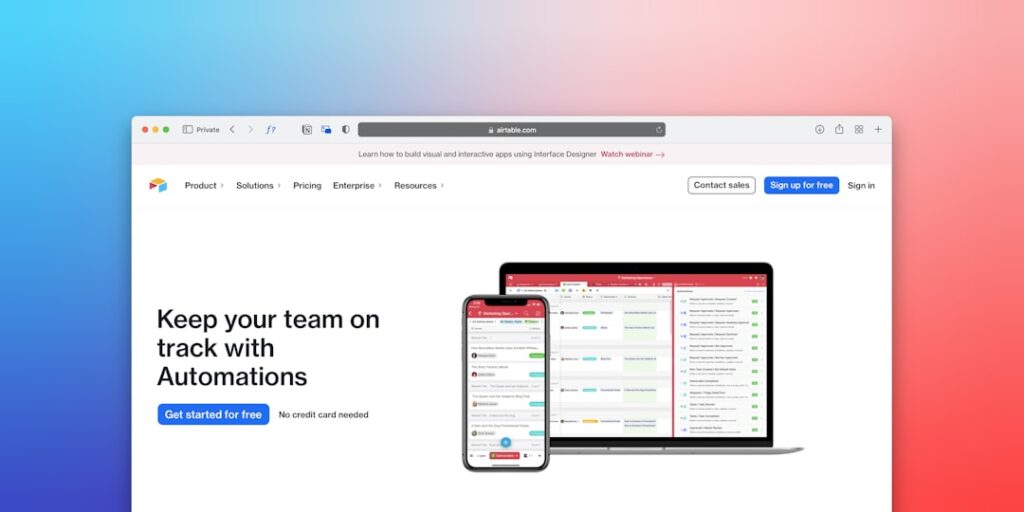
AI Tools for Remote Work: Embracing No-Code Automation Tools
In an era where remote work has become the norm, leveraging no-code automation tools is crucial for enhancing productivity and streamlining workflows. These tools enable teams to create automated processes without the need for extensive coding knowledge, allowing businesses to operate more efficiently. This article explores the importance of no-code automation tools, their core concepts, and how they can be effectively utilized for remote work.
Why it matters
No-code automation tools have revolutionized the way teams collaborate remotely. With the increasing reliance on digital communication and project management software, these tools offer solutions that eliminate repetitive tasks, reduce errors, and save time. By empowering teams to automate processes, organizations can focus more on strategic initiatives rather than mundane tasks, leading to increased efficiency and employee satisfaction.
Core Concepts
Understanding No-Code Automation
- User-Friendly Interfaces: Most no-code tools come with intuitive drag-and-drop interfaces, making them accessible to non-technical users.
- Integration Capabilities: These tools typically integrate seamlessly with existing applications, allowing for streamlined workflows across platforms.
- Automation Triggers: Users can set specific triggers that initiate automated actions, enhancing responsiveness and efficiency.
- Process Customization: No-code platforms allow for extensive customization, enabling businesses to tailor solutions to their unique needs.
Detailed Step-by-Step Guide
- Identify Repetitive Tasks: Begin by assessing daily processes that consume time and resources.
- Research No-Code Tools: Investigate available no-code automation tools that cater to your specific needs (examples include Zapier, Airtable, and Integromat).
- Choose the Right Tool: Select a tool that offers integrations with the software your team already uses.
- Design Your Automation: Utilize the tool’s interface to create workflows that automate your identified tasks.
- Test the Automation: Run tests to ensure the automation performs correctly and refine as necessary.
- Train Your Team: Educate team members on how to utilize the new automation effectively.
- Monitor and Update: Regularly check the automated processes to ensure they meet evolving needs and make updates when required.
Common Mistakes
Even with the best no-code automation tools, teams can fall into common pitfalls that hinder their effectiveness.
- Overcomplicating Automations: Creating overly complex workflows can lead to confusion and hinder productivity.
- Neglecting User Training: Failing to properly train team members can result in underutilization of the tool.
- Ignoring Data Security: Automating processes that involve sensitive data without proper security measures can lead to data breaches.
- Not Evaluating Performance: Failing to monitor the effectiveness of automations can lead to missed opportunities for improvement.
Real-World Case Study
Consider the case of a marketing team at a mid-sized tech company that began using no-code automation tools to manage their email marketing campaigns. Prior to implementation, the team spent hours manually segmenting their audience and sending emails. After identifying the repetitive nature of this task, they decided to use a no-code tool to automate the process. They set up an automation that segmented contacts based on actions taken on their website, allowing personalized emails to be sent automatically. This not only increased engagement but also saved the team several hours each week, leading to higher morale and productivity.
Comparison Table
| Tool | Ease of Use | Integration Options | Pricing |
|---|---|---|---|
| Zapier | Very Easy | Over 2000 apps | Starts at $19.99/month |
| Airtable | Easy | Multiple integrations | Free tier available |
| Integromat | Moderate | 500+ apps | Starts at $9/month |
| Microsoft Power Automate | Moderate | Microsoft ecosystem | Starts at $15/user/month |
FAQ
What are no-code automation tools?
No-code automation tools are software applications that enable users to create automated workflows and processes without needing to write code.
How can no-code automation tools benefit remote teams?
They allow remote teams to save time on repetitive tasks, improve collaboration, and streamline communication and workflows, enhancing overall productivity.
Are no-code automation tools secure?
Most reputable no-code tools prioritize security and offer features to protect user data, but it is essential to evaluate each tool’s security protocols before implementation.
Can no-code automation tools integrate with existing software?
Yes, many no-code automation tools are designed to easily integrate with a wide range of software applications, ensuring streamlined workflows.
How do I choose the right no-code automation tool for my team?
Consider factors such as ease of use, integration options, pricing, and the specific needs of your workflow before making a decision.
Conclusion
In conclusion, no-code automation tools are invaluable for remote teams looking to enhance efficiency and productivity. By understanding their core concepts, integrating them into daily workflows, and avoiding common mistakes, organizations can create a more agile and responsive working environment. As remote work continues to evolve, utilizing these tools will become increasingly important for achieving business success.
Advanced Tips for Implementing AI Tools
Integrating AI with Existing Workflows
When integrating AI tools into your remote work processes, start by mapping out your current workflows. Identify repetitive tasks that can benefit from AI or no-code automation tools. From project management to customer communication, incorporating these tools will streamline operations and enhance productivity.
Ensuring Team Buy-in
Implementing new AI technology requires buy-in from your team. Conduct training sessions to help them understand the benefits of AI tools, focusing on how no-code automation solutions can make their jobs easier, freeing them up for more important tasks. Encouraging feedback fosters a collaborative environment where everyone feels valued.
Expert Opinions on AI Tools for Remote Work
Insights from Industry Leaders
Industry experts consistently highlight the transformative power of AI in improving remote work efficiency. They emphasize that no-code automation tools are reshaping how teams collaborate, allowing for quick adjustments to workflows without requiring extensive coding knowledge. According to these experts, embracing such tools is essential for staying competitive in an increasingly digital workspace.
Real-World Applications
Many successful companies have leveraged AI tools to enhance remote work. For example, virtual assistants powered by AI can schedule meetings, provide reminders, and manage emails, showcasing how no-code automation tools can lead to significant time savings and increased focus on strategic initiatives.
Future Trends in AI Tools for Remote Work
Emerging Technologies
The future of remote work is undeniably intertwined with advancements in AI technology. Expect to see more sophisticated no-code automation tools that integrate machine learning capabilities, enabling teams to predict project timelines, optimize resource allocation, and automatically adjust workflows based on performance metrics.
The Role of AI in Employee Well-being
As remote work evolves, the focus on employee well-being is becoming paramount. AI tools will likely play a pivotal role in monitoring workloads and preventing burnout. By utilizing no-code automation solutions to enhance work-life balance, companies can foster a healthier, more productive workforce.

