
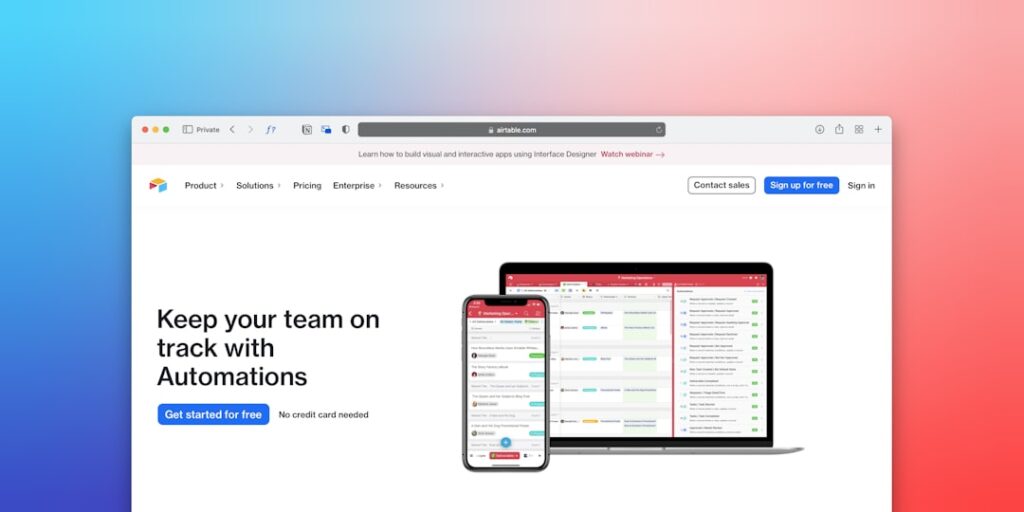
Harnessing the Power of No-Code Workflow Automation with AI Tools
No-Code Workflow Automation has transformed the way businesses operate, allowing individuals with little to no technical expertise to automate processes effectively. This innovative approach leverages AI tools, providing an accessible solution that enhances productivity and streamlines workflows.
Why it matters
As businesses grow and adapt to the digital age, the ability to quickly automate workflows becomes crucial. No-Code Workflow Automation enables teams to implement solutions rapidly without the extensive time commitment usually associated with coding. This empowers employees, reduces operational costs, and improves efficiency, ultimately facilitating better service delivery and customer satisfaction.
Core Concepts
Understanding No-Code Workflow Automation
- No-Code Platforms: Tools that allow users to create applications and automate tasks without programming knowledge.
- Integrations: Connecting various software applications to work together seamlessly.
- Workflows: A series of automated tasks that carry out processes, from start to finish, with little human intervention.
- AI Enhancement: Utilizing artificial intelligence to optimize and manage workflows intelligently.
Detailed Step-by-Step Guide
- Identify the Process: Determine which manual tasks are repetitive and time-consuming.
- Choose the Right No-Code Tool: Research and select a platform that fits your needs (consider factors like integrations and user-friendliness).
- Map Your Workflow: Visualize the steps involved in the process, identifying key inputs, outputs, and automation points.
- Set Up Integrations: Connect various tools and platforms to ensure seamless data flow across your systems.
- Create Automation: Using the no-code tool, set up triggers and actions that will automate the identified workflows.
- Test the Workflow: Run several tests to ensure that everything functions as intended without issues.
- Deploy the Workflow: Launch your automation across the team or customer-facing process.
- Monitor and Optimize: Once deployed, track performance metrics and make necessary adjustments for improved efficiency.
Common Mistakes
Here are some frequent pitfalls to avoid when implementing No-Code Workflow Automation:
- Underestimating Complexity: Not all workflows are straightforward; assess complexity before automating.
- Neglecting Testing: Failing to thoroughly test workflows can lead to errors that disrupt operations.
- Choosing the Wrong Tool: Ensure the chosen no-code solution fits your organization’s specific needs and existing tech stack.
- Over-Automation: Avoid automating every process; some tasks benefit from human oversight or input.
Real-World Case Study
Consider a marketing team at a mid-sized company struggling with lead management. They used a no-code platform allowing seamless integration with existing CRM systems. By automating the lead scoring and follow-up process, the team saved approximately 20 hours a week. This allowed them to focus on strategy rather than repetitive tasks, leading to a 15% increase in conversion rates within three months. Such a transformation illustrates the potential of No-Code Workflow Automation, where AI tools played a crucial role in simplifying complex processes.
Comparison Table
| Tool | Key Features | Pricing | User-Friendly |
|---|---|---|---|
| Zapier | Multi-app integrations, task automation | Starts free, paid plans from $19/month | High |
| Integromat | Visual workflow builder, error handling | From $9/month | Medium |
| Automate.io | Real-time data sync, workflow management | Free up to 5 bots, paid plans from $9.99/month | High |
| Bubble | Custom app development, responsive design | Free tier available, paid plans from $25/month | Medium |
FAQ
What is No-Code Workflow Automation?
No-Code Workflow Automation refers to automating business processes using platforms that do not require programming skills, making it accessible to a wider audience in an organization.
How does AI enhance No-Code Automation?
AI tools can analyze data, make intelligent decisions based on patterns, and even learn from interactions, improving the efficiency of workflows.
Do I need technical skills to use No-Code tools?
No, No-Code platforms are designed for users without programming expertise, offering user-friendly interfaces and guided workflows.
Can No-Code Automation replace software developers?
No-Code tools complement developers by allowing non-technical staff to handle routine tasks, freeing developers to focus on more complex projects.
What industries benefit most from No-Code Workflow Automation?
Virtually every industry can benefit, but marketing, finance, and customer service sectors often see the most significant impacts due to repetitive task management.
Conclusion
No-Code Workflow Automation utilizing AI tools presents an excellent opportunity for organizations to maximize efficiency, reduce costs, and empower employees. By understanding the essential concepts and avoiding common pitfalls, businesses can harness the capabilities of no-code platforms, unlocking new levels of productivity and innovation.
Advanced Tips for Implementing No-Code Workflow Automation
Choosing the Right AI Tools
When selecting AI tools for no-code workflow automation, it is vital to evaluate their compatibility with your existing systems. Look for tools that offer integrations with the necessary applications you use daily, such as CRM systems, email platforms, and project management software. This ensures a seamless transition and boosts productivity.
Maximizing Efficiency Through Customization
No-code platforms often allow for a high degree of customization. Take advantage of this feature by tailoring workflows to meet the specific needs of your team. Consider user feedback during this process; understanding pain points can lead to automation that significantly enhances efficiency and reduces bottlenecks.
Expert Opinions on No-Code Workflow Automation
Industry Leaders Share Insights
Leading industry experts emphasize the importance of no-code workflow automation in the digital landscape. They agree that as organizations continue to adopt these tools, the skills gap between technical and non-technical teams will narrow. This democratization of technology empowers all employees to contribute to process improvements without needing extensive coding knowledge.
The Role of AI in Future Automation
Experts predict that AI will play a crucial role in evolving no-code workflow automation capabilities. With advancements in machine learning and natural language processing, future AI tools may enhance decision-making processes and predictive analytics within automated workflows. This evolution will enable businesses to become even more agile and responsive to market changes.
Future Trends in No-Code Workflow Automation
Integration of AI and Machine Learning
As AI technology advances, we will see an increased integration of machine learning capabilities within no-code workflow automation tools. This will allow businesses to automate increasingly complex tasks and analyze data patterns more effectively, driving smarter operations and strategic decision-making.
Rise of Collaborative No-Code Platforms
Future trends suggest a shift towards collaborative no-code platforms that encourage teamwork across various departments. This collaboration will facilitate shared workflows and collective automation projects, allowing organizations to harness the collective intelligence of their workforce, leading to enhanced innovation and productivity.

