
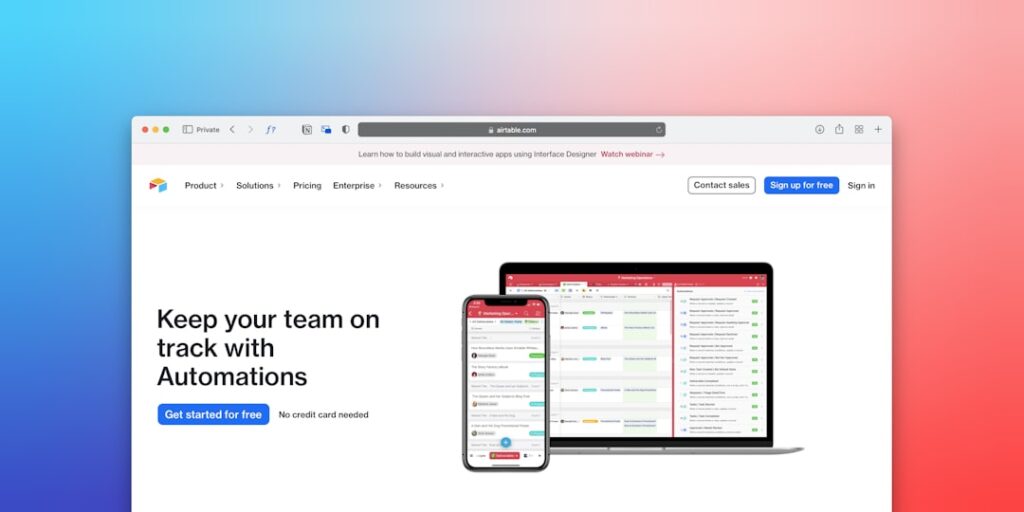
Maximizing Efficiency with No-Code Automation Tools: The Future of AI Productivity
In today’s fast-paced digital landscape, businesses and individuals alike are constantly seeking ways to maximize their efficiency and productivity. Enter No-Code Automation Tools, a revolutionary approach leveraging AI to streamline repetitive tasks without the need for extensive programming knowledge. This article explores the significance of AI productivity through the lens of no-code solutions and provides actionable insights on harnessing these tools effectively.
Why it matters
The implementation of No-Code Automation Tools is crucial in an era defined by rapid technological evolution. By integrating these tools, organizations can experience significant boosts in productivity, allowing employees to focus on higher-value tasks. Moreover, these tools democratize technology, enabling non-technical users to contribute effectively to processes traditionally reserved for developers.
Core Concepts
Understanding No-Code Automation Tools
- Definition: Software that allows users to build applications and automate workflows without needing to write code.
- Key Features: User-friendly interfaces, drag-and-drop functionality, and pre-built templates.
- Integrations: Ability to connect with existing applications (like CRM systems, email platforms, etc.).
Benefits of AI in No-Code Tools
- Increased efficiency: Automate repetitive tasks, reducing human error and time spent.
- Cost-effective: Lower development costs and decreased reliance on technical teams.
- Scalability: Easy to adjust and adapt workflows as business needs evolve.
Detailed Step-by-Step Guide
- Identify the tasks: Analyze daily operations to pinpoint repetitive tasks suitable for automation.
- Select a No-Code Tool: Research and choose a tool that best fits your operational needs based on features and integrations.
- Set up your workflows: Utilize drag-and-drop interfaces to create automated workflows, linking various apps and services.
- Test the automation: Conduct testing to ensure that the new workflows execute as intended without errors.
- Monitor and Optimize: Continuously track the effectiveness of automation, making adjustments as necessary to improve efficiency further.
Common Mistakes
When adopting No-Code Automation Tools, several common pitfalls can hinder productivity:
- Over-automation: Automating every task can lead to complexity and confusion. Focus on high-impact processes.
- Neglecting User Training: Without proper training, users may struggle to utilize the tools effectively.
- Ignoring Integration Compatibility: Failing to consider how the new tools will interact with existing systems can result in wasted efforts.
Real-World Case Study
Consider a mid-sized marketing firm that implemented No-Code Automation Tools to streamline its lead generation process. Before automating, their team spent hours manually entering data from lead sources into their CRM. By adopting a no-code solution, the firm created an automated workflow that extracted lead data from web forms and populated their CRM in real time. As a result, they reduced manual work by over 50%, allowing marketing professionals to focus on developing strategies rather than drowning in data entry.
Comparison Table
| Tool | Ease of Use | Integrations | Cost |
|---|---|---|---|
| Zapier | Very Easy | Over 3,000 Apps | Starting at $19.99/month |
| Integromat | Moderately Easy | Over 1,000 Apps | Starting at $9/month |
| Automate.io | Easy | Over 200 Apps | Starting at $9.99/month |
| Bubble | Moderate to Hard | Web Services | Free / Paid Options |
FAQ
What are No-Code Automation Tools?
No-Code Automation Tools are software platforms that enable users to create automated workflows without programming knowledge.
How do I choose the right No-Code Tool?
Consider factors such as ease of use, integration capabilities, customer support, and the specific needs of your organization.
Are No-Code Tools suitable for large enterprises?
Yes, many No-Code Tools are designed to scale and can support complex workflows in large enterprises.
Can No-Code Automation Tools save costs?
Absolutely, they reduce the need for specialized labor and can significantly cut operational costs.
Do I need to be tech-savvy to use No-Code Tools?
No, these tools are designed for users without a technical background to easily create automations.
Conclusion
No-Code Automation Tools represent a significant advancement in AI productivity, empowering individuals and organizations to optimize their workflows without extensive technical skills. By understanding the core concepts, avoiding common mistakes, and learning from real-world applications, businesses can successfully implement these tools to enhance efficiency and drive growth. Embrace the future of work with No-Code Automation Tools and watch your productivity soar.
Advanced Tips for Maximizing AI Productivity
Integrate No-Code Automation Tools
One of the best ways to enhance AI productivity is through the integration of no-code automation tools. These platforms allow users to develop applications without any programming knowledge, thus making it accessible for professionals across various industries to harness the power of AI. By automating repetitive tasks such as email responses, data entry, and project management through these tools, organizations can free up valuable time for their teams to focus on strategic initiatives.
Leverage AI for Data Analysis
Utilizing AI-driven analytics can significantly increase productivity by providing insights that are difficult to extract manually. No-code automation tools often come with built-in analytics features, enabling users to visualize data trends, automate reporting, and derive actionable insights. This not only fosters a data-driven culture but also enhances decision-making processes across the organization.
Expert Opinions on AI Productivity
Industry Insights
Leading experts in the field of AI and productivity emphasize the importance of adopting no-code automation tools. According to a recent report from technology analysts, businesses that implement these tools see a 30% increase in overall productivity. Experts argue that by democratizing access to automation, no-code tools empower employees at all levels to innovate and enhance workflows without waiting for IT intervention.
Best Practices from AI Leaders
Top companies like Zapier and Airtable have shared their best practices for integrating no-code automation tools into their workflows. They highlight the necessity of training employees in these tools to ensure they can fully leverage their capabilities. Regular workshops and resource sharing can help build a knowledgeable team that can utilize AI effectively to boost productivity.
Future Trends in AI Productivity
The Rise of Personalized Automation
As AI technology continues to advance, we can expect a shift towards more personalized automation solutions. Future no-code automation tools will likely incorporate machine learning to adapt and evolve based on user behavior. This personalization will allow businesses to tailor workflows more closely to individual needs, which in turn will drive higher productivity levels.
Integration of AI Tools in Everyday Tasks
Another emerging trend is the seamless integration of AI tools into everyday tasks. No-code automation tools are set to evolve into versatile platforms that connect with everyday applications like emails, calendars, and project management software. This integration will facilitate a more cohesive workflow, enabling employees to manage tasks more efficiently and enhance overall productivity.

