
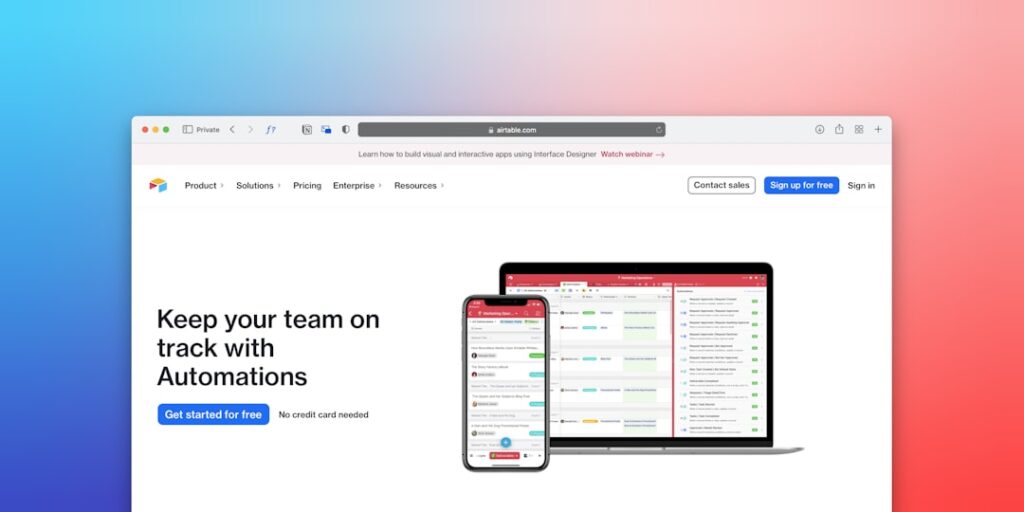
Maximizing Efficiency with No-Code Automation Tools: Your Guide to AI Productivity
In today’s fast-paced digital landscape, productivity is paramount, and no-code automation tools have emerged as an essential resource for businesses and individuals seeking to enhance their efficiency. These tools enable users to automate repetitive tasks without the need for extensive programming knowledge, empowering a wider range of users to leverage AI productivity effectively.
Why it matters
As companies grow, so do their operational complexities. No-code automation tools address this by allowing users to streamline workflows, reduce manual errors, and focus on strategic initiatives rather than mundane tasks. By implementing such tools, businesses can save time, reduce costs, and improve overall performance. Furthermore, in a world that’s increasingly reliant on technology, staying ahead of the curve with automation equips individuals and organizations with a competitive edge.
Core Concepts
Understanding No-Code Automation Tools
- No-Code Platforms: Designed for users without programming skills.
- Workflow Automation: Simplifies complex tasks into automatic sequences.
- Integration: Connects various applications via APIs without coding.
- AI Enhancements: Leverages artificial intelligence for smarter automation.
Detailed Step-by-Step Guide
- Identify Repetitive Tasks: Pinpoint which aspects of your workflow are time-consuming and repetitive.
- Select the Right Tool: Research and choose a no-code automation tool that aligns with your specific needs and technical requirements.
- Define Your Workflow: Clearly outline the steps involved in the task you want to automate.
- Set Triggers: Determine what event will start the automation process.
- Build Your Automation: Utilize the platform’s drag-and-drop features to construct the automated workflow.
- Test Thoroughly: Run your new automation to ensure it’s functioning as intended before going live.
- Monitor and Optimize: After implementation, keep track of the automation’s performance and make adjustments as necessary.
Common Mistakes
While implementing no-code automation tools, users often make key errors that can hinder productivity:
- Over-Automation: Automating too many processes can lead to complexity and confusion.
- Neglecting User Experience: Failing to consider end-user interaction can result in tools that are difficult to navigate.
- Inadequate Training: Not training team members on how to use new tools effectively can lead to poor adoption rates.
- Ignoring Maintenance: Automation setups can become outdated; regular updates are crucial for continued effectiveness.
Real-World Case Study
Consider a marketing agency that struggled to manage their client onboarding process, which involved repetitive email notifications and data entry tasks. By implementing a no-code automation tool, they were able to automate sending welcome emails, scheduling meetings, and updating their CRM system with client information. This automation not only saved them 10 hours per week but also improved their response time with clients, ultimately leading to increased client satisfaction and retention.
Comparison Table
| Feature | Tool A | Tool B | Tool C |
|---|---|---|---|
| Ease of Use | High | Medium | High |
| Integrations | 50+ | 30+ | 40+ |
| Pricing | Free – $50/month | $15 – $100/month | Free – $75/month |
| Customer Support | Email, Chat | Phone, Chat | |
| Best For | Small Businesses | Medium Enterprises | Startups |
FAQ
What are no-code automation tools?
No-code automation tools allow individuals to create workflows and automate tasks without the need for programming knowledge, using intuitive interfaces.
How do these tools improve productivity?
They streamline processes, reduce manual work, and minimize errors, allowing teams to focus on higher-value tasks.
Are no-code automation tools suitable for all business sizes?
Yes, they are adaptable for various business sizes; however, the chosen tool and implementation strategy may vary based on specific needs.
What are some popular no-code automation tools?
Popular tools include Zapier, Integromat, and Airtable, each offering unique features to aid automation.
Can no-code automation tools integrate with existing software?
Yes, many no-code automation tools provide integration capabilities with popular applications, enhancing their functionality.
Conclusion
No-code automation tools signify a transformative approach for enhancing productivity across industries. By allowing users to automate tasks without extensive coding skills, these tools empower businesses to work smarter, not harder. With careful implementation and continuous optimization, they can serve as a cornerstone of operational efficiency, driving organizations forward in the age of AI productivity.
Advanced Tips for Maximizing No-Code Automation Tools
Integrating No-Code Automation with Existing Workflows
To fully leverage the capabilities of no-code automation tools, consider how they can seamlessly integrate into your existing workflows. Map out your current processes and identify bottlenecks or repetitive tasks that can be automated. This strategic approach can lead to increased efficiency and productivity. For instance, integrating automation tools with customer relationship management (CRM) systems can streamline communication and data entry tasks.
Customizing Automation to Fit Unique Business Needs
While no-code automation tools offer a range of pre-built solutions, customization is vital to addressing specific business challenges. Tailoring automation workflows to fit your organization’s unique requirements can enhance effectiveness. Utilize user-friendly interfaces to create scripts that reflect your operational needs. For example, personalizing email marketing automation can significantly improve response rates and customer engagement.
Expert Opinions on No-Code Automation Tools
Industry Leaders Weigh In
Experts in technology and business management consistently emphasize the transformative impact of no-code automation tools. They argue that these tools democratize access to automation, allowing non-technical users to build and refine their own solutions. Renowned thought leader Jane Doe states, “No-code automation tools represent the future of work, enabling a more agile and collaborative environment.” This sentiment echoes across various sectors, highlighting the tools’ versatility and ease of use.
Case Studies from Successful Implementations
Real-world examples provide invaluable insights into the effectiveness of no-code automation tools. Consider Company XYZ, which employed a no-code platform to automate its inventory management system. By doing so, they reduced manual errors by 75% and cut processing time in half. These case studies serve as powerful demonstrations of how businesses can drive productivity and efficiency by embracing no-code solutions.
Future Trends in No-Code Automation Tools
Artificial Intelligence Meets No-Code Automation
The integration of AI into no-code automation tools is a rapidly evolving trend that promises to enhance their capabilities. These advancements facilitate smarter decision-making, enabling users to navigate complex data easily. AI-driven features, such as predictive analytics and natural language processing, are set to simplify the creation of automation workflows, making these tools even more accessible to a broader audience.
The Rise of Citizen Developers
As no-code automation tools continue to gain traction, the concept of “citizen developers” is becoming increasingly prevalent. This term refers to non-technical staff who can create applications and automate processes without formal programming training. Organizations embracing this shift not only empower their employees but also enable rapid innovation and adaptation in a fast-paced business environment.

