
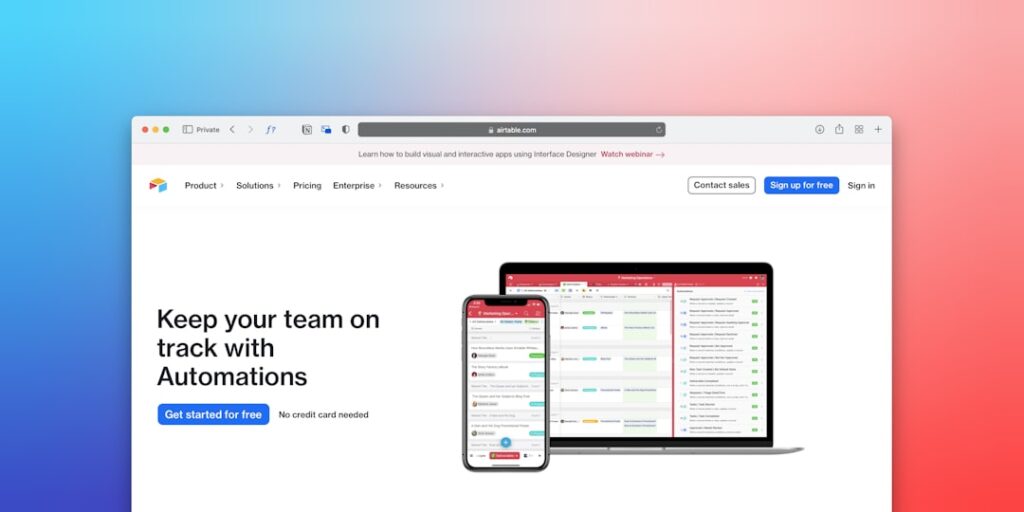
The Best No-Code Automation Tools for Enhanced Productivity
In today’s fast-paced world, leveraging the best no-code automation tools can dramatically enhance productivity by streamlining processes, saving time, and reducing errors. These tools empower individuals and teams to automate workflows without needing extensive programming knowledge, making them essential for businesses and professionals alike.
Why it Matters
Utilizing no-code automation tools is crucial for organizations aiming to optimize operations. These tools help reduce manual tasks, minimize errors, and allow for seamless integration of various platforms. As the market becomes increasingly competitive, those who harness the power of automation will find themselves at a significant advantage.
Core Concepts
Understanding No-Code Automation
- No-Code vs. Low-Code: No-code platforms require no programming skills, while low-code allows for some coding.
- Workflow Automation: Automating repetitive tasks, such as data entry and notifications.
- Integration: Connecting different apps and services to work together without manual interference.
Detailed Step-by-Step Guide
- Identify the tasks in your workflow that are repetitive and consume time.
- Choose the right no-code automation tool based on your specific needs, such as Zapier, Integromat, or Airtable.
- Set clear objectives for what you want to automate.
- Create an account on your chosen platform and explore its features.
- Build your first automation by selecting triggers and actions relevant to your workflow.
- Test your automation to ensure it works correctly before full implementation.
- Monitor and adjust your automations based on performance and feedback.
Common Mistakes
When adopting no-code automation tools, many users fall into common pitfalls:
- Ignoring the integration complexity of existing systems.
- Not clearly defining objectives, leading to ineffective automations.
- Failing to test automations thoroughly before relying on them.
- Neglecting to gather feedback for ongoing improvement.
Real-World Case Study
Consider a marketing agency that struggled with lead management. They implemented Zapier to automate lead collection from forms on their website into a client management system. This integration not only saved several hours weekly but also allowed for real-time updates, improving their response time to potential clients.
Comparison Table
| Tool | Ease of Use | Integrations | Price |
|---|---|---|---|
| Zapier | Very Easy | Over 3,000 | From $19.99/month |
| Integromat | Moderate | Over 1,000 | From $9/month |
| Airtable | Easy | Over 1,000 | From $10/month |
| Automate.io | Easy | Over 200 | From $9.99/month |
FAQ
What are no-code automation tools?
No-code automation tools allow users to create workflows and automate tasks without writing a single line of code.
How can no-code automation tools boost productivity?
These tools streamline repetitive tasks, reduce human error, and allow for faster work processes.
Are no-code tools suitable for all types of businesses?
Yes, no-code tools can be customized to fit the unique needs of various industries, from startups to large enterprises.
What should I consider when choosing a no-code automation tool?
Assess the tool’s ease of use, available integrations, pricing, and the specific needs of your workflow.
Can no-code automation tools handle complex operations?
While designed for ease, some no-code tools can handle complex workflows; however, understanding their limitations is key.
Conclusion
The best no-code automation tools offer a route to increased efficiency and productivity. By understanding the right tools and effectively implementing them, businesses can focus more on their core competencies and less on repetitive tasks. Embrace the shift towards automation and unlock new potential for your workflow.
Advanced Tips for Maximizing AI Productivity Tools
Integrate with Existing Workflows
To fully harness the power of the best no-code automation tools, it’s essential to integrate these solutions into your existing workflows. Assess your current processes and identify areas where automation can streamline tasks. By using tools that seamlessly connect with your current software ecosystem, you can reduce friction and enhance productivity. For instance, many AI automation platforms offer plugins or APIs that easily link with project management and communication tools, making it effortless to implement automation effectively.
Utilize Templates and Pre-built Scripts
Many AI productivity tools come equipped with templates and pre-built automation scripts that can save users significant time. Explore the library of templates provided by your chosen no-code tools and customize them according to your specific needs. This allows you to skip the steep learning curve associated with creating automation from scratch and instead focus on optimizing and deploying your personalized workflows quickly.
Expert Opinions on AI Tools for Productivity
Insights from Industry Leaders
Experts in the field of productivity and AI emphasize the importance of selecting the right tools for automation. According to a recent survey of productivity experts, approximately 78% agree that investing in the best no-code automation tools can drastically improve team efficiency. They advocate for a thoughtful approach to adopting technology, ensuring that it complements human skills rather than replacing them. Understanding the nuances of each tool is crucial for building a productivity ecosystem that is both efficient and user-friendly.
Real-World Examples from Successful Companies
Leading companies across various sectors have leveraged AI productivity tools to enhance their workflows. For instance, a marketing agency used no-code automation tools to streamline their content curation process, reducing turnaround time by 40%. Another example is a tech firm that implemented automated scheduling systems for meetings, which saved their teams countless hours each week. These real-world applications illustrate how effectively integrating the best no-code automation tools can lead to significant gains in productivity and operational efficiency.
Future Trends in AI Productivity Tools
The Rise of Hyper-Automation
Looking ahead, the trend of hyper-automation is set to redefine how businesses utilize AI productivity tools. Hyper-automation extends beyond simple automation by combining advanced technologies such as AI, machine learning, and robotic process automation (RPA) to create complex workflows that can operate autonomously. The best no-code automation tools are evolving to incorporate hyper-automation capabilities, which will allow organizations to achieve unprecedented levels of efficiency and scalability.
Increased Focus on User Experience
As more individuals adopt AI productivity tools, there is a growing emphasis on user experience design. Developers are prioritizing intuitive interfaces and customizable features that cater to a diverse range of skill levels. Future AI productivity tools will likely prioritize ease of use, allowing even those with little to no coding experience to create effective automations. This focus on user-centric design will be critical in democratizing technology and enhancing productivity across all sectors.

