
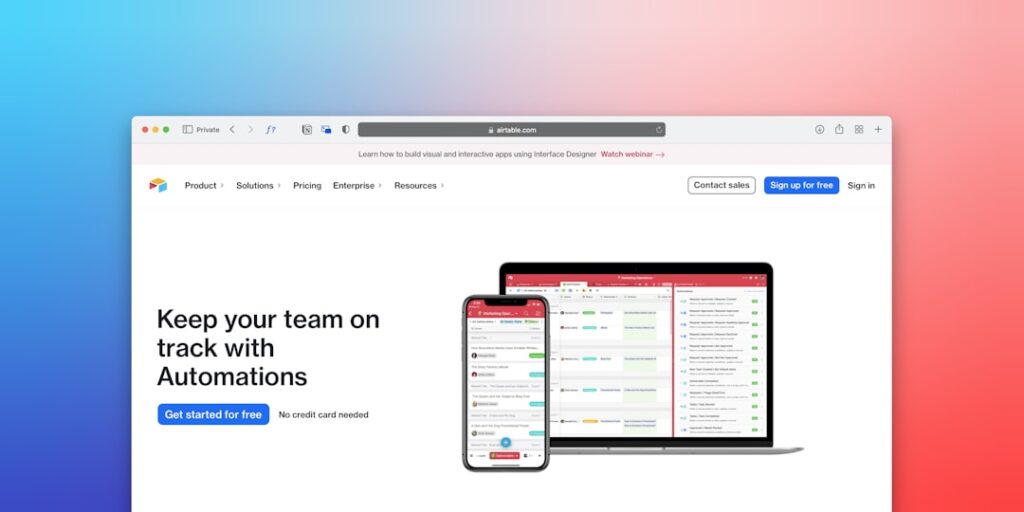
No-Code Automation Platforms: Revolutionizing Business Efficiency
No-Code Automation Platforms are transforming the way businesses operate by simplifying complex processes. With the rise of artificial intelligence and automation tools, organizations can streamline workflows, enhance productivity, and reduce operational costs without any coding expertise.
Why it matters
No-Code Automation Platforms matter because they empower non-technical users to create and manage automated workflows. This democratization of technology allows businesses to innovate rapidly, adapt to changes, and optimize resource allocation. Moreover, these platforms bridge the gap between IT and business teams, facilitating collaboration and fostering a culture of continuous improvement.
Core Concepts
Key Features of No-Code Automation Platforms
- User-Friendly Interfaces: Drag-and-drop functionality enables users to build workflows without coding.
- Integration Capabilities: Seamlessly connect with third-party applications and services.
- Pre-Built Templates: Access to customizable templates for various business processes.
- Real-Time Analytics: Monitor and analyze automated workflows to optimize performance.
- Collaboration Tools: Facilitate teamwork through shared access to workflows.
Detailed Step-by-Step Guide
- Define Your Objectives: Identify specific tasks that need automation to increase efficiency.
- Select a No-Code Automation Platform: Research and choose a platform that aligns with your needs.
- Create an Account: Sign up and set up your profile on the chosen platform.
- Explore Existing Templates: Browse through available templates related to your tasks.
- Customize Your Workflow: Modify templates or build workflows from scratch using drag-and-drop features.
- Integrate Necessary Applications: Connect your workflow with other tools and services your business uses.
- Test Your Workflow: Run simulations to ensure everything functions correctly.
- Launch and Monitor: Activate your automated workflow and keep track of its performance using analytics tools.
Common Mistakes
When implementing No-Code Automation Platforms, common mistakes include:
- Skipping the Planning Phase: Failing to outline clear objectives can lead to ineffective automation.
- Neglecting User Training: Insufficient training for team members can hinder adoption and utilization.
- Overcomplicating Workflows: Designing overly complex processes may reduce effectiveness and increase maintenance needs.
- Ignoring Integration Challenges: Underestimating the difficulty of integrating with existing systems can lead to failures.
- Not Gathering Feedback: Failing to collect user feedback can result in missed opportunities for optimization.
Real-World Case Study
Consider a marketing agency that used a No-Code Automation Platform to streamline its client onboarding process. Prior to automation, the agency relied on manual entry and email communication, which led to bottlenecks and errors. By implementing a no-code solution:
- The agency developed an automated workflow that included client intake forms, automatic responses, and task assignments.
- They integrated their CRM and project management tools, ensuring seamless communication.
- As a result, they reduced onboarding time from weeks to a few days, which significantly improved client satisfaction.
Comparison Table
| Platform | Key Features | Pricing | User Rating |
|---|---|---|---|
| Zapier | Extensive integrations, multi-step workflows | Starts at $19.99/month | 4.7/5 |
| Integromat | Visual editor, scenario creation | Starts at $9/month | 4.6/5 |
| Automate.io | Task automation, data synchronization | Starts at $9.99/month | 4.5/5 |
| Bubble | App creation, custom workflows | Free tier available, paid starts at $25/month | 4.8/5 |
FAQ
What are No-Code Automation Platforms?
No-Code Automation Platforms are tools that allow users to automate workflows and processes without requiring programming skills.
Who can benefit from using No-Code Automation Platforms?
Small to medium-sized businesses, marketing teams, project managers, and anyone looking to improve efficiency can benefit significantly.
Are No-Code Automation Platforms secure?
Yes, reputable platforms prioritize data security through encryption, regular audits, and compliance with regulations.
Can I use multiple automation platforms simultaneously?
Absolutely! Many businesses use a combination of platforms to optimize different aspects of their workflows.
Do I need technical knowledge to use these platforms?
No, No-Code Automation Platforms are designed for non-technical users with easy-to-use interfaces.
Conclusion
No-Code Automation Platforms present a remarkable opportunity for businesses to enhance productivity and efficiency while minimizing reliance on IT resources. By understanding their capabilities and avoiding common pitfalls, organizations can leverage these tools to drive innovation and success in the digital age.
Advanced Tips for Using No-Code Automation Platforms
Choosing the Right Platform
When selecting a no-code automation platform, it’s essential to consider factors such as scalability, ease of use, and integration capabilities. Evaluate platforms that align with your specific business needs. Look for user reviews and case studies that highlight performance metrics and overall satisfaction.
Maximizing Efficiency
To get the most out of no-code automation platforms, focus on mapping out your workflows before implementation. Identify repetitive tasks that consume time and automate them. This strategic approach not only enhances productivity but also allows team members to focus on higher-value activities.
Expert Opinions on No-Code Automation
Insights from Industry Leaders
Experts in the field of technology emphasize the transformative impact of no-code automation platforms in democratizing software development. By enabling non-technical users to create automated solutions, these tools are fostering innovation across departments. Many leaders believe this trend will continue to grow, with a significant shift towards user empowerment in business environments.
Challenges and Considerations
While no-code automation platforms simplify processes, industry experts warn about potential pitfalls. It’s crucial to ensure that automations are regularly maintained and updated to avoid inefficiencies. Additionally, teams should undergo training to fully leverage the capabilities of their chosen platforms, thereby maximizing the return on investment.
Future Trends in No-Code Automation
AI Integration
Looking ahead, the integration of AI capabilities into no-code automation platforms is poised to revolutionize the landscape. This trend will enable users to build even smarter automations, analyzing data patterns and predicting outcomes without needing programming expertise. The synergy of AI and no-code tools will result in more responsive and adaptive business processes.
Enhanced Collaboration Features
As remote and hybrid work environments become increasingly common, no-code automation platforms are expected to enhance collaborative features. Real-time updates, shared workflows, and integrated communication tools will help teams coordinate efforts seamlessly. These innovations will not only improve workflow efficiency but also foster stronger team collaboration across organizational boundaries.

