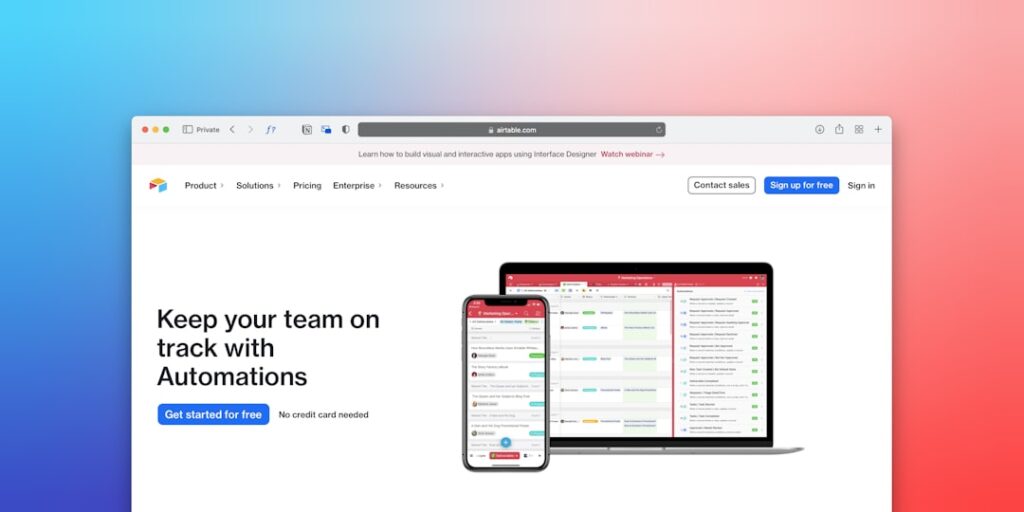
Unlocking Efficiency with No-Code Automation Platforms
No-Code Automation Platforms have transformed the way businesses operate by enabling users to automate complex tasks without any coding knowledge. These tools provide an intuitive interface, empowering professionals across various sectors to streamline processes, enhance productivity, and focus on strategic initiatives rather than repetitive tasks.
Why it matters
No-Code Automation Platforms are essential in today’s fast-paced business environment. They eliminate the barriers associated with traditional coding, allowing for a democratization of tech solutions. By reducing the reliance on IT specialists, organizations can achieve quicker deployments, adapt rapidly to changing business needs, and enhance overall efficiency.
Core Concepts
Key features of No-Code Automation Platforms:
- Intuitive User Interface: Drag-and-drop functionality makes it accessible to non-technical users.
- Integration Capabilities: Seamless connections with existing tools and data sources.
- Templates and Pre-built Workflows: Ready-to-use frameworks that can be customized as needed.
- Scalability: Ability to manage increasing workloads without additional coding.
- Collaboration Tools: Facilitate team collaboration through shared access and role management.
Detailed Step-by-Step Guide
- Define Your Automation Goals: Identify tasks that consume time and resources, assessing which are eligible for automation.
- Choose the Right Platform: Research and select a No-Code Automation Platform that fits your unique business needs.
- Explore Available Templates: Leverage existing workflows to accelerate implementation.
- Build Your Automation: Use drag-and-drop features to create workflows tailored to your requirements.
- Test Your Automation: Conduct testing to identify and rectify any inefficiencies or errors before going live.
- Train Your Team: Ensure all stakeholders understand how to use the new systems effectively.
- Monitor and Optimize: Analyze results and refine processes regularly for optimal productivity.
Common Mistakes
Businesses often encounter pitfalls when implementing No-Code Automation Platforms. Some common mistakes include:
- Skipping the Planning Phase: Jumping straight into building automations without proper goal-setting can lead to misalignment with business objectives.
- Neglecting Data Quality: Poor data quality can hinder the effectiveness of automated workflows.
- Underestimating Training Needs: Not investing in user training may result in low adoption rates and misuse of tools.
- Failing to Iterate: Sticking with initial workflows without ongoing optimization can prevent realizing full benefits.
Real-World Case Study
In a retail setting, a local grocery store implemented a No-Code Automation Platform to streamline their inventory management. Previously, stock levels were tracked manually, leading to frequent stockouts and excess inventory. By automating this process, the grocery store integrated their sales data with inventory levels. As a result, they reduced overstock by 30% and increased stock availability by 50%, significantly improving customer satisfaction and sales performance.
Comparison Table
| Platform | Key Features | Ideal For | Pricing |
|---|---|---|---|
| Zapier | Integration with over 2,000 apps | Small to medium businesses | Starts at $19.99/month |
| Integromat | Visual script builder | Intermediate users | Starts at $9/month |
| Microsoft Power Automate | Robust enterprise integration | Large enterprises | Starts at $15/user/month |
| Automate.io | Multi-step workflows | Small teams | Starts at $9/month |
FAQ
What are No-Code Automation Platforms?
No-Code Automation Platforms are tools that allow users to create automated workflows without writing code, using visual interfaces instead.
Who can benefit from using No-Code Automation Platforms?
These platforms are beneficial for businesses of all sizes and industries, particularly those looking to empower non-technical staff to improve efficiency.
Can I integrate No-Code Automation Platforms with existing software?
Yes, most No-Code Automation Platforms offer extensive integration capabilities with popular software and tools.
Are No-Code Automation Platforms secure?
Most reputable platforms implement robust security measures and compliance with data protection regulations, but users must also follow best practices.
How do I choose the right No-Code Automation Platform?
Evaluate your business needs, workflows, and budget when selecting the right platform, considering scalability and integration options.
Conclusion
No-Code Automation Platforms are revolutionizing how businesses approach efficiency and productivity. By removing the barriers of technical expertise, they empower users to innovate and automate effectively. By understanding the core concepts, following a structured approach, and avoiding common pitfalls, organizations can harness the full potential of these powerful tools and gain a competitive edge in their industry.
Advanced Tips for Using No-Code Automation Platforms
Integrating with Existing Tools
Many businesses rely on a variety of software solutions to manage their operations. When choosing a no-code automation platform, consider its integration capabilities. Look for platforms that seamlessly connect with other applications your team uses, such as CRM systems, project management tools, and communication apps. This ensures that your data flows smoothly between systems, enabling more efficient workflows.
Customization and Scalability
No-code automation platforms often offer a range of customization options. Explore templates and predefined actions that can be tailored to your specific needs. Additionally, ensure the platform scales as your business grows. An ideal solution should adapt to increasing workloads without sacrificing performance, giving you the flexibility to expand your automated processes over time.
Expert Opinions on No-Code Automation
Insights from Industry Leaders
Industry experts emphasize the importance of user experience when selecting no-code automation platforms. They advise conducting thorough research to understand how intuitive the platform is for non-technical team members. A positive user experience can significantly reduce the time needed for training and allow your team to focus on creative problem-solving rather than grappling with complex software.
Future of No-Code Automation
As technology continues to evolve, no-code automation platforms are expected to integrate advanced artificial intelligence features. This will not only enhance the capabilities of existing tools but also enable more dynamic automation processes. Experts predict that future platforms will leverage machine learning to adapt workflows in real-time, making them even more valuable to businesses striving for efficiency and innovation.
Real-World Examples of No-Code Automation
Case Studies of Successful Implementations
Numerous organizations have benefitted from implementing no-code automation platforms. For instance, a marketing agency utilized a no-code platform to automate their lead generation process, resulting in a 40% increase in qualified leads within three months. Another case involves a financial institution that streamlined its reporting procedures, reducing the report generation time by 70%. These examples illustrate the tangible benefits that no-code automation can bring to various sectors.
Lessons Learned
While many companies have experienced success with these platforms, challenges can arise. One common lesson is the critical importance of initial planning and defining clear objectives. Teams should take the time to map out their workflows and identify pain points prior to implementation. This clarity will help in selecting the right no-code automation tools and in creating solutions that effectively address specific business needs.