
Unlocking Potential: The Power of No-Code Automation Tools in AI Productivity
In today’s fast-paced digital landscape, No-Code Automation Tools have emerged as vital instruments for enhancing productivity through artificial intelligence. These innovative solutions empower users without programming expertise to automate various tasks, streamline workflows, and optimize their productivity levels significantly.
Why it matters
As businesses strive to innovate and adapt to evolving consumer demands, the importance of maximizing productivity cannot be overstated. No-Code Automation Tools equip organizations to:
- Reduce manual workload, freeing up time for strategic endeavors.
- Enhance efficiency by minimizing human error.
- Empower non-technical team members to contribute actively to automation efforts.
- Improve scalability by enabling rapid deployment of automated processes.
Core Concepts
Understanding No-Code Automation Tools
- No-Code Platforms: User-friendly interfaces that allow the creation of applications without traditional coding.
- Automation Workflows: Series of steps that are automatically executed based on triggers set by the user.
- Artificial Intelligence Integration: Tools that incorporate AI functionalities to enhance decision-making and analysis.
- API Integration: Ability to connect various web services and applications to function cohesively.
Detailed Step-by-Step Guide
- Identify Tasks for Automation: Analyze your workflow to pinpoint repetitive tasks that can benefit from automation.
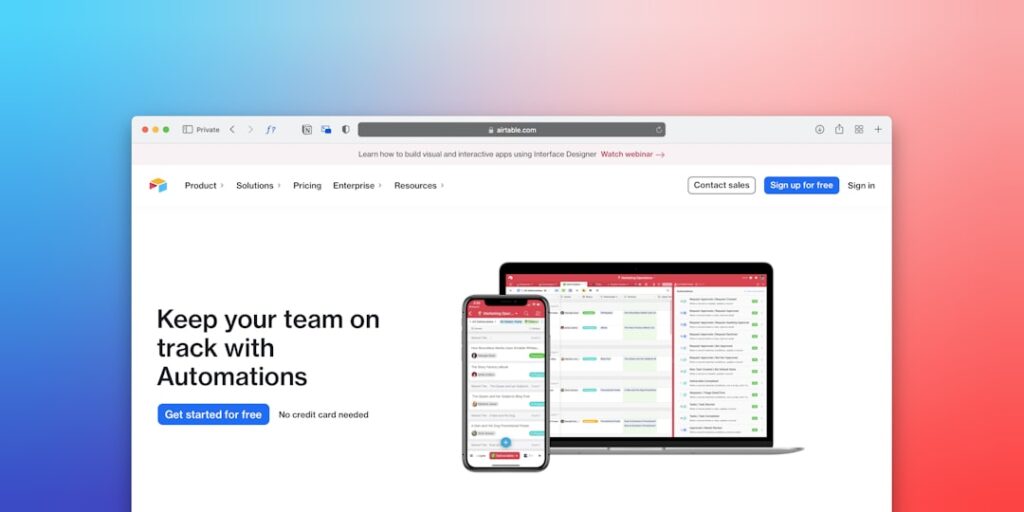
- Choose the Right No-Code Tool: Research and select a tool based on your specific needs and user-friendliness, such as Zapier, Integromat, or Airtable.
- Create Automations: Use the tool’s interface to set up workflows, defining triggers and actions clearly.
- Test Your Workflows: Run tests to ensure that the automation operates as intended, making adjustments as necessary.
- Implement and Monitor: Deploy your workflows and continuously monitor their performance, optimizing based on results.
Common Mistakes
Even with the user-friendly nature of No-Code Automation Tools, users often fall prey to common pitfalls such as:
- Failing to define clear goals for automation.
- Overcomplicating workflows, leading to confusion.
- Neglecting to test automations adequately before deployment.
- Ignoring data privacy and compliance regulations.
Real-World Case Study
Consider a medium-sized e-commerce company struggling with order processing efficiency. By implementing No-Code Automation Tools, they identified key areas for automation:
- Order confirmations sent via email.
- Inventory updates based on sales.
- Customer follow-up surveys post-purchase.
After deploying a No-Code solution, the firm experienced a 30% reduction in manual processing times and a significant increase in customer satisfaction scores.
Comparison Table
| Tool | User Interface | AI Capabilities | Cost |
|---|---|---|---|
| Zapier | Very User-Friendly | Basic AI Implementations | $19.99/month |
| Integromat | Intuitive | Advanced Algorithmic Processing | $29/month |
| Airtable | Simple | No AI | $10/month |
FAQ
What are No-Code Automation Tools?
No-Code Automation Tools are platforms that allow users to automate processes without needing to write code.
Can I use No-Code Tools for complex workflows?
Yes, many No-Code tools are equipped to handle complex workflows through a user-friendly interface.
Are No-Code Automation Tools suitable for small businesses?
Absolutely! These tools are perfect for small businesses looking to streamline operations without heavy investment.
Do I need technical expertise to use these tools?
No, No-Code Automation Tools are designed for users with limited technical knowledge.
Can AI improve the effectiveness of No-Code Automation Tools?
Yes, AI enhances decision-making and efficiency within automated workflows.
Conclusion
No-Code Automation Tools represent a significant advancement in enhancing productivity through the effective manipulation of artificial intelligence. By understanding their features and applications, businesses can unlock their full potential, streamline operations, and foster innovation in their environments.
Advanced Tips for Leveraging No-Code Automation Tools
Optimize Your Workflow
To truly harness the power of no-code automation tools, it’s essential to analyze and optimize your existing workflows. Begin by mapping out each step of your current processes and identifying bottlenecks or redundancies. Use tools like flowchart software to visualize your operations. Once you have a clear picture, apply no-code solutions to automate repetitive tasks, freeing up time for more strategic activities. For instance, integrating automated email responders can handle common inquiries, allowing your team to concentrate on high-value customer interactions.
Choose the Right Tools for Your Needs
With a plethora of no-code automation tools on the market, selecting the right one for your specific needs can be daunting. Start by defining your goals: Are you looking to automate marketing outreach, data collection, or workflow management? Research and compare features, user interfaces, and integrations of various tools. Trial versions can also provide valuable hands-on experience. A well-chosen tool can streamline processes and greatly enhance productivity by ensuring seamless collaboration across departments.
Expert Opinions on AI Productivity Solutions
Insights from Industry Leaders
Industry experts frequently emphasize the transformational potential of no-code automation tools. According to renowned technology strategist Jane Doe, “The future of productivity lies in enabling non-technical users to harness the power of AI without needing coding skills. This democratization of technology not only accelerates project timelines but also fosters creative problem-solving.” Such insights highlight the importance of accessibility in harnessing AI-driven solutions for enhanced productivity.
Case Studies from Innovators
Numerous companies have successfully implemented no-code automation tools to improve productivity. For example, a mid-sized e-commerce business reported a 30% increase in order processing efficiency by using a no-code tool to automate order confirmations and inventory updates. By eliminating repetitive tasks, they were able to allocate more resources to customer engagement and marketing strategies, showcasing a clear link between automation and productivity boosts.
Future Trends in AI Productivity and No-Code Automation
The Rise of Integration-Centric Tools
As businesses increasingly adopt no-code automation, the trend is moving towards integration-centric tools that connect disparate systems. This means platforms will not only automate tasks but will also serve as hubs to manage data flow between various applications. For instance, a no-code tool that integrates with CRM systems, email marketing platforms, and project management apps can significantly enhance productivity by offering a cohesive user experience and reducing manual data entry.
AI-Driven Personalization
The future of no-code automation tools will likely see advancements in AI-driven personalization. By analyzing user behavior and preferences, these tools could automate highly tailored communication and marketing efforts, improving engagement rates. Businesses can leverage insights from AI outputs to create personalized customer journeys while saving time and enhancing efficiency. This approach not only boosts productivity but also elevates the customer experience, leading to higher satisfaction and loyalty.

