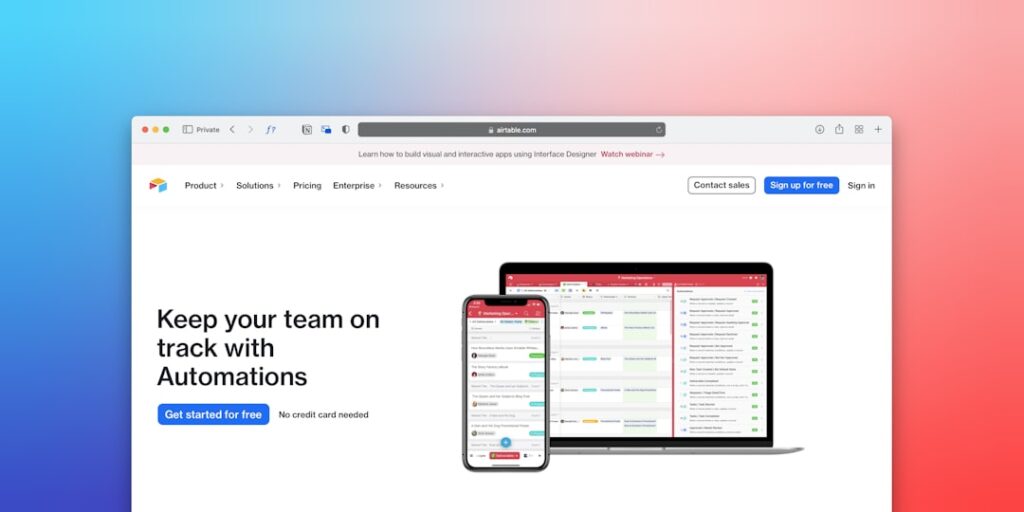
Unlocking Potential: Understanding No-Code Automation Tools
No-Code Automation Tools have emerged as revolutionary solutions in the tech landscape, allowing individuals and businesses to streamline processes without the need for extensive programming knowledge. These tools enable users to create automated workflows, integrate applications, and manage data efficiently through intuitive interfaces. As technology rapidly evolves, harnessing these tools can increase efficiency and drive innovation, making it crucial to understand their functionalities and applications.
Why it matters
In an era where time is money, the ability to automate tasks without coding is invaluable. No-Code Automation Tools empower users to:
- Reduce dependency on IT teams
- Accelerate project timelines
- Enable non-technical users to implement solutions
- Enhance overall productivity and efficiency
By comprehending the significance of these tools, organizations can leverage their full potential, ultimately leading to cost savings and improved performance.
Core Concepts
What No-Code Automation Tools Offer:
- User-Friendly Interfaces: Simplified drag-and-drop features for creating workflows
- Integration Capabilities: Customize and connect with existing apps and services
- Template Libraries: Pre-built solutions that can be easily adapted
- Scalability: Solutions that grow with your needs
- Analytics: Built-in tracking to monitor performance and efficiency
Detailed Step-by-Step Guide
To effectively implement No-Code Automation Tools, follow these steps:
- Identify the Process: Determine which tasks or processes can benefit from automation.
- Select the Right Tool: Research and choose a no-code tool that meets your needs (e.g., Zapier, Airtable).
- Set Up Your Account: Create an account and familiarize yourself with the dashboard and features.
- Create Your Workflow: Use the drag-and-drop editor to map out your automation process, connecting the applications involved.
- Test the Automation: Run the workflow to ensure it functions as intended and makes necessary adjustments.
- Launch and Monitor: Implement the automation and continuously monitor its performance for improvements.
Common Mistakes
When using No-Code Automation Tools, users often fall into these pitfalls:
- Overcomplicating Workflows: Adding unnecessary steps that can confuse users or hinder efficiency.
- Neglecting Testing: Failing to test automations can lead to errors and workflow disruptions.
- Poor Documentation: Not keeping track of changes or workflows can cause confusion and lack of clarity.
- Ignoring Integration Limits: Overestimating the capabilities of the tool regarding integration with other applications.
Real-World Case Study
Scenario: A small e-commerce business seeking to streamline order processing.
Background: The business experienced delays in order fulfillment because team members manually processed orders received via email.
Solution: They implemented the no-code automation tool, Zapier. By setting up a workflow that automatically pulls new orders from their email and enters them into a Google Sheet, they drastically reduced manual data entry.
Outcome: This automation led to a 40% reduction in processing time, enabling quicker order fulfillment and significantly improving customer satisfaction.
Comparison Table
| Tool | Ease of Use | Integration Options | Cost |
|---|---|---|---|
| Zapier | Very Easy | 2,000+ | Starting at $19.99/month |
| Airtable | Moderate | 50+ | Starting at $12/month |
| Integromat | Moderate | 600+ | Starting at $9/month |
| IFTTT | Easy | 600+ | Free |
FAQ
What are No-Code Automation Tools?
No-Code Automation Tools are software solutions that enable users to automate repetitive tasks and processes without any programming skills.
How do I choose the right No-Code Automation Tool?
Consider factors such as ease of use, integration capabilities, specific features you need, and your budget.
Can I automate complex workflows using No-Code Automation Tools?
Yes, many no-code tools allow for the automation of complex workflows by integrating multiple applications and services.
Are there any limitations to No-Code Automation Tools?
While they are powerful, limitations can include integration constraints, performance issues with very large data sets, and a learning curve for advanced functionalities.
How much do No-Code Automation Tools cost?
Costs vary widely depending on the tool, ranging from free options to subscription plans starting at $9 to $20 per month.
Can non-technical users implement these tools?
Absolutely! No-Code Automation Tools are designed for users with little to no coding experience, making technology more accessible.
Conclusion
No-Code Automation Tools represent a significant evolution in how businesses approach automation. By reducing complexity and enabling users to create custom solutions, these tools open doors for innovation and efficiency. Understanding their functionalities, careful implementation, and awareness of potential pitfalls can help organizations leverage these resources effectively for sustainable growth and improved performance.
Advanced Tips for Using No-Code Automation Tools
Maximizing Workflow Efficiency
To fully leverage the capabilities of no-code automation tools, users should first assess their current workflows. Identifying repetitive tasks that can be automated is key. By strategically implementing automation, such as scheduled data entry or email responses, teams can reduce manual effort and minimize errors. Additionally, integrating tools like Zapier or Integromat can create multi-step workflows that enhance productivity across various platforms.
Customization and Personalization
No-code automation tools often provide customization features that allow users to tailor functionalities to meet specific business needs. Don’t hesitate to dig deeper into settings and options to modify templates or create unique user experiences. Personalizing automation sequences, such as customer interactions through tailored email campaigns, can significantly bolster user engagement and satisfaction.
Expert Opinions on No-Code Automation Tools
Industry Insight
Industry experts advocate for the adoption of no-code automation tools as they lower the barrier for entry into the tech space. By enabling non-technical users to automate workflows, businesses can harness the potential of a wider talent pool. Experts also note that as these tools continue to evolve, they will increasingly incorporate machine learning capabilities, enhancing automation effectiveness and decision-making processes.
Challenges in Adoption
While the benefits are notable, challenges remain in adopting no-code automation tools. Experts caution that organizations must invest in training to ensure team members feel comfortable with new technology. Additionally, maintaining data security and compliance remains a priority when automating processes, given the sensitivity surrounding customer data. It is crucial to continuously evaluate and adapt these tools to fit the changing landscape.
Future Trends in No-Code Automation Tools
Integration with AI
The future of no-code automation tools lies heavily in their integration with artificial intelligence. As AI continues to advance, it will enhance the functionality of no-code platforms, allowing users to implement more sophisticated logic and predictive capabilities in their automations. This evolution will empower non-technical users to tap into deeper insights and make more informed decisions seamlessly.
Community-Driven Development
Another promising trend is the increasing role of community-driven development in shaping no-code automation tools. As user communities grow around these platforms, their collective feedback can drive faster innovation and feature updates. Users can share their experiences, tips, and custom solutions, fostering an ecosystem where shared knowledge accelerates the adoption and effectiveness of no-code automation tools.