
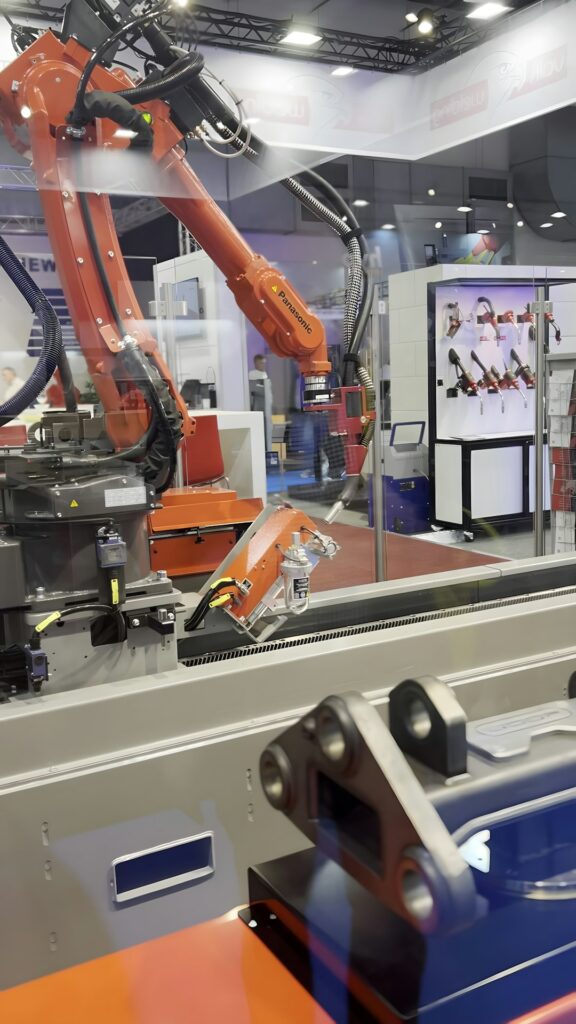
Best Automation Techniques: Harnessing AI Tools for Enhanced Productivity
In today’s fast-paced world, leveraging the best automation techniques through AI tools has become essential for increasing productivity. Automation not only streamlines workflows but also enhances efficiency, allowing individuals and businesses to focus on high-impact activities. This comprehensive guide will explore various AI tools that can enhance your productivity and detail critical strategies to implement these automation techniques effectively.
Why it matters
Understanding the importance of automation is key to improving productivity. With the rapid advancements in AI, organizations and freelancers alike can harness these tools to achieve remarkable results. Automating repetitive tasks leads to:
- Increased efficiency and time-saving
- Reduction in human error
- Enhanced focus on strategic priorities
- Better resource allocation
- Improved creativity and innovation
Core Concepts
Before diving into specific tools and techniques, it’s essential to grasp the core concepts underpinning automation:
1. Task Automation
- Streamlining repetitive tasks
- Workflow optimization
2. AI-Powered Decision Making
- Leverage data analytics
- Predictive modeling
3. Integration of Tools
- Connecting various software systems
- Creating a seamless operational flow
Detailed Step-by-Step Guide
- Identify repetitive tasks in your daily workflow.
- Research and select AI tools suitable for those tasks (e.g., Asana, Zapier, or Trello for task management).
- Integrate the tools with existing software or platforms.
- Set up automation rules to handle specific tasks without manual intervention.
- Test the automation processes to ensure they work as intended.
- Iterate and adjust the automation rules for continuous improvement.
- Train your team on using these tools effectively.
Common Mistakes
When implementing automation techniques, several pitfalls can hinder your productivity gains. Here are some common mistakes to avoid:
- Over-automating processes that require human touch.
- Neglecting to monitor and review automated tasks for errors.
- Using incompatible tools that don’t integrate well.
- Not properly training team members on new tools.
- Ignoring feedback from users impacted by automation.
Real-World Case Study
Consider a small marketing agency that struggled with managing client communications and campaign tracking. By implementing automation techniques using tools like HubSpot and Mailchimp, they streamlined their email marketing campaigns and improved client follow-up sequences. Initially, they spent hours managing individual campaigns, but after automating these processes, they saved approximately 15 hours a week across the team. This newfound time was reallocated to strategizing new marketing initiatives, ultimately leading to increased client satisfaction and revenue growth.
Comparison Table
| Tool Name | Functionality | Best For | Pricing |
|---|---|---|---|
| Zapier | Workflow automation between multiple apps | Integrations | Starts at $19.99/month |
| Asana | Project management and task tracking | Team Collaboration | Starts at $10.99/month |
| Monday.com | Customizable project management | Flexibility | Starts at $39/month |
| HubSpot | Marketing automation and CRM | Lead Management | Free plan available; premium starts at $45/month |
FAQ
What are automation tools?
Automation tools are software applications designed to perform repetitive tasks automatically, saving time and reducing errors.
How can AI improve productivity?
AI enhances productivity by analyzing data, automating mundane tasks, and allowing teams to focus on strategic activities.
Are there free automation tools available?
Yes, several tools like Zapier, HubSpot, and Trello offer free plans or trials to help users get started with automation.
What industries benefit most from automation?
Industries such as marketing, finance, healthcare, and customer service see significant productivity gains from automation.
How do I know which automation tool is right for me?
Identify your specific needs, budget, and the tools that integrate well with your current systems to determine the right solution.
Conclusion
Embracing the best automation techniques through AI tools can transform your productivity landscape. By understanding core concepts, avoiding common mistakes, and implementing strategies effectively, you can elevate your productivity and focus on what truly matters. With the right tools and processes in place, the promise of enhanced efficiency and creativity is within reach for all professionals and organizations.
Advanced Tips for Leveraging AI Tools
Integrating AI with Existing Workflows
To maximize productivity, it is essential to integrate AI tools seamlessly with existing workflows. This can be achieved by identifying repetitive tasks that can be automated. For instance, utilizing AI-powered email categorization can free up time for more strategic activities. Consider using task management tools that feature AI capabilities, enabling automatic prioritization of tasks based on deadlines and importance. These integrations not only enhance efficiency but also foster a smooth transition to automated processes.
Regularly Update and Train AI Systems
AI systems learn and improve over time. Regularly updating your AI tools ensures they utilize the latest algorithms and datasets. Training AI models with relevant, current data allows businesses to refine their output quality. For example, if you’re using an AI for customer service, ensure it’s trained on recent inquiries and solutions to provide accurate assistance. This proactive approach is one of the best automation techniques businesses can adopt to maintain productivity levels.
Expert Opinions on AI for Productivity
Insights from Industry Leaders
Industry experts agree that AI tools are transforming productivity paradigms across sectors. According to a study by the McKinsey Global Institute, firms utilizing AI effectively can achieve productivity gains of up to 40%. Notably, leaders emphasize the importance of choosing the right tools tailored to specific operational needs. This targeted approach allows businesses to harness the full potential of AI, marking a substantial competitive advantage. Integrating the best automation techniques into strategy can lead to significant improvements in overall efficiency.
Case Studies Demonstrating Success
Several companies have successfully implemented AI tools to enhance productivity. For example, a well-known e-commerce platform adopted AI-driven analytics to optimize inventory management. By analyzing sales trends in real-time, the system enabled the company to reduce overstock situations and improve cash flow. In another scenario, a financial institution utilized AI to automate document processing, significantly reducing turnaround time for loan approvals. Such case studies illustrate not only the effectiveness of AI in boosting productivity but also highlight key strategies and tools that act as models for other organizations looking to implement the best automation techniques.
Future Trends in AI Productivity Tools
Emerging Technologies to Watch
The landscape of AI productivity tools is continuously evolving. Emerging technologies, such as natural language processing and advanced machine learning algorithms, are set to further revolutionize how teams collaborate and increase productivity. These technologies can streamline complex processes, enabling more intuitive user interfaces and personalized outputs. Businesses should stay informed about these innovations to leverage them effectively for enhanced productivity.
The Role of Machine Learning in Automation
Machine learning is increasingly becoming a backbone of AI-driven productivity tools. Its capability to learn from data patterns offers organizations insights that were previously unattainable. For example, predictive analytics in project management tools can help forecast project timelines based on historical data, enabling better resource allocation. By embracing machine learning as part of the best automation techniques, companies can unlock new levels of efficiency and define the future of their workflows.

