
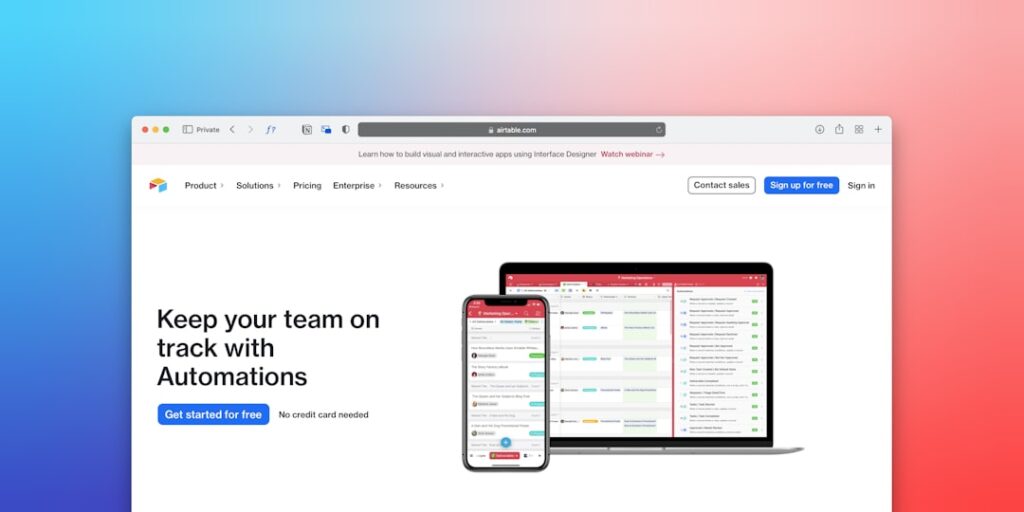
AI Tools for Automation: Embracing No-Code Workflow Automation for Your Business
No-Code Workflow Automation is revolutionizing the way organizations operate by removing the technical barriers associated with traditional automation solutions. With the rise of AI tools for automation, businesses can streamline processes, enhance productivity, and innovate at an unprecedented pace.
Why it matters
In today’s fast-paced business environment, efficiency and agility are key drivers of success. No-Code Workflow Automation allows teams to create and manage workflows without requiring extensive programming knowledge. This democratization of technology not only empowers employees but also leads to quicker deployments, reduced operational costs, and improved accuracy in various tasks.
Core Concepts
Understanding No-Code Automation
- No-Code Platforms: Tools that enable automation without writing code.
- Workflows: A series of tasks that are executed to achieve a particular outcome.
- Integrations: Connections between different software applications to streamline data flow and processes.
- Triggers and Actions: Events that initiate workflows and the subsequent actions that occur as a result.
Detailed Step-by-Step Guide
- Identify the Processes: Evaluate which business processes can benefit from automation.
- Choose the Right Tools: Research and select suitable No-Code automation platforms like Zapier, Integromat, or Airtable.
- Map Out Your Workflow: Diagram each task and its relationship to others to visualize the workflow.
- Set Up Triggers and Actions: Define the criteria that activate the workflow and the actions that follow.
- Test the Workflow: Run simulations to ensure the workflow operates as intended without errors.
- Deploy and Monitor: Launch the system and continuously monitor its performance for any needed adjustments.
Common Mistakes
While implementing No-Code Workflow Automation, businesses can encounter several pitfalls:
- Over-automation: Attempting to automate every process can lead to complexity and inefficiencies.
- Lack of Documentation: Failing to document workflows can cause confusion and make troubleshooting difficult.
- Ignoring User Experience: Automation should simplify tasks; neglecting user feedback may render workflows ineffective.
- Not Regularly Reviewing Processes: Automation needs to evolve; stagnant workflows can become obsolete.
Real-World Case Study
Consider a mid-sized e-commerce company that struggled with order processing times. By adopting a No-Code Workflow Automation tool, they mapped their order fulfillment and notification processes. The integration of their inventory management system with their order processing software via Zapier allowed them to automate stock updates and customer notifications. Post-implementation, order processing time reduced by 40%, highlighting the efficiency gains achieved through the right automation strategies.
Comparison Table
| Platform | Key Features | Best For | Pricing |
|---|---|---|---|
| Zapier | Easy integrations and multi-step workflows | Small to medium businesses | Starts at $19.99/month |
| Integromat | Visual interface and advanced scenarios | Tech-savvy users | Starts at $9/month |
| Airtable | Database capabilities with automation features | Project management | Starts at $10/month |
| Microsoft Power Automate | Seamless integration with Microsoft products | Enterprises | Starts at $15/user/month |
FAQ
What is No-Code Workflow Automation?
No-Code Workflow Automation allows users to create automated workflows using visual interfaces without needing programming skills.
Can No-Code tools handle complex workflows?
Yes, many No-Code tools are capable of managing complex workflows through conditional logic and multiple integrations.
What industries benefit most from No-Code automation?
Industries like e-commerce, marketing, healthcare, and finance commonly implement No-Code automation for efficiency.
Are there security concerns with No-Code platforms?
While many No-Code platforms prioritize security, businesses should assess individual platforms’ security measures before implementation.
How do I choose the right No-Code tool for my needs?
Evaluate your specific needs, process complexity, budget, and preferred integrations to find the best fit.
Conclusion
No-Code Workflow Automation represents a powerful opportunity for businesses seeking to enhance operational efficiency and innovate rapidly. By leveraging AI tools for automation, organizations can empower their teams to create tailored solutions that meet their unique needs, driving productivity and growth in the digital age.
Advanced Tips for Implementing No-Code Workflow Automation
Choosing the Right Tools
When embarking on a no-code workflow automation journey, selecting the right tools is crucial. Various platforms are available, each offering unique features tailored to specific business needs. Evaluate the scalability, integration capabilities, and user-friendly interfaces of these tools. Conducting thorough research and reading user reviews can significantly enhance your decision-making process.
Training Your Team
Even though no-code tools are designed for ease of use, it’s essential to invest time in training your team on how to utilize these platforms effectively. Consider organizing workshops or providing online resources to familiarize your staff with the functionalities and best practices of the chosen tools. This can increase adoption rates and ensure that your automation initiatives are implemented smoothly.
Expert Opinions on No-Code Workflow Automation
Industry Leaders Weigh In
Many industry experts advocate for no-code workflow automation as a game-changer for businesses. According to renowned technology analysts, adopting no-code solutions can reduce development time by up to 80%. They emphasize that this shift not only empowers non-technical users but also allows IT departments to focus on more complex tasks, thereby improving overall productivity.
Case Studies from Successful Implementations
Several organizations have successfully leveraged no-code workflow automation to transform their operations. For instance, a leading e-commerce company utilized a no-code platform to streamline their order processing system, resulting in a 50% reduction in processing time. Case studies like these showcase the potential impact that no-code solutions can have on efficiency and profitability.
Future Trends in No-Code Workflow Automation
Integration of AI Technologies
As we look to the future, the integration of AI technologies with no-code workflow automation tools is anticipated to reshape how businesses operate. AI can enhance automation processes by providing predictive analytics and intelligent decision-making capabilities, allowing organizations to respond to market changes swiftly and efficiently.
Increased Focus on Customization
Another significant trend is the increasing focus on customization. Businesses are seeking no-code tools that not only cater to general needs but also allow for specific adjustments tailored to unique workflows. The ability to create highly personalized automation processes will become increasingly essential as organizations strive for operational excellence and competitive advantage.

