
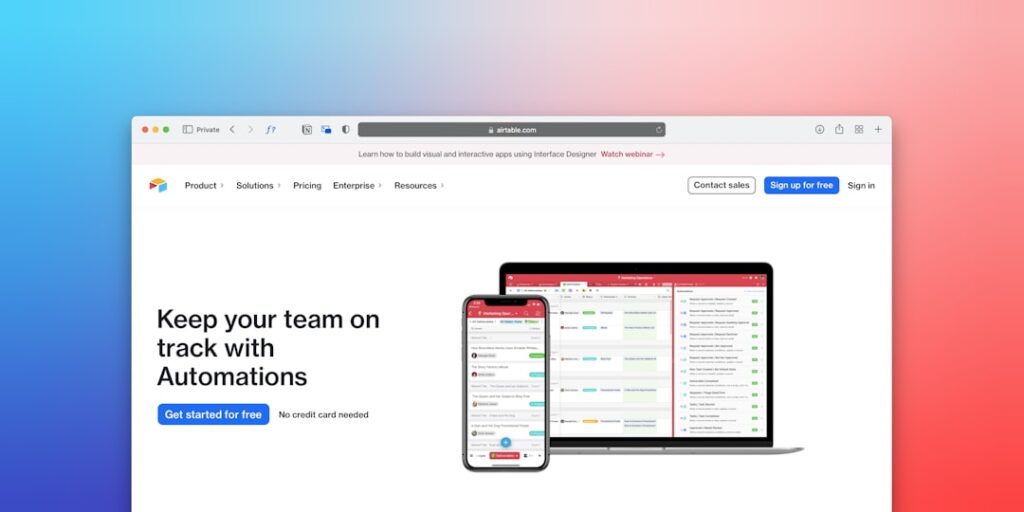
Maximizing Efficiency with No-Code Automation Tools: A Comprehensive Guide to AI Productivity
In today’s fast-paced digital landscape, the integration of AI productivity tools, especially No-Code Automation Tools, has become essential for businesses seeking to streamline operations and enhance efficiency. These tools empower individuals without extensive coding skills to automate tasks and processes, thus saving time and resources while improving overall productivity.
Why it matters
No-Code Automation Tools are revolutionizing the way organizations approach tasks that once required coding expertise. By providing user-friendly interfaces and powerful automation capabilities, these tools enable businesses to increase their operational efficiency, reduce human error, and focus on strategic initiatives rather than repetitive tasks.
Core Concepts
Understanding No-Code Automation Tools
- Definition: Platforms that allow users to automate workflows without writing code.
- Functionality: Connects various applications, streamlining data transfer and task automation.
- Accessibility: Designed for individuals across all skill levels, promoting wider adoption.
Key Benefits
- Time Savings: Automates repetitive tasks, freeing up valuable time for employees.
- Cost Efficiency: Reduces the need for specialized IT resources.
- Scalability: Adapts easily to growing business needs.
Popular No-Code Automation Platforms
- Zapier: Connects multiple apps to automate workflows.
- Integromat (Make): Offers advanced integrations and complex workflows.
- Microsoft Power Automate: Integrates seamlessly with Microsoft products.
Detailed Step-by-Step Guide
- Identify Repetitive Tasks: Analyze daily operations to find processes that could benefit from automation.
- Select a No-Code Automation Tool: Choose a platform that fits your needs based on ease of use and supported applications.
- Create an Account: Sign up for the tool and familiarize yourself with its layout and features.
- Define Workflow: Break down the automated process into clear steps and define triggers.
- Connect Applications: Link the necessary apps within the platform to automate data flow.
- Test Automation: Run a trial of the workflow to ensure everything works smoothly.
- Monitor and Optimize: Keep track of performance and make adjustments as needed for improvement.
Common Mistakes
When leveraging No-Code Automation Tools, organizations often encounter several pitfalls, including:
- Overcomplicating Automations: Creating overly complex workflows that may lead to errors or confusion.
- Ignoring Error Handling: Failing to set up backup processes for when automations do not perform as expected.
- Not Training Employees: Neglecting to provide adequate training on how to use the tool, resulting in poor adoption rates.
- Underestimating Security Risks: Overlooking the importance of data privacy and security in automated workflows.
Real-World Case Study
Consider the case of a mid-sized marketing firm that implemented No-Code Automation Tools to enhance their lead generation process. By utilizing Zapier, the firm connected their CRM with email marketing software to automatically segment leads based on interactions. This streamlined their workflow, reducing the time spent on manual entry by 50% and significantly increasing their outreach effectiveness. The result was a 30% rise in conversion rates within just three months.
Comparison Table
| Tool Name | Best For | Ease of Use | Pricing |
|---|---|---|---|
| Zapier | Simple Automations | ⭐⭐⭐⭐⭐ | Starts at $19.99/month |
| Integromat (Make) | Advanced Integrations | ⭐⭐⭐⭐ | Starts at $9/month |
| Microsoft Power Automate | Microsoft Integration | ⭐⭐⭐⭐⭐ | Starts at $15/month |
FAQ
What are No-Code Automation Tools?
No-Code Automation Tools are platforms that enable users to create automated workflows without needing programming skills.
How can No-Code Automation Tools improve productivity?
By automating repetitive tasks, these tools free up time for employees to focus on more strategic initiatives.
Are No-Code Automation Tools secure?
Most reputable tools offer robust security features, but it’s essential to review their policies and practices regarding data privacy.
Can No-Code Automation Tools integrate with my existing software?
Many No-Code Automation Tools support integration with a wide range of applications, making them versatile for various business needs.
Conclusion
No-Code Automation Tools are transforming the productivity landscape for businesses across all sectors. By embracing these tools, organizations can drive efficiency, reduce operational costs, and enhance overall productivity in a way that is accessible to every team member. As the digital world continues to evolve, leveraging No-Code Automation will be key to staying competitive and maximizing AI productivity.
Advanced Tips for Implementing No-Code Automation Tools
Integrating Existing Workflows
One of the key advantages of no-code automation tools is their ability to integrate seamlessly with existing workflows. When implementing these tools, start by mapping out your current processes. Identify repetitive tasks that consume valuable time and analyze how they interact with one another. This understanding will help you uncover opportunities for automation, enabling you to create efficient workflows that enhance productivity without disrupting operations.
Customization for Specific Needs
No-code automation tools allow for a high degree of customization. To maximize their potential, consider tailoring features to fit your organization’s specific needs. Take advantage of user feedback and data analytics to refine automation workflows. This iterative approach not only ensures that the automated processes are aligned with your business objectives but also fosters a culture of continuous improvement.
Expert Opinions on No-Code Automation Tools
Insights from Industry Leaders
Industry experts emphasize the increasing significance of no-code automation tools in driving digital transformation. Many leaders advocate for the adoption of these tools, citing their ability to democratize technology and empower non-technical staff to contribute to automation. This shift not only enhances agility but also helps organizations remain competitive in a rapidly evolving market.
Case Studies from Successful Implementations
Several companies have successfully adopted no-code automation tools, resulting in significant efficiency gains. For instance, a leading e-commerce platform utilized these tools to automate customer support processes, drastically reducing response times and improving customer satisfaction metrics. Such examples demonstrate how embracing no-code solutions can lead to measurable improvements in productivity and operational effectiveness.
Future Trends in No-Code Automation
Enhancements in AI Integration
The future of no-code automation tools is poised for exciting advancements, particularly in integrating artificial intelligence (AI). As AI technologies evolve, expect to see enhanced capabilities that allow users to not only automate processes but also predict trends and outcomes. This integration will further empower organizations to make data-driven decisions with unprecedented speed and accuracy.
The Rise of Collaborative Automation
Another emerging trend is the rise of collaborative automation, where teams can work together within no-code platforms to create solutions. This collective approach harnesses diverse perspectives and expertise, resulting in more innovative automation processes. The flexibility and inclusivity of collaborative automation will likely become a fundamental aspect of how organizations approach workflow optimization in the near future.

