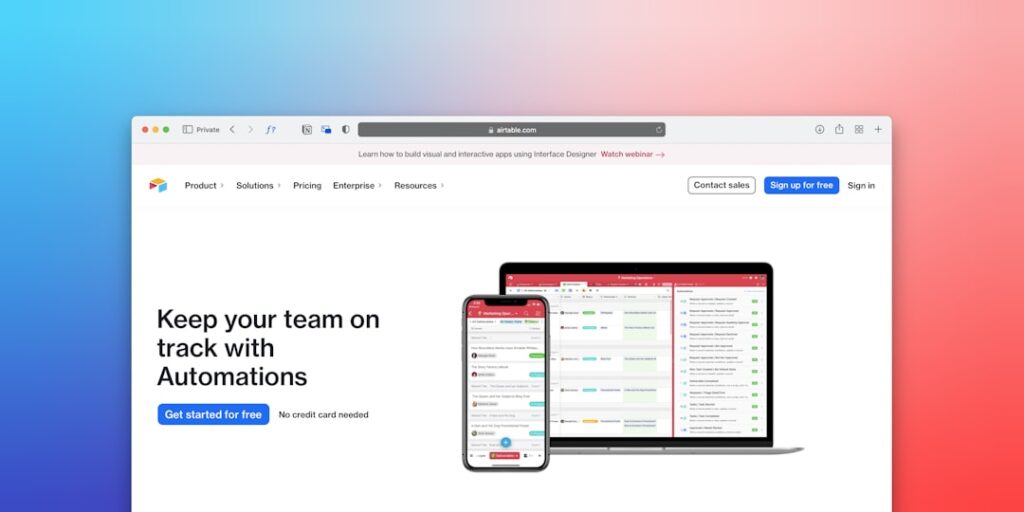
No-Code Automation Tools: Transforming Remote Work Efficiency
Automation in remote work has gained immense traction in recent years, especially with the advent of no-code automation tools. These tools empower individuals and teams to streamline their workflows without the need for extensive programming knowledge. As remote work becomes the norm, understanding how to leverage these tools can significantly enhance productivity and collaboration across distributed teams.
Why it matters
No-code automation tools are pivotal in today’s digital workplace. They allow businesses to automate repetitive tasks, thereby freeing up valuable time for employees to focus on higher-value activities. In a remote setting, where communication and collaboration can often be challenging, these tools facilitate smoother operations and reduce the chances of errors. Furthermore, they contribute to improved morale and job satisfaction as employees are relieved from mundane tasks.
Core Concepts
1. What is No-Code Automation?
No-code automation refers to platforms that enable users to create automated workflows without needing to write code. These tools often use a visual interface, making it accessible for non-technical users.
2. Types of No-Code Automation Tools:
- Workflow Automation Platforms (e.g., Zapier, Integromat)
- Task Management Tools (e.g., Trello, Asana)
- Data Collection Solutions (e.g., Airtable, Google Forms)
- Communication Automation (e.g., Slack Bots, Microsoft Power Automate)
3. Benefits of Using No-Code Tools:
- Increased Efficiency
- Accessible for Non-technical Staff
- Enhanced Accuracy in Processes
- Rapid Implementation
Detailed Step-by-Step Guide
- Identify Repetitive Tasks: Review your daily or weekly activities and highlight those that consume significant time.
- Choose the Right No-Code Tool: Based on the tasks identified, select an appropriate no-code solution that matches your needs.
- Create Your First Workflow: Utilize the visual interface of your chosen tool to set up a basic automation.
- Test the Workflow: Ensure that the automation works as intended by conducting trials and making necessary adjustments.
- Train Your Team: Share insights on how to use these tools effectively with your team to maximize the benefits.
- Monitor and Optimize: Continually analyze the effectiveness of your automation and make adjustments as needed to improve efficiency.
Common Mistakes
Individuals and teams often encounter pitfalls when implementing no-code automation tools. Common mistakes include:
- Failing to define clear objectives for automation.
- Choosing the wrong tool for specific tasks or workflows.
- Neglecting to communicate changes with the team, leading to confusion.
- Over-automating processes that require human intervention.
Real-World Case Study
Consider a marketing team at a mid-sized tech company looking to improve lead generation efforts. They implemented a no-code tool, Zapier, to automate the flow of leads from their web forms into their CRM. By creating workflows that triggered notifications for new leads, the team could rapidly respond, improving their conversion rate by 25% within three months. This case illustrates the potential of no-code automation tools to enhance remote operations and drive measurable results.
Comparison Table
| Tool Name | Best For | Key Features | Pricing |
|---|---|---|---|
| Zapier | Workflow Automation | Integrations with 2000+ apps, user-friendly interface | Free tier available, starts at $19.99/month |
| Integromat | Complex Workflow Automation | Visual scenario builder, multi-step automations | Free tier available, starts at $9/month |
| Airtable | Data Management | Database functionalities, templates for various use cases | Free tier available, starts at $12/month |
| Slack Bots | Communication Automation | Automated reminders, task assignments | Included in Slack subscription |
FAQ
What are no-code automation tools?
No-code automation tools are platforms that allow users to automate workflows without requiring coding skills, using visual interfaces instead.
How do no-code automation tools benefit remote teams?
They help streamline communication, reduce repetitive tasks, and enhance overall productivity, which is essential in a remote work environment.
Can I integrate no-code tools with existing software?
Yes, most no-code automation tools offer integrations with popular software solutions, allowing seamless data flow and collaboration.
Are there limitations to using no-code automation tools?
While they are powerful, no-code tools may have limitations in handling very complex processes or large data sets compared to custom coding solutions.
What should I consider when choosing a no-code tool?
Consider factors like ease of use, integration capabilities, scalability, and pricing to find the best fit for your needs.
Conclusion
No-code automation tools represent a transformative opportunity for remote work, enabling teams to enhance efficiency and focus on strategic tasks. By understanding the core concepts, following a structured approach to implementation, and avoiding common pitfalls, businesses can harness the full potential of automation. As work continues to evolve in a remote context, investing in no-code solutions will undoubtedly yield significant long-term benefits.
Advanced Tips for Implementing No-Code Automation Tools
Streamlining Communication
One of the primary advantages of no-code automation tools is their ability to enhance communication among remote teams. By integrating tools like Slack or Microsoft Teams with project management software, you can set up automated notifications that keep everyone updated on project status without manual input. This ensures that all stakeholders are on the same page, ultimately leading to better collaboration and efficiency.
Optimizing Workflows
Identifying repetitive tasks is crucial when utilizing no-code automation tools. Regularly assess your team’s workflow to pinpoint areas where automation can save time. Automate routine reporting and data entry to minimize human error and free up time for more strategic initiatives. The more you optimize your workflows with automation, the more productive your team can become.
Expert Opinions on No-Code Automation Tools
Insights from Industry Leaders
Industry experts agree that no-code automation tools are redefining remote work. Leading figures in the tech sector emphasize the importance of creating a tool-agnostic environment, allowing teams to adopt the best no-code solutions available. Furthermore, experts encourage organizations to invest in training sessions to ensure that employees can effectively leverage these tools for maximum productivity.
Future Trends in No-Code Automation
Increased Integration Capabilities
As no-code automation tools continue to gain traction, the ability to seamlessly integrate across various platforms will become essential. Future trends indicate a rise in advanced APIs that will enable no-code tools to communicate effortlessly with existing software. This will not only enhance efficiency but also provide a more cohesive user experience, essential for remote teams looking to build a robust digital workspace.
The Shift Towards AI-Powered Automation
Another trend to watch is the integration of AI into no-code automation tools. This innovation will allow organizations to analyze employee performance and optimize workflows based on real-time data. AI-driven insights will empower remote teams to make informed decisions and adapt quickly to changing market demands, further solidifying the role of no-code automation tools in the future of work.