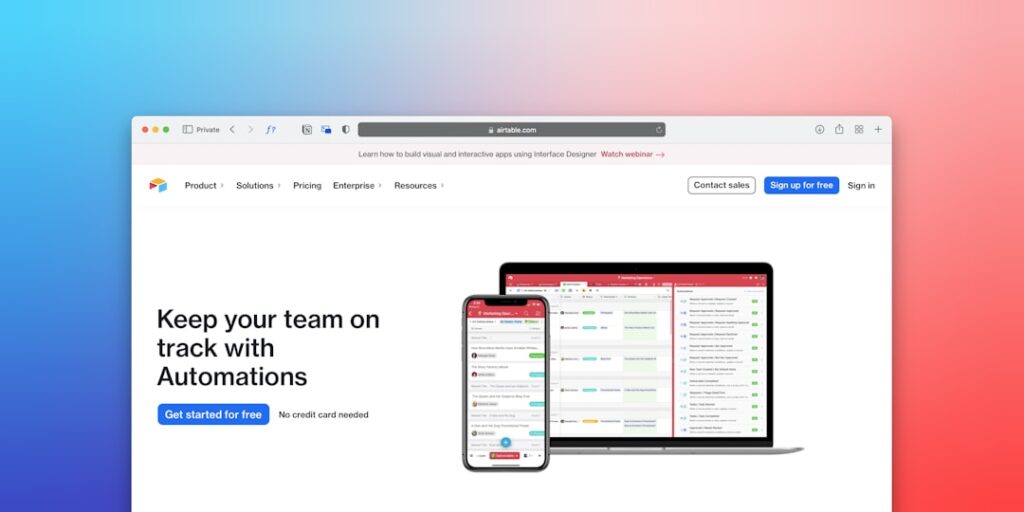
Unlocking Efficiency: Embracing No-Code Automation Tools for Your Business
In today’s fast-paced digital landscape, No-Code Automation Tools have emerged as a game-changer for businesses looking to enhance productivity, reduce costs, and streamline operations. These tools empower users to automate processes without coding knowledge, opening up a world of possibilities for teams across various industries.
Why it matters
AI Automation through no-code solutions is not just a trend but a vital component of modern business strategy. By leveraging these tools, organizations can improve workflow efficiency, minimize human error, and allocate resources more effectively. This capability allows companies to respond swiftly to market changes and customer needs, ultimately driving growth.
Core Concepts
1. Understanding No-Code Automation
- Definition: Tools that allow users to create applications and automate tasks without traditional programming knowledge.
- Target Users: Business professionals, marketers, and operations teams.
- Popular Use Cases: Data collection, CRM management, and repetitive task automation.
2. Benefits of No-Code Tools
- Increased Accessibility: Non-technical users can build and automate workflows.
- Speed: Rapid development and deployment of automated processes.
- Cost-Effective: Reduces the need for extensive IT resources.
3. Types of No-Code Automation Tools
- Workflow Automation: Tools like Zapier and Integromat.
- Data Integration: Platforms like Airtable and Google Sheets.
- Process Automation: Solutions like Trello and Asana for project management.
Detailed Step-by-Step Guide
- Identify Repetitive Tasks: Analyze your workflows to find tasks that consume time.
- Select the Right Tool: Choose a no-code tool that fits your business needs.
- Map Out Your Workflow: Draft a clear process flow for automation.
- Create Your Automation: Use the tool’s interface to set up the necessary triggers and actions.
- Test Thoroughly: Run tests to ensure the automation works as intended.
- Monitor & Optimize: Regularly review your automated processes to identify areas for improvement.
Common Mistakes
Many users stumble into pitfalls when adopting no-code automation tools. Here are some common mistakes to avoid:
- Neglecting User Training: Not training team members can lead to confusion and underutilization.
- Over-Automating: Not everything should be automated; analyze the cost versus benefits carefully.
- Ignoring Integration Issues: Failures can occur if the tools are not properly integrated into existing systems.
Real-World Case Study
Consider a mid-sized e-commerce company, XYZ Retail. They struggled with managing customer inquiries and processing orders due to lack of efficiency in their operations. By implementing No-Code Automation Tools like Zapier and Airtable, they automated customer support responses and order tracking without the need for a developer. This shift resulted in a 40% reduction in response times and a measurable increase in customer satisfaction and sales.
Comparison Table
| Tool | Main Features | Price | Best For |
|---|---|---|---|
| Zapier | Easy app connections, Multi-step workflows | Free – $599/month | Basic automation tasks |
| Integromat | Visual builder, Real-time data sync | Free – $299/month | Complex automation scenarios |
| Airtable | Database management, Template use | Free – $20/user/month | Data-driven projects |
| Trello | Task management, Team collaboration | Free – $20.83/user/month | Project management |
FAQ
What are No-Code Automation Tools?
No-Code Automation Tools are platforms that allow users to automate tasks and create workflows without any programming skills.
Who can benefit from No-Code Tools?
Small businesses, marketers, and those without technical backgrounds can greatly benefit from using these tools.
Are No-Code Tools secure?
Most reputable no-code tools implement strong security measures, but it’s vital to evaluate each tool’s security features.
Can I integrate these tools with other software?
Yes, many no-code automation tools allow integration with various software applications, enhancing their functionality.
Do I need a technical background to use No-Code Tools?
No, these tools are designed for users with no coding experience, although some familiarity with digital tools may help.
Conclusion
As we traverse deeper into the era of automation, embracing No-Code Automation Tools is becoming not just a choice but a necessity for businesses aiming to thrive. By understanding their core concepts, avoiding common pitfalls, and learning from real-world applications, organizations can leverage these tools for remarkable efficiency and effectiveness. With the right approach, even non-technical users can harness the power of automation to drive their business forward.
Future Trends in No-Code Automation Tools
The Rise of AI-Powered No-Code Platforms
As artificial intelligence continues to evolve, its integration with no-code automation tools is expected to create even more streamlined and user-friendly applications. These platforms will leverage AI to analyze workflows, provide intelligent suggestions, and automate complex processes without requiring deep technical know-how.
Increased Adoption Across Industries
No-code automation tools are not just for tech startups anymore. Businesses across various sectors, including healthcare, finance, and retail, are adopting these solutions to enhance their operational efficiency. This widespread adoption will likely catalyze improvements in tool functionalities, making automated solutions more robust and capable of handling complex industry-specific challenges.
Advanced Tips for Maximizing No-Code Automation Tools
Integrating with Existing Systems
To get the most out of no-code automation tools, it’s crucial to seamlessly integrate them with your existing business systems. Look for platforms that offer extensive APIs and connection capabilities to ensure that your new automation solutions streamline processes rather than complicate them. This integration will allow for better data flow and task management, ultimately enhancing productivity.
Customizing Automation Workflows
Take the time to customize your automation workflows. While no-code platforms are designed for ease of use, personalizing them to fit your unique business processes can significantly enhance efficiency. Use advanced features like conditional logic and custom triggers to create sophisticated workflows that align with your operational goals.