
Unlocking Efficiency: A Comprehensive Guide to No-Code Automation Tools
In today’s fast-paced business environment, No-Code Automation Tools are revolutionizing the way organizations streamline their processes and enhance productivity. These tools empower users—regardless of their technical expertise—to automate repetitive tasks without writing a single line of code, ultimately saving time and improving efficiency.
Why it matters
Understanding the significance of no-code automation tools is essential for modern businesses aiming to thrive in an increasingly competitive landscape. These tools minimize the reliance on IT departments, enabling employees to focus on high-level tasks and strategic initiatives. As a direct result, organizations can increase operational efficiency, reduce errors stemming from manual processes, and foster a culture of innovation.
Core Concepts
1. What are No-Code Automation Tools?
No-Code Automation Tools allow users to create automated workflows using graphical user interfaces and drag-and-drop functionalities. They simplify various tasks that would traditionally require programming knowledge.
2. Benefits of No-Code Automation Tools:
- Accessibility: Non-technical users can easily set up automations.
- Cost Savings: Reduce dependence on specialized external developers.
- Speed: Implement automation quickly to boost productivity.
3. Essential Features to Look For:
- User-friendly Interface: Intuitive design for easy navigation.
- Integration Capabilities: Ability to connect with multiple applications.
- Scalability: Adapt to growing business needs.
Detailed Step-by-Step Guide
- Identify Repetitive Tasks: Start by documenting tasks that consume significant time.
- Evaluate Tools: Research and select appropriate no-code automation tools based on specific needs.
- Define Workflows: Outline steps of your automated process clearly.
- Set Up Automations: Use the tool’s interface to create workflows according to your defined steps.
- Test Thoroughly: Run tests to check if the automation works as intended.
- Monitor and Optimize: Continuously assess the automation to identify areas for improvement.
Common Mistakes
While no-code automation tools offer significant advantages, several pitfalls can hinder their effectiveness:
- Inadequate Training: Not investing time in learning the tool’s features can lead to underutilization.
- Lack of Planning: Neglecting to clearly define workflows can create confusion and inefficiency.
- Ignoring Scalability: Choosing tools that do not grow with the business can lead to frustrations later.
Real-World Case Study
Consider the scenario of a marketing agency that struggled with manual data entry for lead tracking. They adopted a no-code automation tool, enabling team members to automatically funnel data from their web forms into their client management system. By doing so, they reduced data entry time by 80%, minimized human error, and redirected manual effort towards nurturing leads, resulting in a notable increase in conversion rates within three months.
Comparison Table
| Tool Name | Key Features | Best For | Pricing |
|---|---|---|---|
| Zapier | Task Automation, Webhooks | Small to Medium Businesses | Starts at $19.99/month |
| Integromat | Visual Scripting, Multi-step Workflows | Advanced Users | Starts at $9/month |
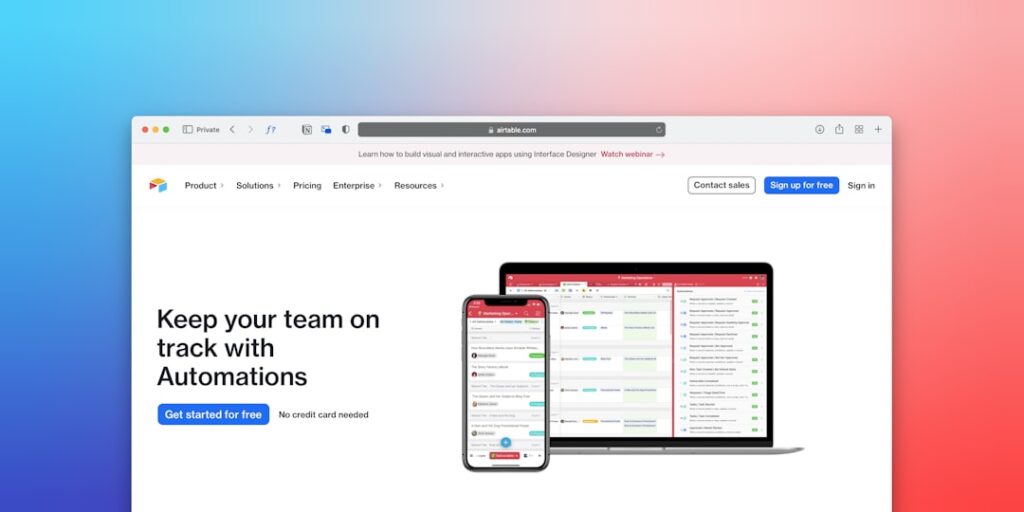
| Airtable | Database Management, Templates | Project Management | Free with basic features |
| Automate.io | App Integrations, Data Transfer | Marketing Teams | Starts at $9.99/month |
FAQ
What are no-code automation tools used for?
No-code automation tools are used to automate repetitive tasks, integrate applications, and streamline workflows without requiring programming skills.
Can businesses of all sizes use no-code automation tools?
Yes, no-code automation tools are versatile and can be used by businesses of all sizes to enhance efficiency and productivity.
How do no-code tools differ from traditional automation?
No-code tools allow users to create automations without coding, while traditional automation often requires programming expertise and can be more complex to implement.
Are there any limitations to no-code automation tools?
While no-code tools are powerful, they may have limitations in handling highly customized processes compared to custom-coded solutions.
Conclusion
The adoption of No-Code Automation Tools represents a paradigm shift in the way businesses approach efficiency and productivity. By integrating these tools into everyday operations, organizations can save time, reduce errors, and empower employees to focus on strategic initiatives that drive growth. Understanding the key concepts, avoiding common mistakes, and leveraging real-world insights can help maximize the benefits of no-code automation tools, ultimately leading to more streamlined operations and increased success.
Advanced Tips for Utilizing No-Code Automation Tools
Integrate AI with Existing Workflows
To maximize the benefits of no-code automation tools, it’s crucial to seamlessly integrate AI solutions with your existing workflows. Start by identifying repetitive tasks that can be automated, such as data entry or report generation, and assess how AI can enhance these processes. Implementing AI algorithms can reduce errors and save time while increasing productivity—two key goals of any organization.
Customize Automations for Specific Needs
No-code automation tools offer extensive customization options. Take the time to tailor these tools to your specific business needs. Whether it’s creating custom dashboards or setting unique triggers based on specific criteria, personalization can significantly improve efficiency. This level of detail helps to ensure that the automation aligns with your goals and enhances overall effectiveness.
Expert Opinions on AI Productivity Tools
Insights from Industry Leaders
Industry experts agree that AI productivity tools, including no-code automation solutions, are not just a fad; they represent the future of work. Renowned thought leaders emphasize the importance of adopting these technologies early on to stay competitive. According to many experts, companies leveraging no-code automation tools can dramatically increase their operational efficiency and responsiveness, leading to a stronger market position.
Case Studies and Real-World Applications
Several businesses have reported significant performance improvements after adopting no-code automation tools. For instance, a marketing agency automated its lead generation processes using no-code solutions and saw a 40% increase in qualified leads within three months. These success stories underscore the importance of integrating AI-driven technology into daily operations to enhance productivity and drive growth.
Future Trends in No-Code Automation Tools
The Rise of AI-Powered Interfaces
As technology evolves, the user interfaces of no-code automation tools are becoming increasingly AI-driven. Expect to see improvements in natural language processing (NLP) capabilities, allowing users to interact with automation tools more intuitively and effectively. This trend will make it even easier for non-technical users to leverage powerful AI functions without needing deep technical expertise.
Increased Collaboration Features
Future no-code solutions will likely focus on enhancing collaboration features, facilitating teamwork across departments. These platforms will enable users to work together in real-time on automation projects, share insights, and optimize workflows collectively. The emphasis on collaboration will help organizations better harness the power of no-code automation tools and enhance overall productivity.

