
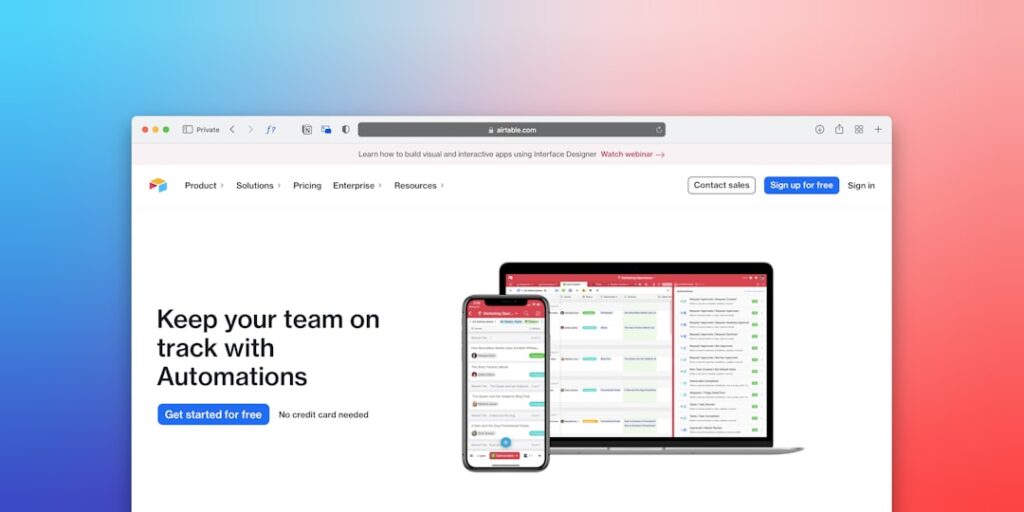
Unlocking Efficiency with No-Code Workflow Automation Tools
No-Code Workflow Automation is revolutionizing the way businesses operate. By leveraging AI automation tools, companies can streamline processes, enhance productivity, and reduce operational costs without the need for technical expertise.
Why it matters
In today’s digital landscape, organizations are faced with overwhelming workloads and the constant need for efficiency. No-Code Workflow Automation allows teams to create automated workflows that minimize manual tasks. This not only frees up valuable time but also decreases the likelihood of errors, leading to improved accuracy and quality in operations. Moreover, adopting these tools is crucial for maintaining a competitive edge in a rapidly evolving market.
Core Concepts
Understanding No-Code Workflow Automation
No-Code Workflow Automation refers to tools that enable users to create automated processes through visual interfaces without writing code. Key components include:
- Drag-and-Drop Interfaces: User-friendly platforms that simplify the workflow creation process.
- Integration Capabilities: Ability to connect with various applications and services.
- Pre-Built Templates: Ready-to-use workflows that cater to common business scenarios.
- Action Triggers: Events that initiate automated workflows based on specified criteria.
Detailed Step-by-Step Guide
- Identify Your Workflows: Analyze existing processes to identify inefficiencies or repetitive tasks ripe for automation.
- Select the Right Tool: Evaluate no-code platforms like Zapier, Integromat, or Airtable based on your needs.
- Define Triggers and Actions: Outline what events will start the automation and what subsequent actions to take.
- Set Up Integrations: Connect the no-code tool with other applications you use daily.
- Create the Workflow: Use the tool’s interface to build your workflow using drag-and-drop features.
- Test the Automation: Run tests to ensure everything works as expected and fine-tune the process.
- Monitor and Optimize: Continually assess the performance of your automated workflow and make adjustments as needed.
Common Mistakes
Despite the simplicity of no-code automation, users often encounter pitfalls. Here are some common mistakes to avoid:
- Overcomplicating Workflows: Adding too many steps can lead to confusion and maintenance challenges.
- Neglecting Testing: Failing to test before full implementation could result in significant workflow errors.
- Ignoring User Training: Not training team members on new tools can lead to underutilization.
- Underestimating Integration Needs: Not considering the full scope of integrations required can limit automation effectiveness.
Real-World Case Study
Consider a small e-commerce company that experienced delays in order processing due to manual inventory checks and customer notifications. By implementing a no-code automation tool, they were able to:
- Automate inventory updates based on sales data.
- Trigger automatic email notifications to customers when their orders were processed.
- Reduce order processing time by 50%.
This transformation not only improved customer satisfaction but also increased employee productivity, allowing the team to focus on more strategic tasks.
Comparison Table
| Feature | Zapier | Integromat | Airtable |
|---|---|---|---|
| Ease of Use | Highly intuitive | Moderate learning curve | Very user-friendly |
| Integration Options | 3,000+ apps | 700+ apps | Multiple integrations with databases |
| Customization | Limited to templates | Highly customizable workflows | Great for database-driven tasks |
| Cost | Free tier available, paid plans start at $19/month | Free tier available, paid plans start at $9/month | Free tier available, paid plans start at $10/month |
FAQ
What is no-code automation?
No-code automation allows users to create automated workflows without writing code through user-friendly interfaces.
Can I really automate my entire workflow?
While many repetitive tasks can be automated, some processes may still require human oversight and intervention.
Do I need technical skills to use no-code tools?
No, no-code tools are specifically designed for non-technical users, making automation accessible to all.
How do I choose the right no-code tool?
Consider the integrations you need, ease of use, and your specific business objectives when selecting a no-code automation tool.
Are there any hidden costs associated with no-code automation tools?
Some tools may have tiered pricing models that charge for advanced features, so it’s essential to review pricing details carefully.
Conclusion
No-Code Workflow Automation is a game-changer for modern businesses seeking to optimize efficiency and reduce costs. By understanding core concepts, avoiding common pitfalls, and leveraging real-world applications, you can harness the power of AI automation tools. With the right approach, these tools will enable significant improvements in productivity and operational excellence, making them indispensable for future success in your organization.
Advanced Tips for Implementing No-Code Workflow Automation
Integrating AI Tools Effectively
When implementing no-code workflow automation, it’s crucial to choose AI tools that seamlessly integrate with your existing systems. Look for platforms that offer pre-built connectors or APIs, allowing for effortless communication between applications. This will enhance the efficiency of your workflows and reduce the risk of errors.
Customizing Your Automation Workflows
While no-code solutions make it easy to set up automated workflows, customization is key to achieving maximum efficiency. Take the time to adjust triggers, actions, and conditions to create workflows tailored to your specific business needs. Doing so can significantly streamline your operations and ensure that your automation is truly effective.
Future Trends in No-Code Workflow Automation
Increased Use of AI and Machine Learning
The future of no-code workflow automation is heavily influenced by advancements in AI and machine learning. These technologies will allow for smarter decision-making capabilities, enabling workflows to adapt and respond to varying data inputs. As a result, businesses can expect more dynamic and intelligent automation solutions.
Focus on User Experience and Accessibility
As the no-code movement grows, there will be a greater emphasis on creating user-friendly interfaces that cater to a diverse range of users. This ensures that even those without technical backgrounds can effectively utilize no-code workflow automation tools. Improving accessibility fosters wider adoption across organizations, aiding in more efficient operations.

